What is Microsoft Bookings?
Microsoft Bookings is an appointment scheduling app included with many Microsoft 365 plans that gives customers and colleagues a web page to book time with you or your team. It is aimed at organizations already on Microsoft 365, such as small businesses, schools, clinics, government offices and internal service teams.
Bookings comes in two forms. Personal Bookings lets an individual share availability and meeting types through a link. Shared Bookings lets a business create booking pages with services, staff, hours and policies that customers book from. Appointments sync with Outlook calendars, online bookings get a unique Microsoft Teams link, and the data is stored in Exchange Online, so it follows existing Microsoft 365 compliance policies.
Microsoft Bookings at a glance
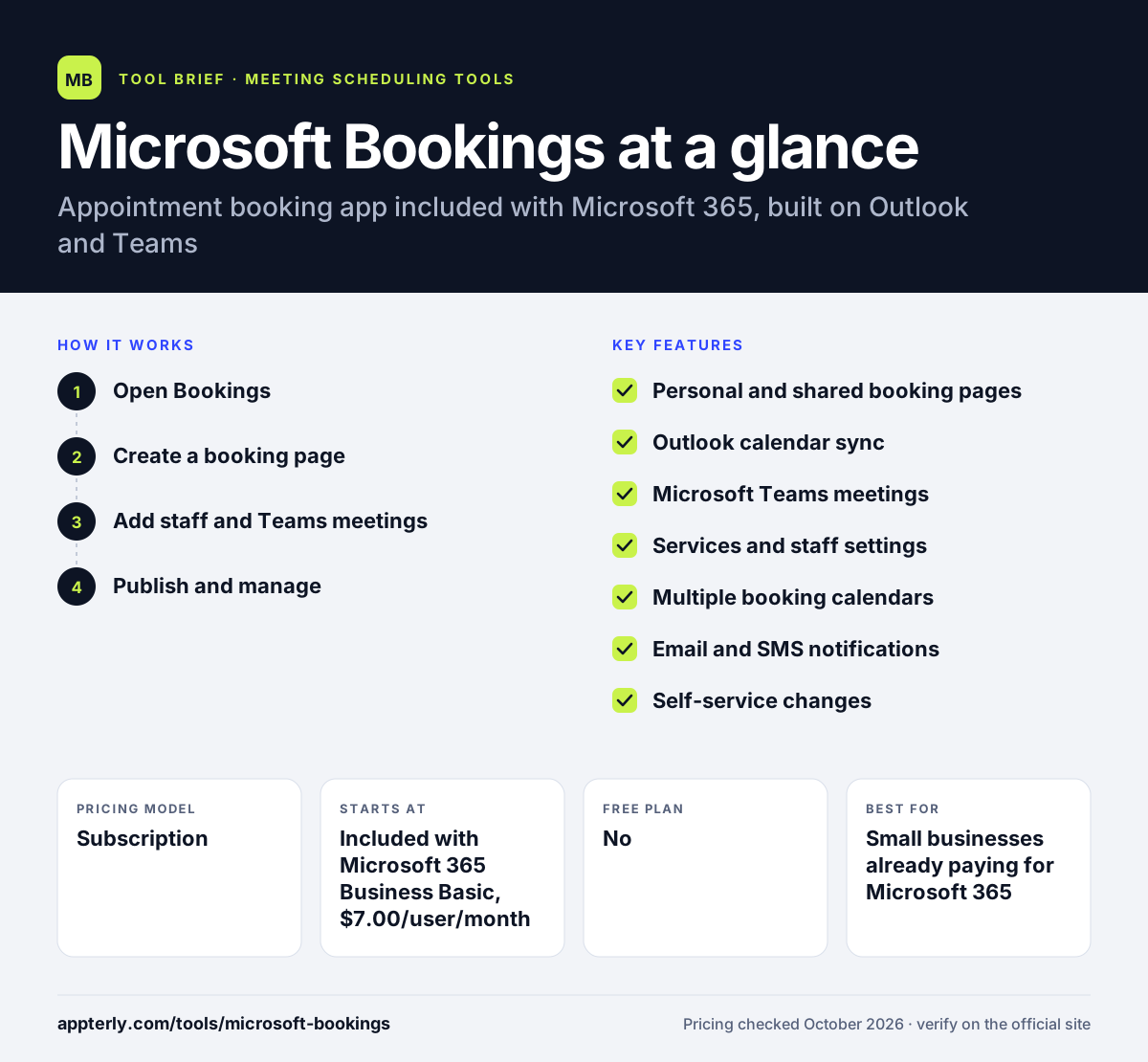
How does Microsoft Bookings work?
- Open Bookings
Go to book.ms on the web, or add Microsoft Bookings from the Apps menu in Outlook or Teams and pin it.
- Create a booking page
Choose personal or shared bookings, then set business hours, services, durations and booking requirements.
- Add staff and Teams meetings
Assign staff to services, sync their Outlook calendars, and turn on Teams links for online appointments.
- Publish and manage
Share the booking page, let customers book, reschedule or cancel, and track changes while Bookings sends confirmations and reminders.
Microsoft Bookings key features
Personal and shared booking pages
Use a personal link for your own meetings or a shared page where customers book a service with any available staff member.
Outlook calendar sync
Bookings checks Microsoft 365 calendars so customers see only open times and double-booking is avoided.
Microsoft Teams meetings
Each online booking gets its own Teams meeting link that attendees can join from a browser, phone or the Teams app.
Services and staff settings
Define services, assign service providers, set availability and customize booking requirements.
Multiple booking calendars
Create separate calendars, each with its own pages, staff, appointment types and messaging.
Email and SMS notifications
Confirmations and reminders go out automatically to reduce no-shows.
Self-service changes
Customers can reschedule or cancel, and staff can book on a customer's behalf.
Microsoft 365 data storage
Bookings data lives in Exchange Online shared mailboxes and follows the tenant's compliance policies.
Why use Microsoft Bookings?
- There is often no extra cost, since Bookings is part of many Microsoft 365 business, enterprise, education and frontline plans.
- It uses the Outlook calendars and Teams meetings your organization already runs.
- IT teams can manage it with existing Microsoft 365 admin and compliance controls.
- Shared booking pages make it simple to offer services across several staff members.
- Customers can book, reschedule and cancel without a Microsoft account.
Who is Microsoft Bookings best for?
A good fit for
- Small businesses already paying for Microsoft 365
- Schools and universities scheduling advising or office hours
- Clinics, government offices and service desks that use Teams for appointments
- Internal IT, HR or support teams offering bookable time
Less suited to
- Businesses that use Google Workspace rather than Microsoft 365
- Sales teams that need CRM-driven routing and lead qualification
- Service businesses that want built-in packages, memberships or rich payment options
Microsoft Bookings pricing
| Pricing model | Subscription |
|---|---|
| Free plan | No |
| Free trial | 1 month (Microsoft 365 business plans) |
| Starting price | Included with Microsoft 365 Business Basic, $7.00/user/month billed yearly (with Teams) |
Bookings is not sold alone. It is included in Microsoft 365 Business Basic, Standard and Premium, Teams Essentials and Premium, and many enterprise, education and frontline plans. Price depends on the Microsoft 365 plan.
Prices checked October 2026. Vendors change plans often, so confirm on the official Microsoft Bookings pricing page before you buy.
Microsoft Bookings pros and cons
Pros
- Included at no extra cost in many Microsoft 365 plans
- Native Outlook and Teams integration
- Data stays inside the Microsoft 365 tenant
- Supports both personal links and multi-staff service pages
Cons
- Only practical for organizations on Microsoft 365
- Fewer third-party integrations than standalone scheduling tools
- Limited payment, marketing and sales routing features
Microsoft Bookings integrations and platforms
Works with
Available on
Microsoft Bookings alternatives
See the full shortlist in Best Scheduling Software.
Microsoft Bookings FAQ
Is Microsoft Bookings free?
Microsoft Bookings has no separate price, but it is not free on its own. It is included in Microsoft 365 plans such as Business Basic, Business Standard, Business Premium, Teams Essentials and many enterprise and education plans. Business Basic with Teams costs $7.00 per user per month billed yearly.
Which Microsoft 365 plans include Bookings?
Microsoft lists Bookings in Microsoft 365 Business Basic, Standard and Premium, Teams Essentials and Teams Premium, plus A3, A5, E1, E3, E5, F1 and F3 plans. Office 365 A3, A5, E1, E3, E5, F1, F3, G1, G3 and G5 also include it. Admins may need to turn it on for users.
Do customers need a Microsoft account to book?
No. Customers open the Microsoft Bookings page in a web browser, choose a service and time, and enter their details. They receive a confirmation and, for online appointments, a Teams link they can join from a browser or by phone. Only staff need Microsoft 365 licenses.
Microsoft Bookings vs Calendly: which should I use?
Microsoft Bookings makes sense if your organization already pays for Microsoft 365 and uses Outlook and Teams, because it is included and managed centrally. Calendly works with both Google and Microsoft calendars and offers more integrations, routing forms and payment options. Calendly suits sales teams, while Bookings suits Microsoft-based service teams. Organizations that already run Outlook and Teams often start with Bookings because it is already part of their subscription.
Can Microsoft Bookings send SMS reminders?
Yes. Microsoft documents email and SMS notifications in Bookings to confirm appointments and remind customers, which helps reduce no-shows. Customers can also reschedule or cancel their own appointments from the confirmation. Staff can book on a customer's behalf, and confirmations and reminders are sent automatically.
Sources
This overview is based on Microsoft Bookings's official website and documentation, checked October 2026.