How we make this list: we compare vendor pricing pages, product documentation and plan limits, and print the month we checked each price. We don’t accept payment for rankings.
QUICK ANSWER
Keyword Tool.io is the best keyword research tool for YouTube in 2026 because its YouTube tab turns one seed word into hundreds of video title ideas, with volume data on paid plans. Keywords Everywhere is the cheapest way to see YouTube volume at $7 a month. Ahrefs gives the deepest YouTube data, but from $129 a month on Lite.
Key takeaways
6 of 8 shortlisted tools have a free plan, and the lowest listed paid start is $7 a month (Keywords Everywhere) (Nov 2026).
Keyword Tool ranks first for YouTube because its YouTube tab mines autocomplete ideas at scale.
Keywords Everywhere shows YouTube volume, CPC and competition inside your browser for $84 a year.
Ahrefs and Semrush give the widest keyword data, but their entry prices start at $29 and $139.95 a month.
Google Keyword Planner is free, but it shows volume ranges, not exact counts, and needs a Google Ads account.
The best keyword research tools for YouTube show you the exact words viewers type into the YouTube search box, not just Google queries. That matters because YouTube search behaves differently: viewers look for how-to steps, reviews and walkthroughs, and a title that matches their phrasing wins the click.
This guide ranks 8 keyword tools for YouTube on YouTube search volume data and video keyword ideas, with prices checked in Nov 2026. It sits under our best keyword research tools pillar, which compares the full category. If you want the cheapest end first, our best cheap keyword research tools guide covers the lowest-cost picks, and the best free keyword research tools guide goes deeper on the free plans here.
Starting price$69/month billed annually ($89 month to mo…
Free planYes
Free trialNot confirmed
PlatformsWeb, API
Keyword Tool earns the top spot for YouTube because it has a tab built for the platform. Pick YouTube as the source, type a seed word, and it returns hundreds of autocomplete phrases that real viewers type, from how-to variants to comparison angles. That raw idea volume is what a channel needs: one seed can fill a month of video titles.
The catch is the price of the data behind the ideas. The free version shows ideas without volume, so you cannot tell a 100-search phrase from a 10,000-search one. Volume, CPC and competition need Pro Basic at $69 a month billed annually ($89 month to month), which is steep for a small channel.
What we like
YouTube tab returns hundreds of autocomplete ideas per seed word.
Also covers Google, Bing, Amazon, eBay and Instagram from the same box.
No account needed for basic idea lists.
Watch out for
Volume data needs Pro Basic at $69 a month billed annually.
No difficulty score on the free version, so ideas need a second check.
No rank tracking, so pair it with another tool to follow results.
PlatformsChrome extension, Firefox extension, Edge extension, API
Keywords Everywhere is a browser extension that puts volume, CPC and competition right on the pages you already visit, including YouTube. Search YouTube, open a video page, and the numbers sit next to the results instead of inside a separate dashboard. At $7 a month billed annually for Bronze with 100,000 credits, it is the cheapest paid route to YouTube volume in this list.
The catch is the credit system and the thin free tier. One credit buys the data for one keyword, and credits expire after a year, so heavy research burns through Bronze faster than the headline suggests. The free extension features cover prompts and on-page data, but volume and CPC need paid credits.
What we like
Cheapest paid start in this list at $7 a month billed annually.
Volume shows directly on YouTube, Google and Amazon pages.
One credit buys volume, CPC, competition and a 12-month trend.
Watch out for
Credits expire after 12 months, so unused credits are lost.
No keyword database to browse; it only enriches pages you visit.
No rank tracking or competitor analysis at any price.
Ahrefs brings the deepest data to YouTube research through Keywords Explorer, which covers YouTube alongside Google, Amazon and Bing. You get exact volume, clicks data and a difficulty score, plus the full suite behind it: Site Explorer for competitor channels, Content Explorer for proven video topics, and Rank Tracker to follow your videos. For a channel that also runs a site, that breadth is hard to match.
The catch is the price and the credit system. Full Keywords Explorer starts at $129 a month on Lite, since Starter at $29 a month is thin on credits and history. Starter gives 200 report credits a month, and each report you open spends one, so a creator who researches daily will hit the ceiling fast.
What we like
YouTube volume, clicks and difficulty in Keywords Explorer.
Competitor research and rank tracking in the same account.
Free plan covers sites you own through Webmaster Tools.
KeySearch packs YouTube research, keyword difficulty, rank tracking and a site audit into one $24-a-month Starter plan ($20 billed annually). That makes it the best all-rounder for a creator who also blogs: research a video idea, check its difficulty against the live results, then track the ranking page in the same account. Starter allows 200 keyword searches a day and 80 tracked keywords.
The catch is the ceiling on the entry plan and the missing AI tier. Foresight, the AI recommendation tool, is not on Starter, and the 80 tracked keywords run out fast once you track videos and blog posts together. There is no free plan either, only a 7-day trial, so you pay from the first week.
What we like
YouTube research, difficulty, tracking and audit in one plan.
Starter allows 200 keyword searches a day at $24 a month.
Annual billing drops Starter to $20 a month.
Watch out for
No free plan, only a 7-day trial.
Foresight AI is not included on Starter.
80 tracked keywords is tight once you track videos and posts.
Semrush is the biggest keyword database in this list, and its strength for YouTube creators is context: research a topic in Keyword Magic Tool, check what the top Google pages cover, then shape the video to beat them. Pro at $139.95 a month ($117.33 billed annually) adds position tracking for 500 keywords, site audits and backlink data, so a team running a channel and a site gets one workflow.
The catch is the price for a solo creator. At $139.95 a month, Pro costs twenty times Keywords Everywhere Bronze, and the YouTube angle is indirect: Semrush gives you topic and competitor data, not a dedicated YouTube volume feed. The limited free plan allows about 10 reports a day, which is enough to test but not to run a channel on.
What we like
Largest keyword database in this list.
Topic research, tracking, audit and backlinks in one login.
Free plan allows about 10 reports a day.
Watch out for
Pro at $139.95 a month is the priciest entry here.
No dedicated YouTube volume feed; the angle is topic research.
AnswerThePublic turns one seed word into a visual map of the questions people ask, and it now pulls from YouTube, Google, Bing, Amazon and TikTok. That is exactly how video ideas start: a question map shows the how, why and versus angles viewers already search for, and each branch can become a video. The free plan gives 3 searches a day, which is enough to plan a week of videos.
The catch is the price jump and the missing volume on the free tier. Starter costs $20 a month ($13.33 billed annually) and removes the daily limit, but search volume and CSV export sit further up the ladder. A creator who needs volume for every idea will still need Keyword Tool or Keywords Everywhere next to it.
What we like
Question maps from YouTube, Google, Bing, Amazon and TikTok.
Free plan gives 3 searches a day with no card.
Each question branch maps to a video idea.
Watch out for
Free plan shows no search volume or CPC data.
Starter at $20 a month is up from older $9 and $10 prices.
CSV export and listening alerts need higher tiers.
Google Keyword Planner is the only tool here that costs nothing and shows data straight from Google. It needs a Google Ads account with setup and billing finished, but you pay only if you run ads. For a YouTube creator it is useful for checking which phrases carry real search demand and for planning YouTube ad targeting, since the same account runs video ads.
The catch is that the numbers are ranges, not exact counts, unless the account spends on ads. Planner also shows no difficulty score, no autocomplete ideas and no video competition, so it answers whether people search, not whether your video can rank. Treat it as a free sanity check, not a research tool.
What we like
Free, with volume data straight from Google.
Doubles as the planner for YouTube ad targeting.
No daily search cap on the free account.
Watch out for
Shows volume ranges, not exact counts, without ad spend.
Starting price$58/month (Basic), or $46/month billed ann…
Free planNo
Free trial7 days for $1
PlatformsWeb, API
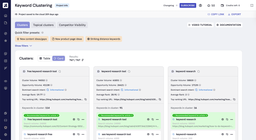
Keyword Insights takes a messy list of YouTube keyword ideas and groups it by live search-result overlap, so phrases Google treats as one topic land in one cluster. Each cluster can become a video series, and the tool turns clusters into content briefs with headings and questions. That planning step is what most creators skip, and it is the reason small channels publish scattered videos that never build on each other.
The catch is the price and the credit burn. Basic costs $58 a month ($46 billed annually) for 10,000 credits, and clustering costs 1 credit per keyword while a brief costs 100, so a big list eats credits fast. There is no free plan, only a $1 trial for 7 days with 5,000 credits.
What we like
Clusters keywords by live result overlap, not guesswork.
Turns clusters into briefs with headings and questions.
$1 trial gives 5,000 credits for 7 days.
Watch out for
No free plan, only a $1 trial for 7 days.
Briefs cost 100 credits each, so big lists burn fast.
Needs a keyword list first; it does not discover ideas.
Sources used: vendor pricing pages, docs, changelogs. Prices and limits were checked against each vendor's own pricing page in Nov 2026.
Criterion
Weight
What we looked at
YouTube volume data
40%
We ranked tools on whether they show real YouTube search volume and video keyword ideas, not Google data relabeled for video.
Idea volume per seed
35%
We favored tools that turn one seed word into hundreds of title and topic ideas, since one video needs many angles to pick from.
Price for a solo creator
25%
We priced each tool at its entry tier, since most YouTubers pay out of pocket and need the cheapest workable option.
What are the best keyword research tools for YouTube?
Keyword Tool is the best keyword research tool for YouTube for most creators because its YouTube tab turns one seed word into hundreds of video title ideas, and its paid plans add volume data from $69 a month billed annually. Keywords Everywhere is the cheapest route to YouTube volume at $7 a month, and Ahrefs gives the deepest YouTube data in Keywords Explorer from $129 a month on Lite. Google Keyword Planner is free but shows ranges, not exact counts.
How much do keyword research tools for YouTube cost?
Keyword research tools for YouTube cost $7 to $139.95 a month at the entry tier in Nov 2026. Keywords Everywhere starts at $7 a month billed annually, AnswerThePublic starts at $20 a month, KeySearch starts at $24 a month, Ahrefs Starter starts at $29 a month, Keyword Tool starts at $69 a month billed annually, and Semrush Pro starts at $139.95 a month. Google Keyword Planner costs nothing, and Keyword Insights starts at $58 a month.
Is there a free keyword research tool for YouTube?
Yes, free keyword research tools for YouTube exist, and 6 of the 8 tools in this list have a free plan. Google Keyword Planner is free with a Google Ads account, AnswerThePublic gives 3 free searches a day, Keyword Tool shows ideas without volume for free, Keywords Everywhere gives free extension features, and Ahrefs and Semrush both offer limited free accounts. Free tiers hide exact volume, so a paid plan is worth it once you publish every week.
Which YouTube keyword tool is easiest for a new channel?
Keyword Tool and Keywords Everywhere are the easiest YouTube keyword tools for a new channel. Keyword Tool needs no account for basic ideas: type a seed word, pick the YouTube tab, and copy the list. Keywords Everywhere adds volume to the pages you already visit, so there is nothing new to learn. Ahrefs and Semrush take longer because they are full SEO suites, not single-purpose tools.
How should I compare the best keyword research tools for YouTube?
Run a best keyword research tools for YouTube comparison on the same seed word in every tool, not on the headline price. Note how many video ideas each tool returns, whether it shows exact YouTube volume or a Google estimate, and what the entry plan costs per month. Then check which tools also show difficulty or competition, since a high-volume phrase you cannot rank for is worth less than a smaller one you can win.
Frequently asked questions
What is the best keyword research tool for YouTube in 2026?
Keyword Tool is the best keyword research tool for YouTube in 2026 for most creators. Its YouTube tab mines autocomplete ideas at scale, and paid plans add volume data from $69 a month billed annually. Keywords Everywhere is the best budget pick at $7 a month, and Ahrefs is the best pick for deep data from $129 a month on Lite.
What are the top keyword research tools for YouTube 2026?
The top keyword research tools for YouTube 2026 are Keyword Tool, Keywords Everywhere and Ahrefs, based on YouTube volume data, idea volume and price. Keyword Tool leads on YouTube-specific ideas, Keywords Everywhere leads on price at $7 a month, and Ahrefs leads on data depth. All three were priced in Nov 2026.
Can I do YouTube keyword research for free?
Yes, you can do YouTube keyword research for free. Google Keyword Planner is free with a Google Ads account, AnswerThePublic gives 3 free searches a day, and Keyword Tool shows ideas without volume at no cost. Keywords Everywhere also gives free extension features. Free tiers hide exact volume, so expect ranges or idea lists only.
Does Google Keyword Planner work for YouTube?
Yes, Google Keyword Planner works for YouTube planning, with limits. It is free with a Google Ads account and shows volume ranges for keywords you can target on YouTube ads. It does not show exact YouTube search counts, video competition or autocomplete ideas, so pair it with Keyword Tool or Keywords Everywhere for video-specific ideas.
Is Keyword Tool or Ahrefs better for YouTube?
Keyword Tool is better for pure YouTube ideas because its YouTube tab returns hundreds of autocomplete phrases per seed word. Ahrefs is better if you also want competitor data, backlinks and rank tracking in the same account. Keyword Tool starts at $69 a month billed annually, while full YouTube data in Ahrefs starts at $129 a month on Lite.
What is the cheapest YouTube keyword tool?
Keywords Everywhere is the cheapest YouTube keyword tool in this list at $7 a month billed annually for Bronze with 100,000 credits. One credit buys volume, CPC, competition and a 12-month trend for one keyword. The extension installs free, but volume data needs paid credits.
How many keywords should I target per video?
Target one main phrase per video, plus two or three close variants in the title, description and spoken script. One focused phrase helps YouTube match your video to a clear search, while the variants catch nearby phrasing. Stuffing ten phrases into a title hurts clicks and watch time, which matter more than keyword count.
Final verdict
Pick Keyword Tool if you want the most YouTube title ideas from one seed word.
Pick Keywords Everywhere if you want YouTube volume in your browser for $7 a month.
Pick Ahrefs if you want deep YouTube data plus competitor research.
Pick KeySearch if you want one budget tool for research and rank tracking.
Pick Semrush if you research YouTube topics next to Google rankings.
Pick AnswerThePublic if you plan videos around the questions viewers ask.
Pick Google Keyword Planner if you want free first-party volume data before you spend.
Pick Keyword Insights if you turn a long keyword list into planned video series.
Looking for the best keyword research tools? We compared 10 options on pricing, free plans, key features and trade-offs so you can pick the right one fast.
Our 2026 shortlist of the 7 best free keyword research tools, with real starting prices, free plan details, pros, cons and a clear pick for each use case.
Our 2026 shortlist of the 8 best cheap keyword research tools, with real starting prices, free plan details, pros, cons and a clear pick for each use case.