What is Keywords Everywhere?
Keywords Everywhere is a keyword research browser extension that adds search volume, cost-per-click, competition and trend data directly to the pages you already use, such as Google results, YouTube and Amazon. Instead of switching to a separate SEO app, you see the numbers beside each search and in sidebar widgets listing related and long-tail keywords.
The extension runs on Chrome, Firefox and Edge. Many features are free, including related keyword widgets, traffic and backlink metrics, and on-page analysis. Paid data such as volume and CPC runs on prepaid credits bought through yearly plans. Higher plans include SEO Minion, a separate add-on for on-page checks, broken links and SERP previews, and the service also offers an API and an MCP server.
Keywords Everywhere at a glance
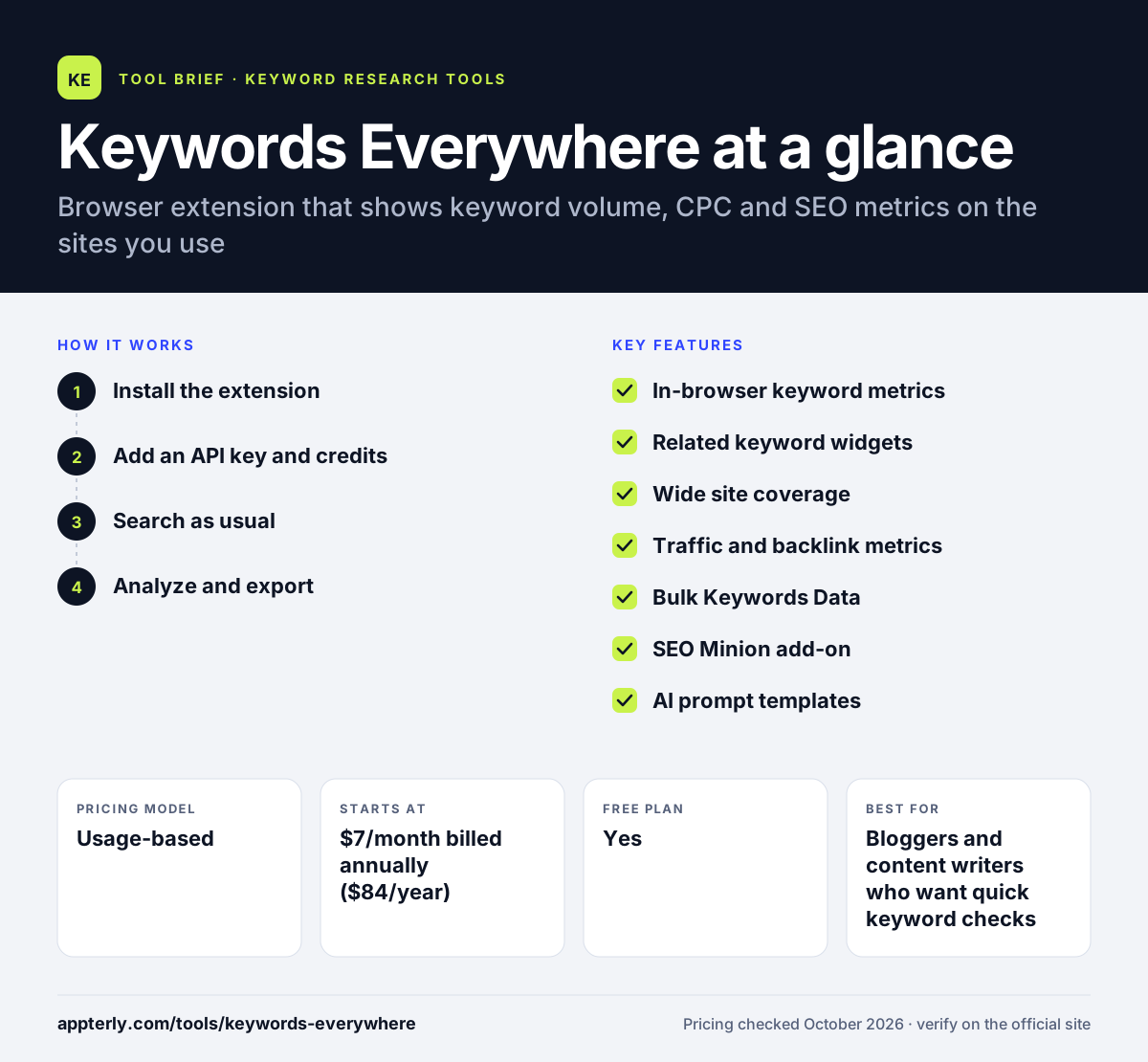
How does Keywords Everywhere work?
- Install the extension
Add Keywords Everywhere to Chrome, Firefox or Edge and start using the free widgets right away.
- Add an API key and credits
Get a free API key and buy a plan to unlock volume, CPC and competition data, which draws from your credit balance.
- Search as usual
Run searches on Google, YouTube, Amazon or other supported sites and metrics appear alongside the results.
- Analyze and export
Use bulk keyword data, page content analysis and saved favorites to build and export keyword lists.
Keywords Everywhere key features
In-browser keyword metrics
Shows volume, CPC, competition and 12-month trends next to searches on supported sites.
Related keyword widgets
Lists related and People Also Search For terms in a sidebar, which keep working even without credits.
Wide site coverage
Works on Google, Bing, YouTube, Amazon, eBay, Etsy, Pinterest, Instagram, Google Search Console and more.
Traffic and backlink metrics
Displays estimated traffic, backlink counts and domain metrics for websites you visit.
Bulk Keywords Data
Paste a list of keywords to pull metrics for all of them at once.
SEO Minion add-on
Included on Silver plans and up, it covers on-page SEO checks, broken links, SERP previews and hreflang validation.
AI prompt templates
Offers hundreds of SEO prompt templates inside ChatGPT, Claude and Gemini.
API and MCP server
Lets developers and AI tools pull live keyword data.
Why use Keywords Everywhere?
- Keyword data appears where you already search, so research fits naturally into daily browsing.
- Entry pricing is low, and credits last a full year.
- Free widgets provide useful related keyword ideas even without buying credits.
- It covers marketplaces and social platforms, not just Google.
- Team seats are included on higher plans for shared use.
Who is Keywords Everywhere best for?
A good fit for
- Bloggers and content writers who want quick keyword checks
- Freelancers and small businesses on a tight budget
- Ecommerce sellers researching Amazon, eBay or Etsy terms
- Marketers who prefer working inside the browser
Less suited to
- Teams that need rank tracking, full site audits or project management
- Safari or mobile users, since only Chrome, Firefox and Edge are supported
Keywords Everywhere pricing
| Pricing model | Usage-based |
|---|---|
| Free plan | Yes |
| Free trial | Not confirmed |
| Starting price | $7/month billed annually ($84/year) |
Plans are billed yearly and differ by annual credits, seats and data depth, from Bronze with 100,000 credits to Platinum at $120/month with 8 million. One credit returns metrics for one keyword.
Prices checked October 2026. Vendors change plans often, so confirm on the official Keywords Everywhere pricing page before you buy.
Keywords Everywhere pros and cons
Pros
- Very low starting price for keyword volume data
- Data appears in context on many sites
- Useful free features without credits
- Credits roll over within a 12-month window
Cons
- Credits can be used up fast on result pages with many keywords
- Browser-only, with no Safari or mobile support
- Not a full SEO suite for tracking or audits
Keywords Everywhere integrations and platforms
Works with
Available on
Keywords Everywhere alternatives
See the full shortlist in Best Keyword Research Tools.
Keywords Everywhere FAQ
Is Keywords Everywhere free?
Keywords Everywhere is partly free. The extension's related keyword widgets, traffic and backlink metrics, and several on-page tools work without paying. Search volume, CPC and competition data require credits, which come with yearly plans starting at $84 per year, equal to $7 per month.
What is Keywords Everywhere used for?
Keywords Everywhere is used to see keyword metrics while you browse. Marketers use it to check search volume and CPC on Google, YouTube and Amazon, find related and long-tail keywords, review website traffic and backlinks, and run bulk keyword lookups without opening a separate SEO platform.
How do Keywords Everywhere credits work?
One credit returns volume, CPC, competition and trend data for one keyword. A single search can use many credits if the page shows lots of related terms. Credits expire one year after purchase, older credits are used first, and upgrading keeps your existing balance.
Which browsers support Keywords Everywhere?
Keywords Everywhere works on Chrome, Firefox and Edge. There is no Safari version or mobile app at present. For other uses, the company offers an API and an MCP server so tools like ChatGPT, Claude and Cursor can pull keyword data directly.
Keywords Everywhere vs Ubersuggest: what's the difference?
Keywords Everywhere is mainly a browser extension that overlays metrics on sites you already use, paid with prepaid credits. Ubersuggest is a web app with project dashboards, site audits and rank tracking on a subscription. Keywords Everywhere suits quick in-browser checks, while Ubersuggest suits ongoing SEO projects.
Sources
This overview is based on Keywords Everywhere's official website and documentation, checked October 2026.