What is Vista Social?
Vista Social is a social media management platform that combines publishing, engagement, analytics, listening, review management and DM automation in one workspace. It positions itself as an AI-powered command center, with AI agents called Ask Vista that handle recurring social tasks. The company was founded in 2022 by social media practitioners and has a distributed team across several continents.
Vista Social publishes to Facebook, Instagram, LinkedIn, X, TikTok, YouTube, Pinterest, Threads, Bluesky, Reddit, Snapchat, Tumblr and Google Business Profile. It also includes employee advocacy, Vista Page link-in-bio pages and review monitoring for sites like Google, Yelp and Trustpilot. Apps are available for iOS, Android, Mac and Windows, plus Chrome and Firefox extensions.
Vista Social at a glance
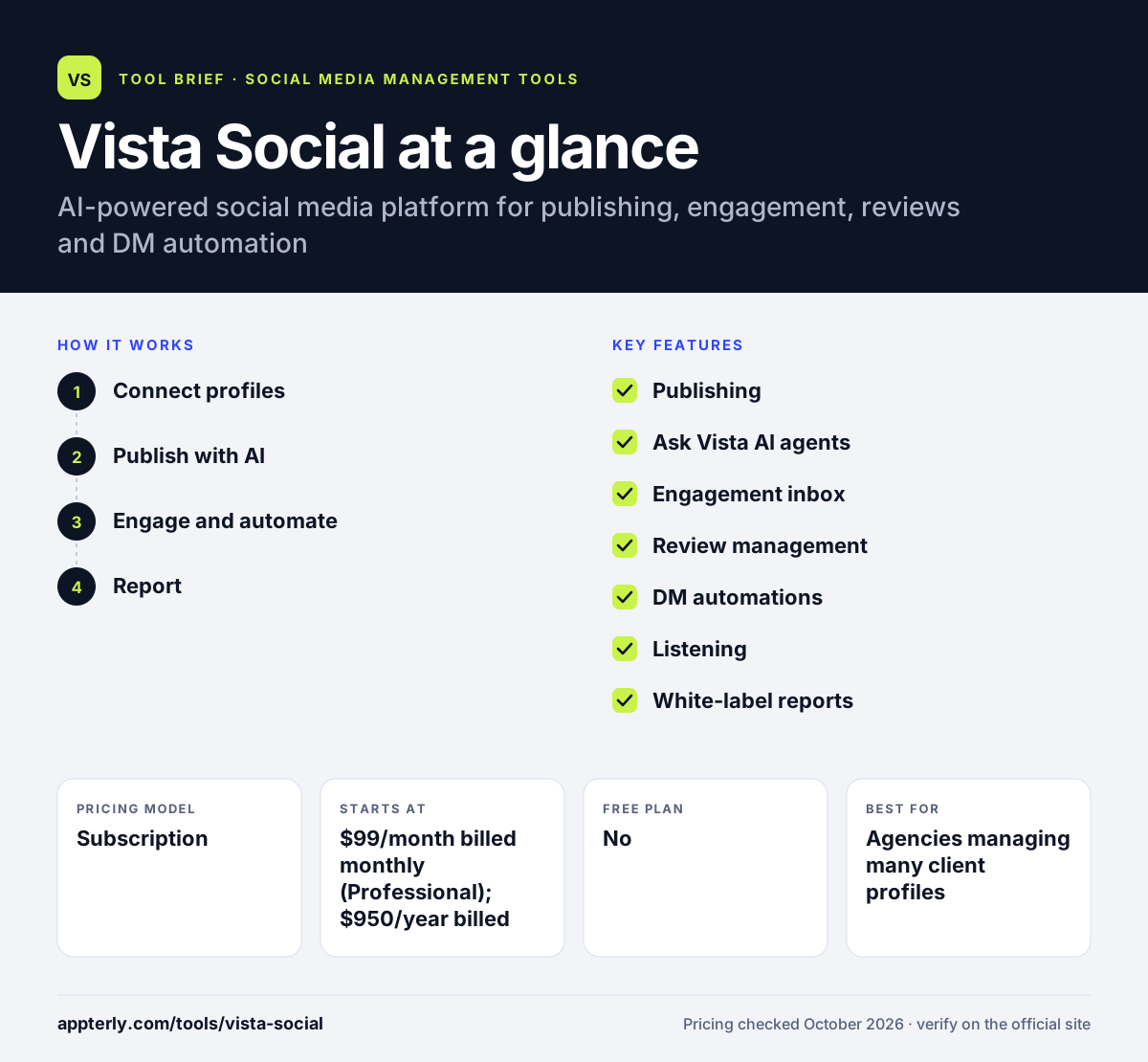
How does Vista Social work?
- Connect profiles
Link social, review and business profiles, or let clients connect them on higher plans. Scale adds client profile connect so clients can link accounts themselves.
- Publish with AI
Create and schedule posts across many networks, using AI credits and trained brand voice. Advanced adds planning workflows and AI training on your content.
- Engage and automate
Answer comments, messages and reviews in one inbox and set up DM automations. Contact limits for DM automation grow with each plan.
- Report
Build reports and dashboards, with white-label versions on Scale and above. Looker Studio can pull data into custom dashboards.
Vista Social key features
Publishing
Schedules to 13 networks, including Reddit, Snapchat and Tumblr. Shared calendars help teams and clients plan together.
Ask Vista AI agents
AI agents that take on repeat social media tasks, with AI credits by plan. Enterprise includes unlimited AI credits.
Engagement inbox
Handles comments and messages across profiles in one place. Engagement tools work across the major networks.
Review management
Monitors Facebook and Google reviews on all plans, plus Yelp, TripAdvisor and Trustpilot from Advanced. Review sites like OpenTable, App Store and Google Play are also covered.
DM automations
Automate direct message flows, with contact limits from 10,000 to 100,000 by plan. Advanced plans add more complex automations.
Listening
Free for your own profiles, with a paid add-on for social, web and news. The add-on costs $75 per month.
White-label reports
Branded reports and dashboards from the Scale plan. Clients see your brand instead of Vista Social.
Employee advocacy
An add-on that lets staff share approved brand content. It is free to try with 3 advocates.
Why use Vista Social?
- Many tools that usually need separate subscriptions are in one platform. This can replace separate review, link-in-bio and advocacy tools.
- It supports more networks than most rivals, including Reddit and Snapchat.
- Review management helps local and multi-location businesses. Agencies serving restaurants or hotels can watch Yelp and TripAdvisor.
- DM automations help turn engagement into leads.
- Desktop and browser apps make it easy to work from anywhere.
Who is Vista Social best for?
A good fit for
- Agencies managing many client profiles
- Multi-location brands handling reviews
- Small and mid-size businesses wanting an all-in-one tool
- White-label resellers
Less suited to
- Solo creators who want a free or low-cost plan
- Teams needing many users on lower tiers, which include only 2 to 4
- Users who need X without the $29 per month add-on
Vista Social pricing
| Pricing model | Subscription |
|---|---|
| Free plan | No |
| Free trial | 14 days |
| Starting price | $99/month billed monthly (Professional); $950/year billed annually |
Professional covers 15 profiles and 2 users. Advanced ($199/month) adds workflows, Zapier and Make, and Scale ($449/month) adds 70 profiles and white-label reports. Yearly billing saves 20%, and X, listening and advocacy are add-ons.
Prices checked October 2026. Vendors change plans often, so confirm on the official Vista Social pricing page before you buy.
Vista Social pros and cons
Pros
- Very broad network support
- Built-in review management
- DM automation included
- Apps on desktop, mobile and browser
Cons
- No free plan
- Few users included per plan
- X integration costs extra
Vista Social integrations and platforms
Works with
Available on
Vista Social alternatives
See the full shortlist in Best Social Media Management Tools.
Vista Social FAQ
Is Vista Social free?
No. Vista Social has no free plan, but every plan except Enterprise includes a 14-day free trial with no credit card required. Paid plans start at $99 per month for Professional, or $950 per year billed annually, covering 15 profiles and 2 users. Annual billing saves about 20%.
What is Vista Social used for?
Vista Social is used to schedule posts, manage comments and messages, monitor reviews, automate DMs and report on social media performance. Agencies and multi-location brands use it to handle many profiles and review sites from one dashboard. It also offers employee advocacy and link-in-bio pages.
Does Vista Social support Reddit and Snapchat?
Yes. Vista Social can publish to Reddit, Snapchat and Tumblr in addition to Facebook, Instagram, LinkedIn, X, TikTok, YouTube, Pinterest, Threads, Bluesky and Google Business Profile. X publishing requires a $29 per month add-on. Review sites like Yelp and Trustpilot are also monitored from Advanced.
Vista Social vs Sprout Social: what's the difference?
Both combine publishing, engagement, analytics and listening. Vista Social prices by plan with set profiles and users, includes review management and DM automation, and supports more networks. Sprout Social prices per seat and is aimed at larger teams needing detailed reporting and customer care tools.
Does Vista Social integrate with Canva?
Yes. Vista Social integrates with Canva for design, Google Drive, OneDrive and Dropbox for media, and Slack and Looker Studio for team and reporting work. Zapier and Make integrations are available from the Advanced plan. An MCP connection is also available.
Sources
This overview is based on Vista Social's official website and documentation, checked October 2026.