What is tawk.to?
tawk.to is a free customer communication platform that gives businesses a website chat widget, a shared inbox, ticketing, a knowledge base and basic CRM tools at no cost. It is designed for anyone from solo founders to larger support teams, and the company describes the core product as free forever rather than a limited trial tier.
The company earns money from optional add-ons instead of subscriptions for the core tool. You can pay to remove the tawk.to branding, turn on AI Assist for automated answers, or hire chat agents and virtual assistants by the hour. The shared inbox pulls in web chat, WhatsApp, SMS, email, Messenger and Telegram, and native apps let agents reply from desktop or mobile.
tawk.to at a glance
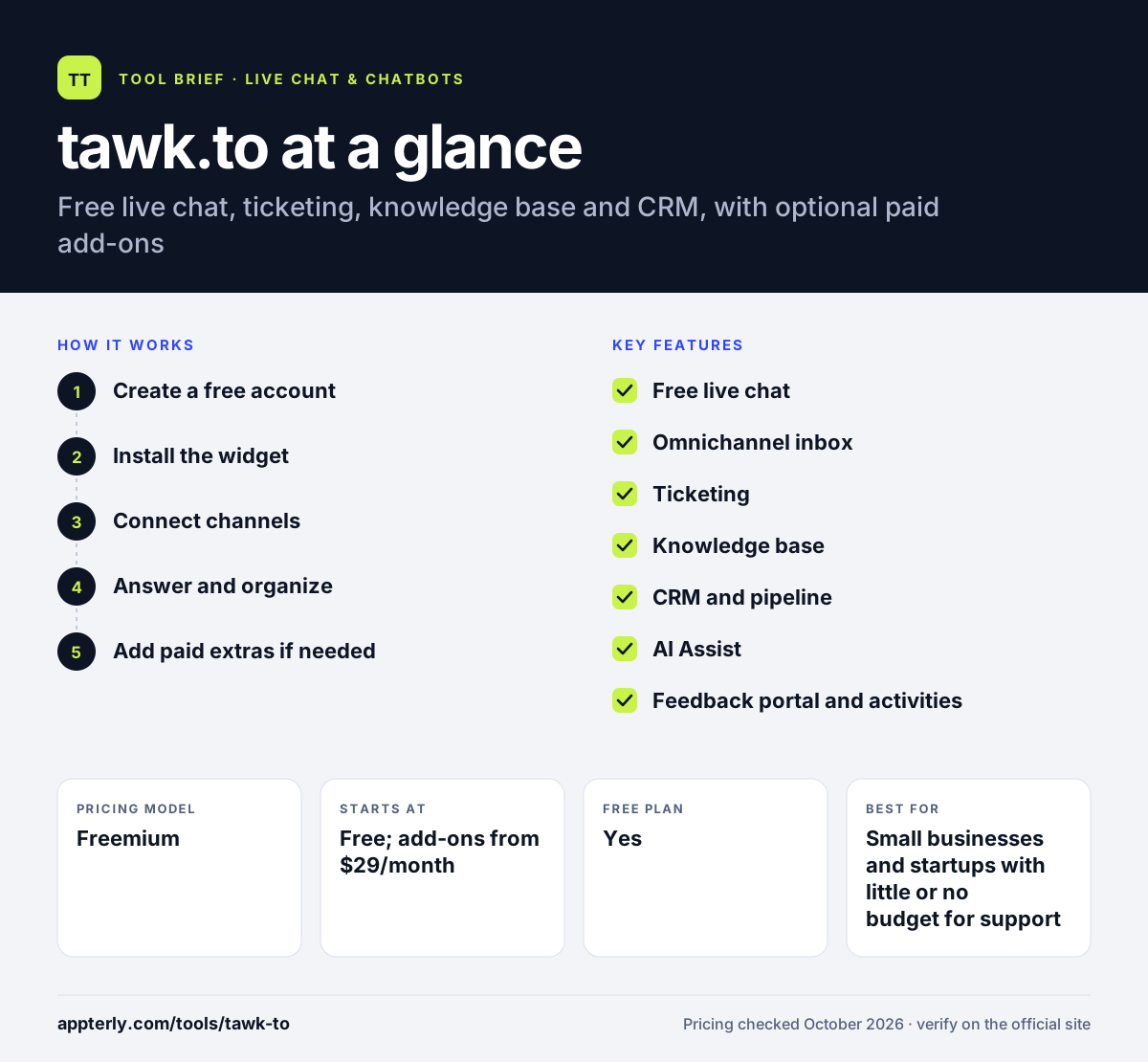
How does tawk.to work?
- Create a free account
Sign up and set up a property for your website. Setup takes only a few minutes.
- Install the widget
Paste the code snippet into your site or use the plugin for platforms such as WordPress, Shopify or Squarespace, then restyle the widget.
- Connect channels
Bring WhatsApp, email, Messenger, Telegram and SMS into the shared inbox so all messages land in one place.
- Answer and organize
Reply to chats, convert problems into tickets with owners and priorities, and publish help articles in the knowledge base.
- Add paid extras if needed
Turn on AI Assist, remove branding or hire outsourced agents only when your business needs them.
tawk.to key features
Free live chat
A customizable website chat widget that is free to use, with styling options to match your brand.
Omnichannel inbox
Collects messages from web chat, WhatsApp, SMS, email, Messenger, Telegram, Gmail and Outlook.
Ticketing
Turns issues into tickets linked to a contact, with assignees, priorities and statuses until resolved.
Knowledge base
A self-service help center where customers can find answers without starting a chat.
CRM and pipeline
Builds contact records automatically and tracks deals or orders through stages.
AI Assist
A paid add-on that answers routine questions, with team review and handoff to a person.
Feedback portal and activities
A public ideas portal where customers vote on features, plus booking and task tools for follow-ups.
Hired agents and virtual assistants
Optional paid services let you hire chat agents by the hour to cover your widget, or virtual assistants for other tasks.
Why use tawk.to?
- The core product is free, which keeps software costs at zero for many small businesses.
- Chat, tickets, help articles and contacts live in one tool instead of several subscriptions.
- Native apps for iOS, Android, macOS and Windows help small teams respond quickly.
- Paid options are a la carte, so you only pay for branding removal or AI if you need them.
- Hourly hired agents can cover chats when your own team is unavailable.
Who is tawk.to best for?
A good fit for
- Small businesses and startups with little or no budget for support software
- WordPress and Shopify site owners who want quick setup
- Nonprofits and community sites
- Teams that want ticketing and a knowledge base alongside chat
Less suited to
- Brands that need a white-label widget without paying the branding fee
- Large support operations that need advanced analytics, workforce tools or strict SLAs
- Teams that want AI answers without any extra monthly cost
tawk.to pricing
| Pricing model | Freemium |
|---|---|
| Free plan | Yes |
| Free trial | Not confirmed |
| Starting price | Free; add-ons from $29/month |
Removing the tawk.to branding costs $29 per month, and AI Assist starts at $29 per month. Hired chat agents cost $1 per hour and virtual assistants start at $7 per hour.
Prices checked October 2026. Vendors change plans often, so confirm on the official tawk.to pricing page before you buy.
tawk.to pros and cons
Pros
- Free core product with no subscription
- Ticketing, knowledge base and CRM included
- Apps for all major desktop and mobile platforms
- Low-cost optional add-ons
Cons
- Free widget shows tawk.to branding
- AI answers require a paid add-on
- Reporting is lighter than in paid support suites
tawk.to integrations and platforms
Works with
Available on
tawk.to alternatives
See the full shortlist in Best Live Chat Software.
tawk.to FAQ
Is tawk.to really free?
Yes. tawk.to offers its live chat, shared inbox, ticketing, knowledge base and CRM features free. The company charges only for optional extras, such as removing its branding for $29 per month, AI Assist from $29 per month, and hired chat agents billed by the hour.
How does tawk.to make money?
tawk.to makes money from paid add-ons rather than a subscription for the core tool. These include branding removal, the AI Assist chatbot, outsourced chat agents at $1 per hour and virtual assistants from $7 per hour. Businesses that never need those extras can keep using the free product.
Does tawk.to work with WordPress?
Yes. tawk.to can be added to WordPress sites, and it also supports platforms such as Shopify and Squarespace. On other sites you can paste a short JavaScript snippet into your pages. Once installed, the widget appears on your site and chats arrive in the tawk.to dashboard and apps.
tawk.to vs Tidio: what's the difference?
tawk.to gives its core chat, ticketing and CRM tools free, and charges only for add-ons like AI and branding removal. Tidio also has a free plan but caps monthly conversations, and its paid plans add automation, analytics and the Lyro AI agent. tawk.to suits tight budgets, while Tidio suits stores wanting more built-in automation.
Does tawk.to have a mobile app?
Yes. tawk.to has native apps for iOS and Android, along with desktop apps for macOS and Windows and a web dashboard. Agents can answer chats, manage tickets and get notifications from their phones, which helps small teams respond even when away from a computer.
Sources
This overview is based on tawk.to's official website and documentation, checked October 2026.