What is LiveChat?
LiveChat is a customer service and sales chat platform that puts a chat widget on your website and routes conversations to human agents or an AI agent. It is aimed at ecommerce stores, websites built on a CMS, and B2B SaaS companies that want to answer visitors in real time, recover sales and capture leads without switching between many tools.
The product comes from Text, Inc., the company that also makes HelpDesk and ChatBot. Beyond the chat window, LiveChat includes a shared inbox for other channels, ticketing for follow-ups, visitor tracking, sales campaigns and reports. Its AI Agent learns from your website, help articles and product data, and it can hand a conversation to a person with the full history attached.
LiveChat at a glance
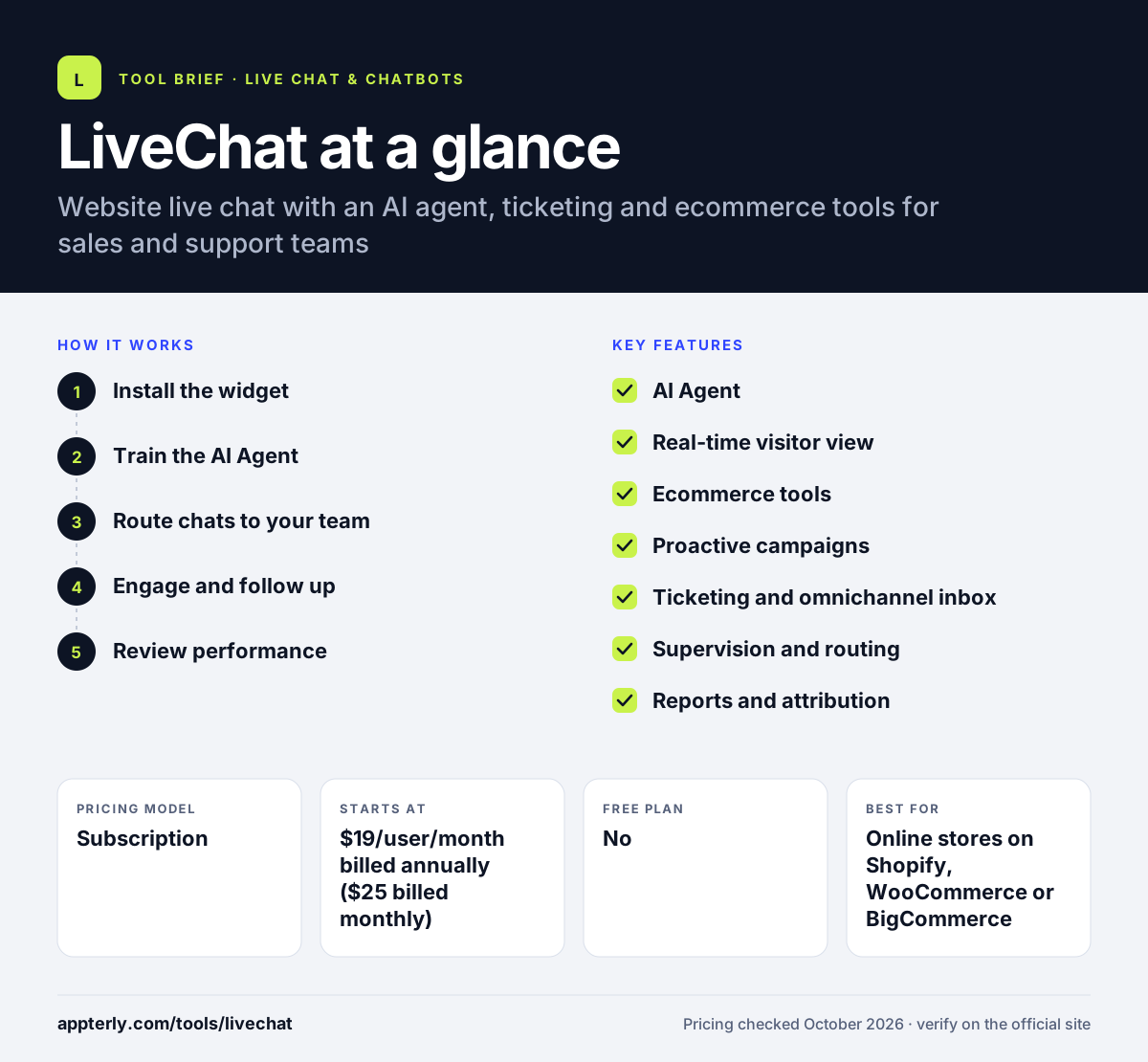
How does LiveChat work?
- Install the widget
Add the chat widget to your site with a code snippet or a ready-made app for platforms such as Shopify, WordPress, Squarespace or Webflow. You can then style it to match your brand.
- Train the AI Agent
Point the AI Agent at your website, help articles and product catalog so it can answer common questions around the clock.
- Route chats to your team
Set up departments, routing rules and handoff so harder questions reach the right person, with the visitor profile and chat history visible.
- Engage and follow up
Run proactive campaigns, such as abandoned cart messages, and turn unresolved chats into tickets that continue by email.
- Review performance
Use reports to compare AI and human agent results, track response times and see which chats led to sales.
LiveChat key features
AI Agent
Answers visitor questions at any hour using your site and help content, checks order status through connected stores, and recommends products.
Real-time visitor view
Shows who is on the site, which pages they are viewing and whether they are returning, so agents can start chats at the right moment.
Ecommerce tools
Displays cart contents and order or payment status inside a chat, and supports selling through Shopify.
Proactive campaigns
Targeted messages triggered by visitor behavior, such as cart recovery or lead capture prompts.
Ticketing and omnichannel inbox
Keeps chats, tickets and messages from channels like WhatsApp and Facebook Messenger in one place.
Supervision and routing
Higher plans let managers monitor and take over chats, share canned responses and keep unlimited chat history.
Reports and attribution
Tracks team performance, chat topics and the revenue linked to conversations.
Why use LiveChat?
- The AI Agent covers nights and weekends, so visitors still get answers when your team is offline.
- Seeing a shopper's cart and order status in the chat makes it faster to solve problems that block a sale.
- Proactive campaigns let you reach visitors who are about to leave instead of waiting for them to ask.
- Native apps for desktop and mobile mean agents can reply from wherever they work.
- A 14-day trial with no credit card makes it easy to test the tool on your own site.
Who is LiveChat best for?
A good fit for
- Online stores on Shopify, WooCommerce or BigCommerce
- B2B SaaS companies that use chat to qualify leads
- Small and mid-size support teams that want chat and tickets in one tool
- Teams that want a mix of AI answers and human agents
Less suited to
- Very small sites that only need a free chat widget, since there is no free plan
- Teams that need heavy AI volume on a budget, as the entry plan includes only a few AI resolutions
LiveChat pricing
| Pricing model | Subscription |
|---|---|
| Free plan | No |
| Free trial | 14 days |
| Starting price | $19/user/month billed annually ($25 billed monthly) |
Essential covers chat, inbox, ticketing and basic AI usage. Growth costs $79 per user per month billed annually and adds supervision, unlimited history, more AI resolutions and team reports, while Enterprise is quoted on request.
Prices checked October 2026. Vendors change plans often, so confirm on the official LiveChat pricing page before you buy.
LiveChat pros and cons
Pros
- Strong ecommerce features such as cart previews and order lookups
- Native apps for every major desktop and mobile platform
- Clear per-user pricing with a no-card trial
- AI Agent hands off to humans with full context
Cons
- No free plan after the trial ends
- Per-user pricing adds up quickly for larger teams
- The entry plan has tight limits on AI resolutions and proactive campaigns
LiveChat integrations and platforms
Works with
Available on
LiveChat alternatives
See the full shortlist in Best Live Chat Software.
LiveChat FAQ
Is LiveChat free?
LiveChat is not free. It offers a 14-day free trial that does not require a credit card, and after that you need a paid plan. The Essential plan costs $19 per user per month billed annually, or $25 billed monthly. Growth is $79 per user per month on annual billing.
What is LiveChat used for?
LiveChat is used to talk with website visitors in real time. Businesses use it to answer support questions, help shoppers complete purchases, recover abandoned carts, capture and qualify leads, and turn unresolved conversations into tickets. Its AI Agent can handle common questions when human agents are unavailable.
Does LiveChat integrate with Shopify?
Yes. LiveChat connects with Shopify and other store platforms such as WooCommerce and BigCommerce. Agents can see a shopper's cart and order status inside the chat, and the AI Agent can look up orders through the connected store to answer delivery questions.
LiveChat vs Tidio: what's the difference?
Tidio offers a free plan and prices by conversation volume, which suits very small stores. LiveChat has no free plan and charges per agent, but it offers deeper supervision, routing, reporting and native desktop apps. LiveChat tends to fit teams with several agents, while Tidio fits solo owners.
Does LiveChat have a mobile app?
Yes. LiveChat offers apps for iOS and Android, plus desktop apps for Windows and Mac and a web app. Agents can answer chats, see visitor details and receive notifications from any of these apps, which helps small teams cover chats away from a desk.
Sources
This overview is based on LiveChat's official website and documentation, checked October 2026.