What is Stable Diffusion WebUI Forge?
Stable Diffusion WebUI Forge is a fork of AUTOMATIC1111 that keeps the familiar web interface while adding faster memory handling and support for FLUX models. It is maintained by the Fooocus developer and ships with ControlNet and FreeU pre-installed, so users get modern model support without learning a new interface. It keeps the same tabs, settings and workflow as the original, so existing users need no retraining.
It is free under AGPL-3.0. Forge has seen few commits since mid-2025, so it is not the most active project in this list, but it remains the best choice for anyone who knows AUTOMATIC1111 and wants FLUX support without switching tools.
Stable Diffusion WebUI Forge at a glance
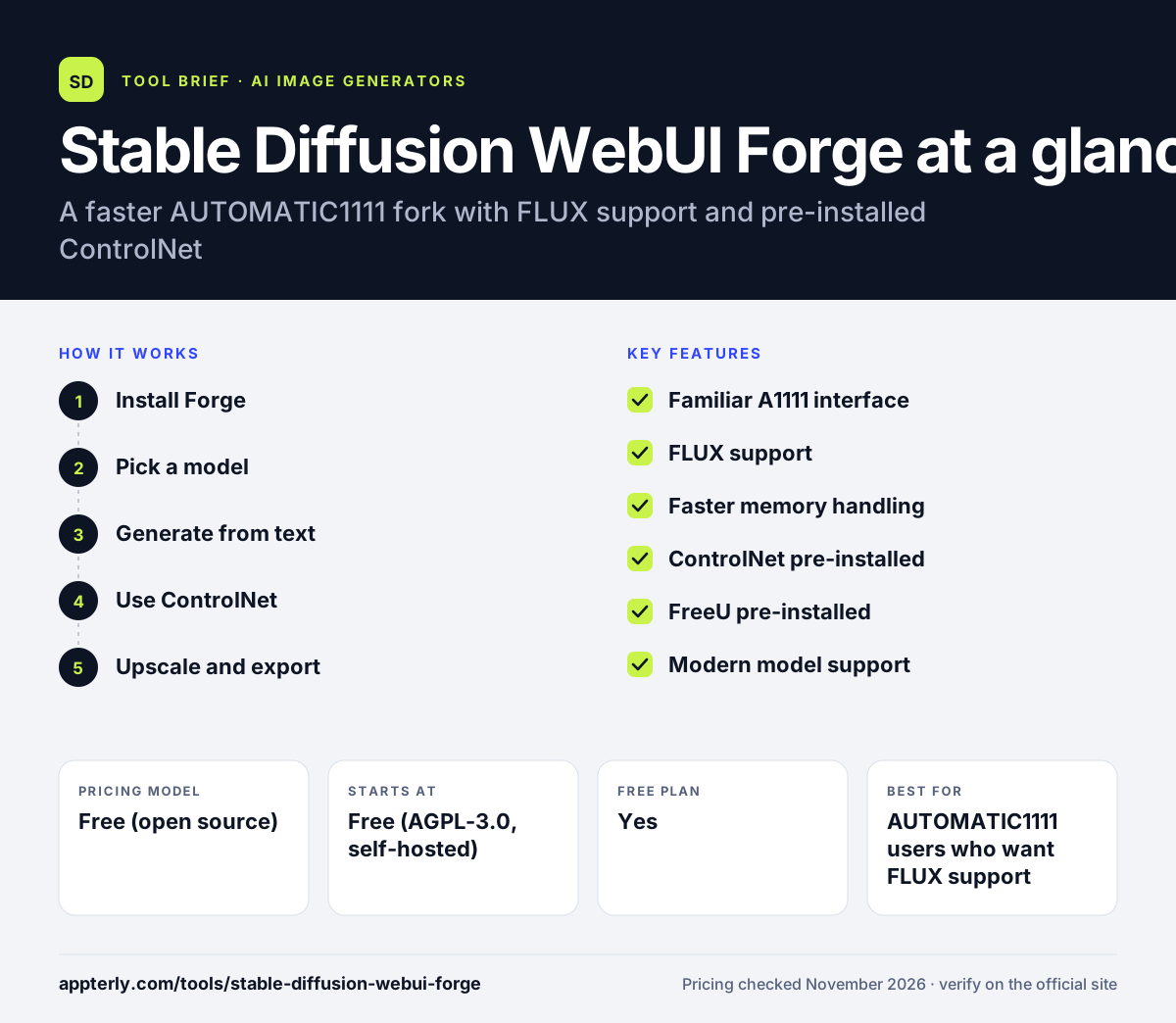
How does Stable Diffusion WebUI Forge work?
- Install Forge
Clone the repository from GitHub and run the installer, which downloads dependencies and models. The first run downloads several gigabytes.
- Pick a model
Load a Stable Diffusion, SDXL or FLUX checkpoint from the model list. Switch models without restarting the interface.
- Generate from text
Use the familiar txt2img tab, or edit images in img2img. Prompts, steps and samplers work the same way as in AUTOMATIC1111.
- Use ControlNet
ControlNet is pre-installed, so pose and composition controls work out of the box. Add a ControlNet model and pick the control type for the image.
- Upscale and export
Upscale the best results and export them for final use. Upscaling runs locally on your own hardware.
Stable Diffusion WebUI Forge key features
Familiar A1111 interface
The same web interface as AUTOMATIC1111, so existing users feel at home.
FLUX support
Runs FLUX models alongside Stable Diffusion and SDXL.
Faster memory handling
Improved memory use lets larger models run on smaller GPUs.
ControlNet pre-installed
Pose and composition controls work out of the box.
FreeU pre-installed
FreeU improves quality with no extra setup.
Modern model support
Runs FLUX, SDXL and Stable Diffusion 3.5 alongside classic SD 1.5 checkpoints.
Why use Stable Diffusion WebUI Forge?
- The AUTOMATIC1111 interface you already know, with FLUX support.
- Free under AGPL-3.0, with no subscription.
- Faster memory handling than the original WebUI.
- ControlNet and FreeU pre-installed.
- Runs locally, so prompts and images stay private.
Who is Stable Diffusion WebUI Forge best for?
A good fit for
- AUTOMATIC1111 users who want FLUX support
- Creators who like the classic WebUI interface
- Users with a modest GPU who need better memory handling
- Anyone who wants ControlNet without installing extensions
- Users who want FLUX without learning a node-based tool
Less suited to
- Users who want the most actively developed tool
- Beginners who want a simple prompt box
- Teams that need a hosted web app with no install
Stable Diffusion WebUI Forge pricing
| Pricing model | Free (open source) |
|---|---|
| Free plan | Yes |
| Free trial | Not confirmed |
| Starting price | Free (AGPL-3.0, self-hosted) |
Stable Diffusion WebUI Forge is free under AGPL-3.0. You run it on your own hardware, so the only cost is compute. It has seen few updates since mid-2025. Many AUTOMATIC1111 extensions also work in Forge, since it shares the same base.
Prices checked November 2026. Vendors change plans often, so confirm on the official Stable Diffusion WebUI Forge pricing page before you buy.
Stable Diffusion WebUI Forge pros and cons
Pros
- Free and open source under AGPL-3.0
- Familiar AUTOMATIC1111 interface, faster engine
- FLUX support with ControlNet pre-installed
- Better memory handling than the original WebUI
- No extension installs needed for ControlNet or FreeU
Cons
- Few updates since mid-2025
- Needs your own GPU
- Smaller community than ComfyUI
Stable Diffusion WebUI Forge integrations and platforms
Available on
Stable Diffusion WebUI Forge alternatives
See the full shortlist in Best AI Image Generators.
Stable Diffusion WebUI Forge FAQ
Is Stable Diffusion WebUI Forge free?
Yes, Forge is free under AGPL-3.0, and you can download it from GitHub. It runs on your own hardware, so the only cost is compute. There is no subscription and no hosted version.
What is the difference between Forge and AUTOMATIC1111?
Forge is a fork of AUTOMATIC1111 that keeps the same interface while adding faster memory handling and FLUX support. AUTOMATIC1111 has not shipped a release since February 2025 and cannot run FLUX. Forge also ships with ControlNet and FreeU pre-installed.
Can Forge run FLUX?
Yes, Forge supports FLUX models alongside Stable Diffusion and SDXL. It is one of the few tools that keeps the classic AUTOMATIC1111 interface while supporting modern models.
Is Forge still maintained?
Forge has seen few commits since mid-2025, so it is not the most active project in this list. It still works well, and ComfyUI is the better pick if you want the fastest support for new models.
Do I need a powerful GPU for Forge?
Forge uses memory more efficiently than AUTOMATIC1111, so larger models run on smaller GPUs. Smaller models work on consumer GPUs, while FLUX and Stable Diffusion 3.5 Large need more video memory. A GPU with 8 GB of video memory handles SDXL comfortably, while FLUX needs more.
Sources
This overview is based on Stable Diffusion WebUI Forge's official website and documentation, checked November 2026.