What is SocialPilot?
SocialPilot is a social media management tool that helps agencies and businesses schedule posts, manage conversations, analyze results and handle client work from one dashboard. It offers a content calendar, bulk scheduling of hundreds of posts, an AI assistant called AI Pilot, and client approvals. Pricing is lower than many agency-focused rivals, which is a big part of its appeal. SocialPilot Technologies Inc. runs the product.
SocialPilot publishes to Facebook, Instagram, TikTok, X, LinkedIn, Threads, Bluesky, YouTube, Pinterest and Google Business Profile. Higher plans add a social inbox, team collaboration, white-label reports, advanced security and a dedicated account manager. It also includes review management for collecting and replying to reviews, plus a browser extension, mobile app, MCP server and API access on Enterprise.
SocialPilot at a glance
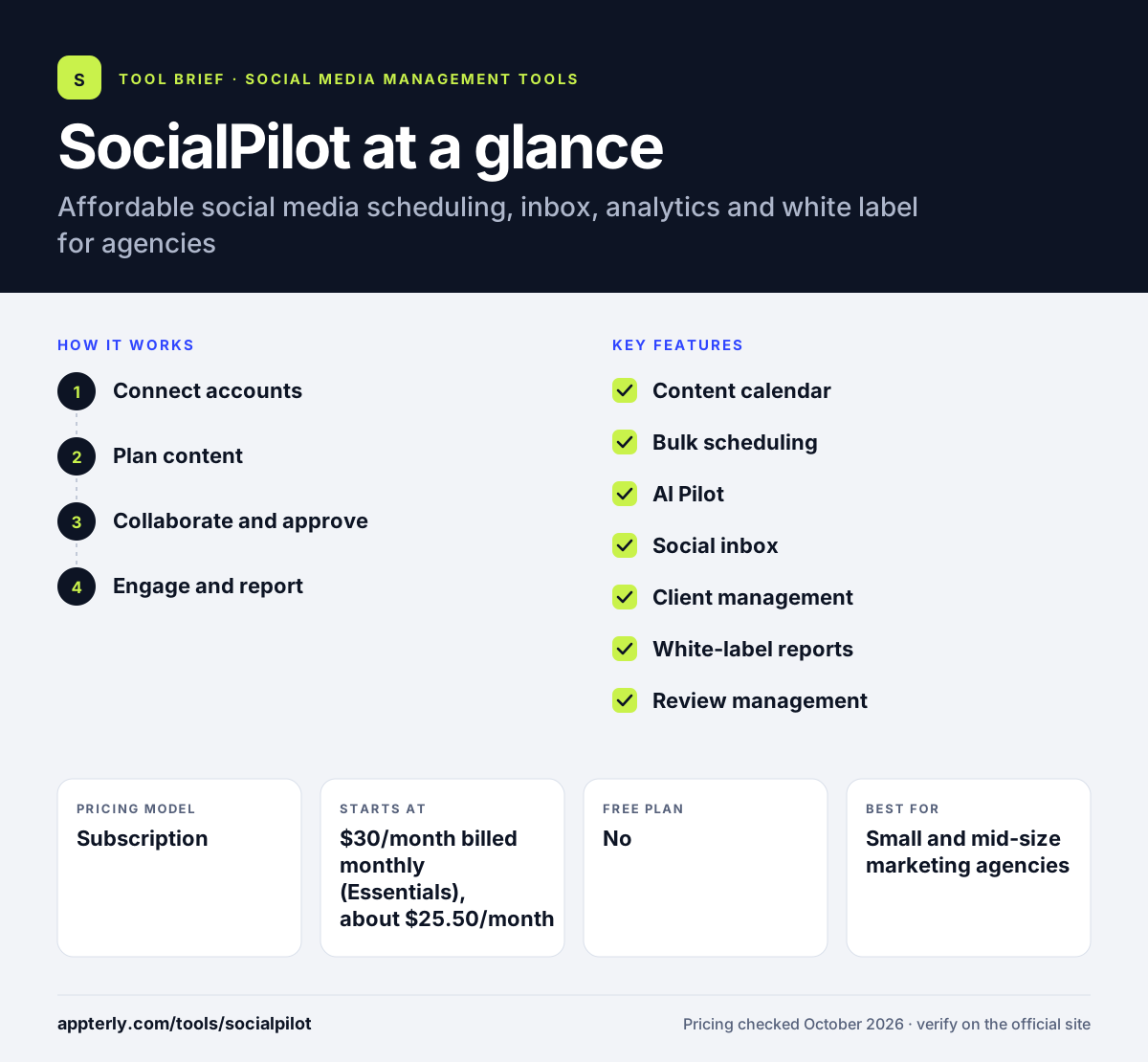
How does SocialPilot work?
- Connect accounts
Add client or brand profiles across supported networks. Extra accounts cost $4 per month on any plan.
- Plan content
Write posts with AI Pilot, schedule them on the calendar, or bulk upload many at once. RSS feeds can also feed the queue automatically.
- Collaborate and approve
Invite teammates and clients to review posts through manager or client approval. Premium adds unlimited client seats and client approval.
- Engage and report
Reply in the social inbox and send automated white-label PDF reports. Advanced analytics are added on Premium.
SocialPilot key features
Content calendar
Plan and reschedule posts visually across all connected accounts. Posts can be filtered by account or status.
Bulk scheduling
Upload and schedule large batches of posts at once from Premium. This saves hours for agencies posting at volume.
AI Pilot
Generates post content with credit limits by plan, unlimited on Ultimate. Essentials includes 500 credits per month.
Social inbox
Monitor and reply to comments and messages from Standard up. It covers comments and messages from connected accounts.
Client management
Unlimited client seats and client approvals on Premium and above. Clients can review content on the go.
White-label reports
Branded PDF reports from Premium, with advanced white label on Ultimate. Reports can be emailed automatically.
Review management
Request, manage and reply to reviews with AI help, and share good reviews. Reviews can also be shared on websites.
Enterprise controls
Enterprise adds single sign-on, API access and custom account limits for larger organizations.
Why use SocialPilot?
- Pricing is low for the number of accounts included. Essentials already includes 7 accounts.
- Client approvals and seats suit agency workflows. Standard adds manager approval for internal review.
- White-label reports help agencies look professional. Ultimate adds advanced white label for a fully branded experience.
- Bulk scheduling saves time for high-volume posting. Hundreds of posts can be queued in one upload.
- Extra accounts cost only $4 per month. This keeps growth costs predictable.
Who is SocialPilot best for?
A good fit for
- Small and mid-size marketing agencies
- Multi-location brands
- Small businesses on a budget
- Agencies that report to clients monthly
Less suited to
- Users wanting a free plan
- Teams needing an inbox on the entry Essentials plan Essentials also has no analytics or team collaboration.
- Brands needing advanced social listening
SocialPilot pricing
| Pricing model | Subscription |
|---|---|
| Free plan | No |
| Free trial | 14 days |
| Starting price | $30/month billed monthly (Essentials), about $25.50/month billed annually |
Essentials covers 7 accounts and 1 user. Standard ($50) adds the inbox and approvals, Premium ($100) adds bulk scheduling and client features, and Ultimate ($200) adds unlimited users. Annual billing saves 15%.
Prices checked October 2026. Vendors change plans often, so confirm on the official SocialPilot pricing page before you buy.
SocialPilot pros and cons
Pros
- Affordable agency plans
- Strong bulk scheduling
- White-label reporting
- Includes review management
Cons
- No free plan
- Inbox and analytics start at Standard
- SSO and API only on Enterprise
SocialPilot integrations and platforms
Works with
Available on
SocialPilot alternatives
See the full shortlist in Best Social Media Management Tools.
SocialPilot FAQ
Is SocialPilot free?
No. SocialPilot has no free plan, but it offers a 14-day free trial with no credit card required. Paid plans start at $30 per month for Essentials, or about $25.50 per month when billed annually, covering 7 social accounts and one user. Listed prices exclude applicable taxes, and annual billing saves 15%.
What is SocialPilot used for?
SocialPilot is used to schedule social media posts, reply to comments and messages, track analytics and manage client work. Agencies use it for client approvals and white-label reports, while businesses use it to post across networks and manage online reviews. It also offers free tools such as caption generators and a holiday calendar.
Is SocialPilot good for agencies?
Yes. SocialPilot's Premium plan includes unlimited client seats, client approval, bulk scheduling and white-label reports, and Ultimate adds advanced white label and a dedicated account manager. Extra accounts cost $4 per month, which keeps costs predictable as an agency grows. Standard plans can add users for $5 per month.
SocialPilot vs Hootsuite: what's the difference?
SocialPilot is much cheaper and focuses on scheduling, client management and white-label reports for agencies. Hootsuite is a larger enterprise suite with deeper listening, advertising and governance tools. Smaller agencies often choose SocialPilot for value, while large brands may need Hootsuite. SocialPilot also includes review management, which many rivals sell separately.
Does SocialPilot integrate with Canva?
Yes. SocialPilot integrates with Canva on all plans, along with Slack, Zapier, Unsplash, Google Drive, Dropbox and Box. It also lists Feedly, Bitly, WordPress and Shopify integrations and offers a browser extension and mobile app. An MCP server is listed on every plan as well.
Sources
This overview is based on SocialPilot's official website and documentation, checked October 2026.