What is SEOPress?
SEOPress is a WordPress SEO plugin that handles titles, meta descriptions, sitemaps, social tags and structured data from inside the WordPress dashboard. A free version is available on WordPress.org, and the paid PRO version adds AI writing, site audits, local SEO, WooCommerce SEO and a redirect manager. It is aimed at site owners, freelancers and agencies who want full on-page SEO control from a single plugin.
The plugin is made in France and is sold through annual licenses based on the number of sites. Beyond the core plugin, SEOPress Insights adds off-site data such as keyword rank tracking and backlink monitoring, and AI Credits lets you generate metadata without bringing your own AI provider key. A MainWP add-on helps agencies manage settings across many client sites.
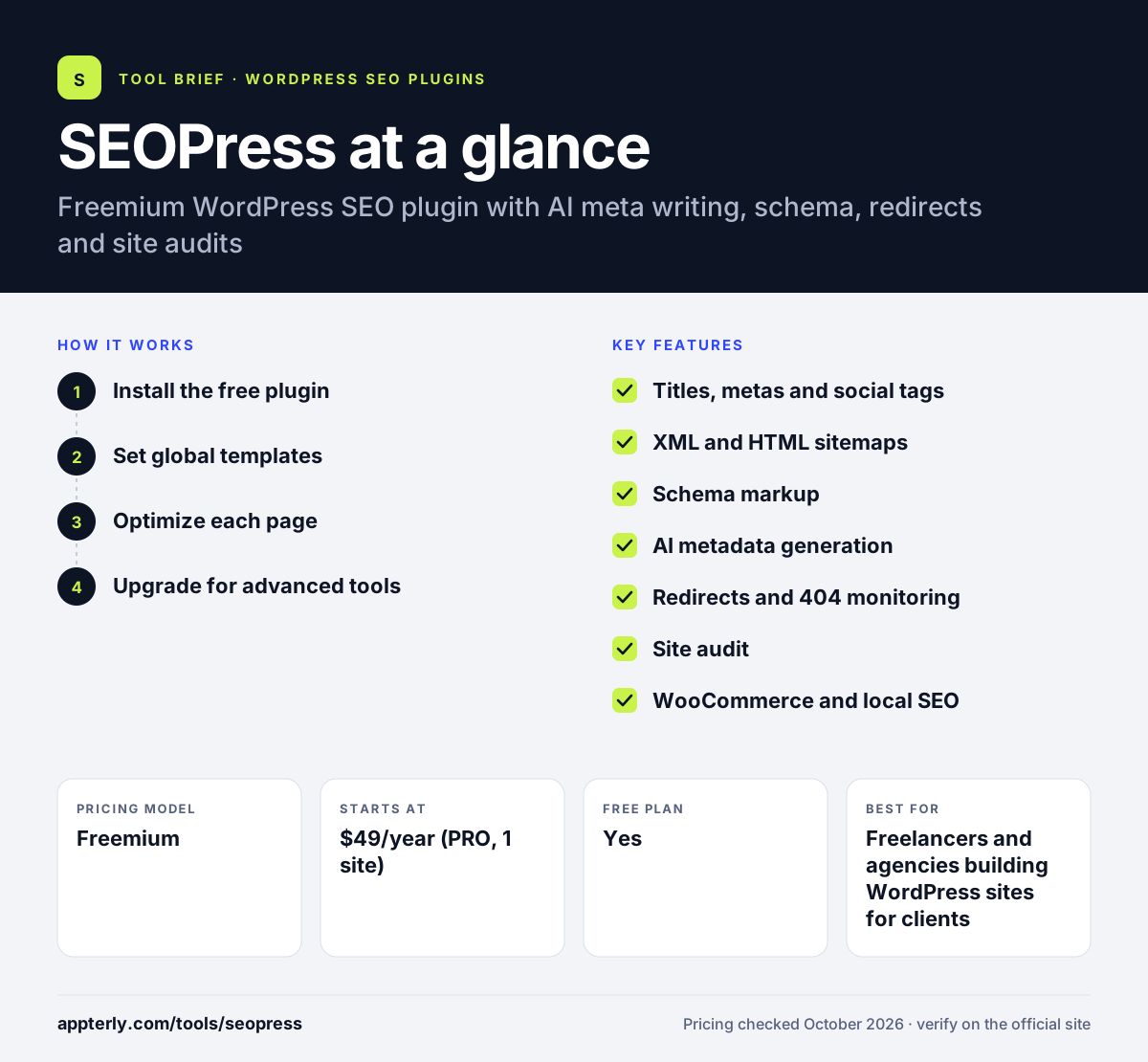
SEOPress at a glance
How does SEOPress work?
- Install the free plugin
Add SEOPress from the WordPress.org directory and run the setup wizard to set site details, indexing rules and social profiles.
- Set global templates
Define default title and meta description patterns for posts, pages, products and taxonomies so every page gets usable metadata.
- Optimize each page
Use the editor metabox to set focus keywords, review the content analysis and adjust titles, descriptions and social previews.
- Upgrade for advanced tools
Activate PRO to add schemas, AI generation, redirects, 404 monitoring, local SEO and a site audit, then connect Search Console and analytics.
SEOPress key features
Titles, metas and social tags
Controls meta titles, descriptions, Open Graph and X cards with dynamic variables and live previews.
XML and HTML sitemaps
Generates XML and HTML sitemaps, with Google News and video sitemaps available in PRO.
Schema markup
PRO adds automatic and manual structured data for articles, products, local businesses, FAQs and more.
AI metadata generation
Writes SEO titles, meta descriptions and image alt text with AI, including bulk generation, using your own key or SEOPress AI Credits.
Redirects and 404 monitoring
Creates 301 and other redirects and logs broken URLs so you can fix them.
Site audit
Scans the site for common technical and on-page SEO issues from within WordPress.
WooCommerce and local SEO
Adds product-focused SEO options and local business data for stores and service businesses.
Analytics and white label
Connects Google Analytics, Matomo and Search Console, and lets agencies remove SEOPress branding.
Why use SEOPress?
- The free version already covers metadata, sitemaps, redirects basics and content analysis.
- PRO pricing is low compared with many premium SEO plugins, and renewals stay at the purchase price.
- Integrations with page builders and multilingual plugins fit common WordPress stacks.
- White label and the MainWP add-on make it practical for agencies managing many sites.
- A 14-day money-back guarantee lowers the risk of trying PRO.
Who is SEOPress best for?
A good fit for
- Freelancers and agencies building WordPress sites for clients
- WooCommerce store owners who want product SEO controls
- Bloggers who want a lightweight Yoast alternative
- Local businesses running WordPress sites
Less suited to
- Sites not built on WordPress
- Teams that want a full SEO suite with keyword research inside the plugin
- Users who want every advanced feature free
SEOPress pricing
| Pricing model | Freemium |
|---|---|
| Free plan | Yes |
| Free trial | Not confirmed |
| Starting price | $49/year (PRO, 1 site) |
PRO costs $59/year for 5 sites and $149/year for unlimited sites. SEOPress Insights is $99/year per site, and AI Credits start at $19/month. A 14-day money-back guarantee applies.
Prices checked October 2026. Vendors change plans often, so confirm on the official SEOPress pricing page before you buy.
SEOPress pros and cons
Pros
- Generous free version
- Affordable PRO licenses with flat renewals
- Works with WooCommerce, Elementor, Divi and WPML
- Strong agency features such as white label
Cons
- Rank and backlink tracking require the separate Insights add-on
- AI features need your own API key or paid credits
- Many settings screens can feel dense for beginners
SEOPress integrations and platforms
Works with
Available on
SEOPress alternatives
See the full shortlist in Best WordPress SEO Plugins.
SEOPress FAQ
Is SEOPress free?
Yes. SEOPress has a free version on WordPress.org that covers meta titles, descriptions, social tags, XML and HTML sitemaps, content analysis and analytics tracking. SEOPress PRO is a paid upgrade starting at $49 per year for one site, adding schemas, AI generation, redirects, site audits, local SEO and WooCommerce features.
What is SEOPress used for?
SEOPress is used to manage on-page SEO in WordPress. Site owners use it to set titles and meta descriptions, build sitemaps, add structured data, manage redirects, control indexing and social previews, and analyze content against focus keywords. Agencies also use it to standardize SEO settings across client websites.
SEOPress vs Yoast SEO: what's the difference?
Both are popular WordPress SEO plugins with free versions. SEOPress includes features like redirects in a cheaper PRO license and offers white labeling for agencies. Yoast SEO is the larger, longer-established plugin with readability analysis, training content and AI tools in its Premium plan, which costs more per year.
Is SEOPress good for beginners?
SEOPress is usable for beginners thanks to its setup wizard and global templates that fill in metadata automatically. However, it exposes many settings, so new users may need time to understand each screen. Beginners who want a guided, almost settings-free plugin might prefer a simpler option.
Does SEOPress work with WooCommerce?
Yes. SEOPress supports WooCommerce, and the PRO version adds WooCommerce SEO options such as product structured data and settings for shop pages. It also works with Easy Digital Downloads, popular page builders like Elementor and Divi, and multilingual plugins like WPML and Polylang.
Sources
This overview is based on SEOPress's official website and documentation, checked October 2026.