What is Sendible?
Sendible is a social media management platform built for agencies and multi-location brands that need to schedule, engage and report for many clients. Each client, brand or location gets its own workspace with granular permissions, and every plan includes unlimited users. Clients can connect their own profiles and see dashboards through Client Connect without sharing passwords.
Sendible publishes to Instagram, Facebook, X, TikTok, LinkedIn, YouTube, Google Business Profile, Threads, Bluesky and WordPress. It includes bulk scheduling, smart queues, a priority inbox, automated reports and approval workflows, plus white-label options on top plans. The company is based in London and offers a 14-day free trial.
Sendible at a glance
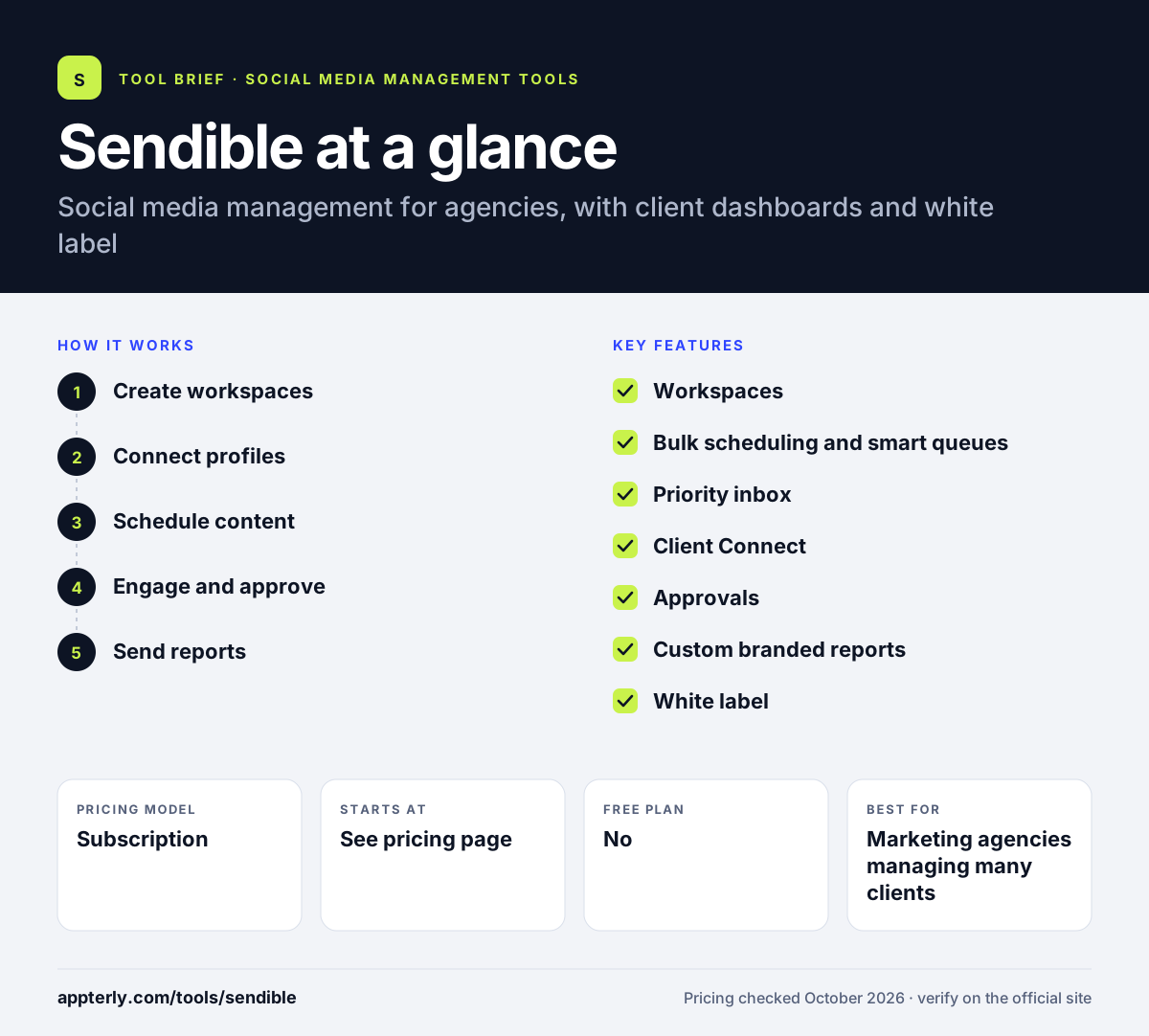
How does Sendible work?
- Create workspaces
Set up a workspace for each client, brand or location and invite users with the right permissions. Extra workspaces each add six profiles.
- Connect profiles
Link social accounts yourself or let clients connect them through Client Connect. This saves agencies from handling client passwords.
- Schedule content
Bulk import posts, use smart queues and recycle top content, with ideas from RSS feeds and a holiday calendar. Smart compose can send one post to up to 50 profiles.
- Engage and approve
Reply from the priority inbox and route posts through assignment and approval queues. Elite adds advanced user permissions for larger teams.
- Send reports
Schedule automated reports to clients and stakeholders. Premium and up add custom branded reports.
Sendible key features
Workspaces
Separate spaces per client or location with granular user permissions. Users stay unlimited on every plan.
Bulk scheduling and smart queues
Import a month of posts and fill queues that publish automatically. Smart queues range from 10 on Core to unlimited on Elite.
Priority inbox
Collects comments, messages and mentions and surfaces the most important ones. This reduces the time spent sorting through low-priority messages.
Client Connect
Clients link their profiles and access dashboards without sharing passwords. Each client sees only their own workspace.
Approvals
Assignment and approval workflows from the Plus plan up. Teams can assign posts to colleagues for review.
Custom branded reports
Automated reports, with custom branded reports from Premium. Reports can be scheduled to go out automatically.
White label
A paid add-on on Elite and Enterprise that rebrands the platform under your own domain. It runs on a custom domain.
Chrome extension
Curate and schedule content from any web page.
Why use Sendible?
- Unlimited users on every plan suits growing agencies. There is no per-seat charge to add clients or staff.
- Client Connect removes the need to share passwords.
- Workspaces keep clients and locations cleanly separated. Separate workspaces also suit franchises with many locations.
- Automated reports save time on monthly reporting. Stakeholders receive reports without logging in.
- White-label options let agencies offer the tool as their own.
Who is Sendible best for?
A good fit for
- Marketing agencies managing many clients
- Franchises and multi-location brands
- Real estate, hospitality and dental businesses
- Agencies wanting a white-label platform
Less suited to
- Individuals looking for a free plan
- Teams needing deep social listening
- Small budgets that need white label, which is a paid add-on on top plans
Sendible pricing
| Pricing model | Subscription |
|---|---|
| Free plan | No |
| Free trial | 14 days |
| Starting price | See the official pricing page |
Plans run from Core to Plus, Premium, Elite (from $349/month) and Enterprise (from $800/month), scaling by workspaces, profiles and daily sends. Entry-tier prices were not displayed on the official pricing page, and annual billing saves 15%.
Prices checked October 2026. Vendors change plans often, so confirm on the official Sendible pricing page before you buy.
Sendible pros and cons
Pros
- Built for agency workflows
- Unlimited users on all plans
- Client dashboards without password sharing
- Unlimited AI credits on every plan
Cons
- No free plan
- White label costs extra
- Content libraries and campaigns start at Premium
Sendible integrations and platforms
Works with
Available on
Sendible alternatives
See the full shortlist in Best Social Media Management Tools.
Sendible FAQ
Is Sendible free?
No. Sendible has no free plan, but it offers a 14-day free trial with no card required to start. You are asked for a card at the end of the trial. Nonprofits can get 15% off monthly plans or 25% off annual plans. Annual billing saves 15% compared with paying monthly.
What is Sendible used for?
Sendible is used by agencies and multi-location brands to schedule posts, manage comments and messages, run approvals and send automated reports for many clients. Each client or location has its own workspace, and clients can connect profiles without sharing passwords. It suits franchises, real estate firms, hotels and dental practices.
Does Sendible offer white label?
Yes. Sendible offers white label as a paid add-on on its Elite and Enterprise plans. It lets agencies give clients a rebranded version of the platform on a custom domain, with branded reports and dashboards. Pricing for the add-on starts with the Elite plan.
Sendible vs SocialPilot: what's the difference?
Both target agencies. Sendible includes unlimited users on every plan and focuses on workspaces, Client Connect and a priority inbox. SocialPilot publishes clear lower prices, includes client approvals and white-label reports on Premium, and adds review management. Agencies often compare the two on cost per client.
Does Sendible integrate with Canva?
Yes. Sendible integrates with Canva for design and Google Drive and Dropbox for media. It also connects to Zapier, Bitly, Pexels, GIPHY and RSS feeds, and offers a Chrome extension for scheduling content from any web page. Content can also be pulled from Pexels, GIPHY and Flickr.
Sources
This overview is based on Sendible's official website and documentation, checked October 2026.