What is Planable?
Planable is a social media collaboration and planning platform that lets teams create, review, approve and schedule content in one place. Posts appear as realistic previews in feed, calendar, grid or list views, and reviewers can leave comments, suggestions and annotations directly on them. Approval flows range from optional sign-off to required and multi-level approvals.
Planable schedules to Facebook, Instagram, LinkedIn, X, YouTube, TikTok, Pinterest, Threads and Google Business Profile, and it also handles universal content such as newsletters, blogs and ads. Pricing is per workspace with unlimited users, which suits agencies that invite many clients. Analytics, a social inbox and social listening are sold as add-ons. Planable is now part of SE Ranking.
Planable at a glance
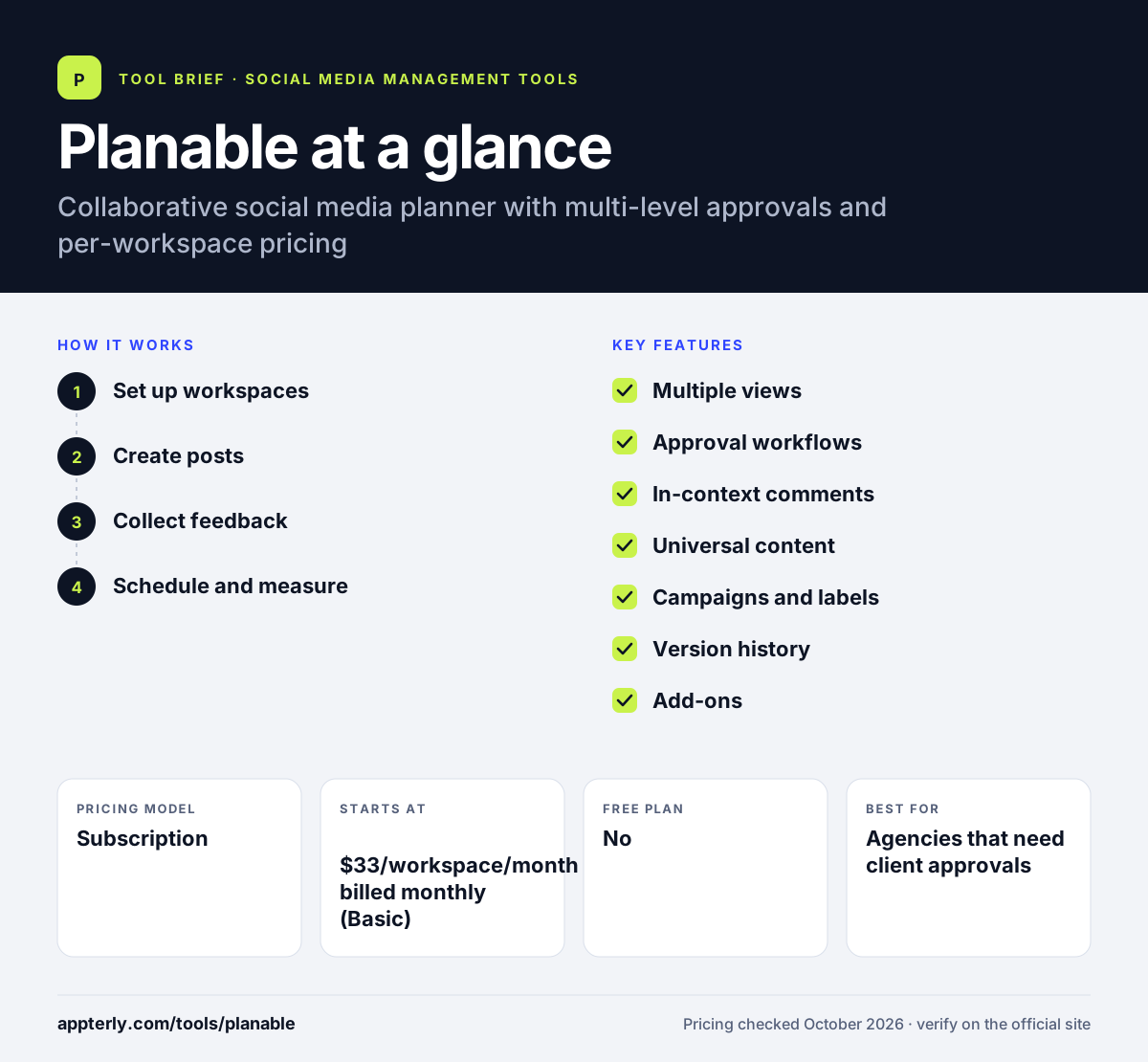
How does Planable work?
- Set up workspaces
Create a workspace for each brand or client and connect its social pages. Pricing is per workspace, so each brand you add raises the bill.
- Create posts
Write posts with AI help and see pixel-like previews for each network. Labels and campaigns help group posts by content pillar.
- Collect feedback
Teammates and clients comment, suggest edits and approve through the chosen approval flow. Outside reviewers can use one-time links without joining the workspace.
- Schedule and measure
Approved posts publish on schedule, and the analytics add-on tracks results. Add-ons such as the social inbox also cover comments on Facebook, Instagram, LinkedIn and TikTok.
Planable key features
Multiple views
Feed, calendar, Instagram grid and list views help teams plan from different angles. Bulk actions let you approve, schedule, delete or duplicate many posts at once.
Approval workflows
Optional, required and multi-level approvals depending on plan. Enterprise supports multi-level sign-off chains.
In-context comments
Public or private comments, suggestions and annotations on each post, plus one-time links for outside reviewers.
Universal content
Plan non-social work such as blogs, newsletters and ads in the same workspace. This keeps review of blogs and newsletters in the same flow as social posts.
Campaigns and labels
Group posts by campaign or content pillar for easier planning. Basic allows 3 campaigns and Pro allows 10.
Version history
Keeps earlier versions of posts for one week on Basic and up to unlimited on Enterprise.
Add-ons
Analytics, social inbox and social listening can be added per workspace, each with a 30-day trial. Analytics and inbox are included on Enterprise.
Public API and MCP
An MCP connector is available on all plans, and Pro and Enterprise add a public API for custom workflows.
Why use Planable?
- Unlimited users make it easy to involve clients and stakeholders. Clients do not count against a seat limit.
- Realistic previews reduce back-and-forth on edits.
- Multi-level approvals suit regulated or large teams. Teams can require one or several sign-offs before publishing.
- The trial has no time limit, so teams can evaluate at their own pace.
- Non-social content can be reviewed alongside social posts.
Who is Planable best for?
A good fit for
- Agencies that need client approvals
- In-house marketing teams with several reviewers
- Multi-brand and multi-location companies
- Teams planning social and other content together
Less suited to
- Solo users who want a free plan
- Teams wanting analytics, inbox and listening in the base price
- High-volume publishers on Basic, which caps posts at 60 per workspace each month
Planable pricing
| Pricing model | Subscription |
|---|---|
| Free plan | No |
| Free trial | 50 posts with no time limit, no credit card |
| Starting price | $33/workspace/month billed monthly (Basic) |
Pro ($49/workspace/month) raises limits to 150 posts and 10 pages and adds required approvals, grid view and API access. Enterprise is custom. Yearly billing gives two months free, and analytics, inbox and listening are paid add-ons.
Prices checked October 2026. Vendors change plans often, so confirm on the official Planable pricing page before you buy.
Planable pros and cons
Pros
- Excellent collaboration and approval tools
- Unlimited users on every plan
- Generous trial with no time limit
- Supports non-social content
Cons
- No free plan
- Analytics and inbox cost extra
- Post limits on Basic and Pro
Planable integrations and platforms
Works with
Available on
Planable alternatives
See the full shortlist in Best Social Media Management Tools.
Planable FAQ
Is Planable free?
Planable has no free plan, but it offers a free trial with 50 posts, no time limit and no credit card. Posts do not reset monthly, and X publishing is not available during the trial. Paid plans start at $33 per workspace per month on Basic. Add-ons such as analytics come with their own 30-day trials.
What is Planable used for?
Planable is used to plan, review, approve and schedule social media posts as a team. Agencies and marketing departments use it to share realistic post previews with clients, collect comments and approvals, and keep campaigns organized across several brands or locations. It also handles non-social content such as newsletters and blogs.
Who owns Planable?
Planable was acquired by SE Ranking, the SEO software company. The product continues under the Planable name as part of SE Ranking's wider platform, which also includes SE Visible, an AI visibility tool.
Planable vs Loomly: what's the difference?
Both focus on collaborative planning and approvals. Planable charges per workspace with unlimited users and sells analytics, inbox and listening as add-ons. Loomly charges by accounts and users and includes inbox and some listening in its base plan. Planable has more approval levels and views.
Does Planable integrate with Canva?
Yes. Planable lists Canva, Zapier and Slack integrations on all plans, plus an MCP connector. Pro and Enterprise plans also include a public API, and Enterprise adds single sign-on for larger organizations.
Sources
This overview is based on Planable's official website and documentation, checked October 2026.