What is Octopus CRM?
Octopus CRM is a LinkedIn automation tool that sends personalized connection requests, bulk messages, profile visits and skill endorsements on your behalf. It runs through a Chrome extension called Octopus All-in-One LinkedIn and includes a simple built-in CRM with campaigns and funnels for tracking prospects through each stage of outreach. It also offers Connect by Email, a way to send more invitations than LinkedIn's weekly cap normally allows.
The tool is known for its low price, with plans starting under $10 a month. It works with free LinkedIn accounts as well as Premium, Sales Navigator and Recruiter, and it reports on profile views, search appearances and Social Selling Index. Octopus CRM is aimed at agencies, sales teams, recruiters and business owners who want basic LinkedIn automation without paying for a full sales engagement platform. Plans differ mainly in which LinkedIn account types they support and how much activity they allow.
Octopus CRM at a glance
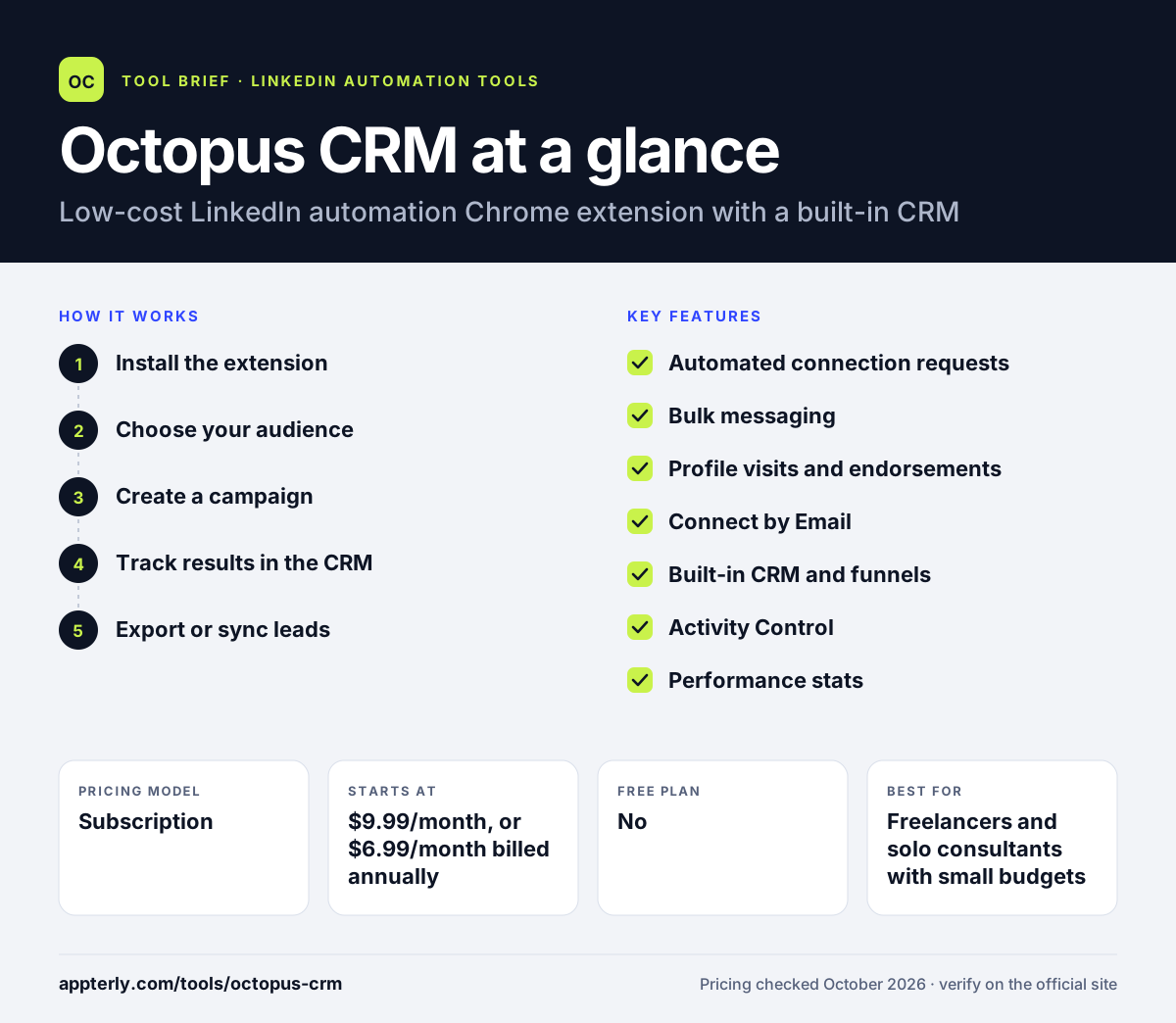
How does Octopus CRM work?
- Install the extension
Add the Octopus All-in-One LinkedIn extension from the Chrome Web Store and start a free trial.
- Choose your audience
Pick prospects from LinkedIn or Sales Navigator search results, or import a CSV file.
- Create a campaign
Build a funnel of connection requests, follow-up messages, profile visits and endorsements, with personalized text.
- Track results in the CRM
Monitor each prospect's status, campaign stats and your Social Selling Index from the dashboard.
- Export or sync leads
Export contacts to CSV or send LinkedIn actions to other apps through Zapier.
Octopus CRM key features
Automated connection requests
Send personalized invitations to targeted prospects in bulk.
Bulk messaging
Message first-degree connections at scale with personalized templates.
Profile visits and endorsements
Automatically visit profiles and endorse up to seven skills to warm up prospects.
Connect by Email
A method for sending more connection requests beyond LinkedIn's usual weekly limit.
Built-in CRM and funnels
Manage campaigns, prospect stages and funnels without a separate CRM.
Activity Control
Alerts you when account activity looks excessive, helping reduce the risk of restrictions.
Performance stats
Tracks profile views, search appearances and Social Selling Index over time.
Why use Octopus CRM?
- It is one of the cheapest ways to automate LinkedIn outreach.
- It works with free LinkedIn accounts, not only Sales Navigator.
- The built-in CRM keeps prospects organized without another tool.
- Zapier support lets you push LinkedIn activity into HubSpot, Zoho or Google Sheets.
- A free trial with no credit card makes it low risk to try.
- Every plan works across LinkedIn, Premium and Sales Navigator accounts, so you can upgrade LinkedIn later without switching tools.
Who is Octopus CRM best for?
A good fit for
- Freelancers and solo consultants with small budgets
- Recruiters sourcing candidates on LinkedIn
- Small business owners doing their own prospecting
- Agencies managing many accounts that want special pricing
Less suited to
- Teams that need email steps or multichannel sequences
- Users who want campaigns to run in the cloud without keeping a browser open
- Companies needing native CRM integrations rather than Zapier
Octopus CRM pricing
| Pricing model | Subscription |
|---|---|
| Free plan | No |
| Free trial | 7 days |
| Starting price | $9.99/month, or $6.99/month billed annually |
Plans rise from Starter through Pro ($14.99) and Advanced ($21.99) to Unlimited ($39.99 per month), with about 35% off for annual billing. Agencies managing 20 or more accounts can request special pricing.
Prices checked October 2026. Vendors change plans often, so confirm on the official Octopus CRM pricing page before you buy.
Octopus CRM pros and cons
Pros
- Very low monthly price
- Supports free LinkedIn, Premium, Sales Navigator and Recruiter
- Simple built-in CRM and funnel tracking
- Free trial with no credit card
Cons
- LinkedIn-only, with no built-in email outreach
- Integrations rely on Zapier
- Fewer advanced features than cloud-based competitors
Octopus CRM integrations and platforms
Works with
Available on
Octopus CRM alternatives
See the full shortlist in Best LinkedIn Automation Tools.
Octopus CRM FAQ
Is Octopus CRM free?
Octopus CRM does not have a permanent free plan. It offers a 7-day free trial with no credit card required, and you can cancel anytime. After the trial, plans start at $9.99 per month, or $6.99 per month with annual billing, making it one of the cheaper LinkedIn tools. The Unlimited plan costs $39.99 monthly.
What is Octopus CRM used for?
Octopus CRM is used to automate everyday LinkedIn tasks. People use it to send personalized connection requests, message first-degree connections in bulk, visit profiles, endorse skills and track prospects in a simple CRM, which saves hours of manual prospecting each week. Its Activity Control feature warns you when activity looks excessive.
Is Octopus CRM a Chrome extension?
Yes. The free trial installs the Octopus All-in-One LinkedIn extension from the Chrome Web Store. Because it works through your browser, you will generally need Chrome open while campaigns run, unlike cloud-based tools that operate on remote servers. Keep the browser running during active campaigns.
Octopus CRM vs Dux-Soup: what's the difference?
Both automate LinkedIn prospecting. Octopus CRM is a lower-cost Chrome extension with a built-in CRM and Zapier integrations. Dux-Soup now sells desktop and cloud versions under the STACKED name, with AI personalization and many native CRM integrations, at a higher price per seat. Pick Octopus CRM if price matters most.
Does Octopus CRM integrate with HubSpot?
Yes, through Zapier. Octopus CRM connects to Zapier, which can forward LinkedIn activity and contacts to HubSpot CRM, Zoho, Asana, Google Sheets and many other apps. There is no native HubSpot connector listed, so you need a Zapier account. Zapier also connects Google Sheets.
Sources
This overview is based on Octopus CRM's official website and documentation, checked October 2026.