What is Notion?
Notion is a connected workspace where teams write docs, manage projects, plan content and store company knowledge in flexible pages and databases. Marketing teams use it for editorial calendars, campaign briefs, roadmaps and wikis. Databases can be shown as tables, boards, timelines or calendars, so one set of tasks can serve writers, editors and managers at the same time.
Notion AI adds writing help, search and agents on top of that workspace. Notion Agent can create and edit pages and databases using your workspace, connected apps and the web, while Custom Agents run recurring work on a schedule. AI Meeting Notes, Enterprise Search and Research mode come with the Business plan. Notion is based in San Francisco and runs on web, desktop and mobile.
Notion at a glance
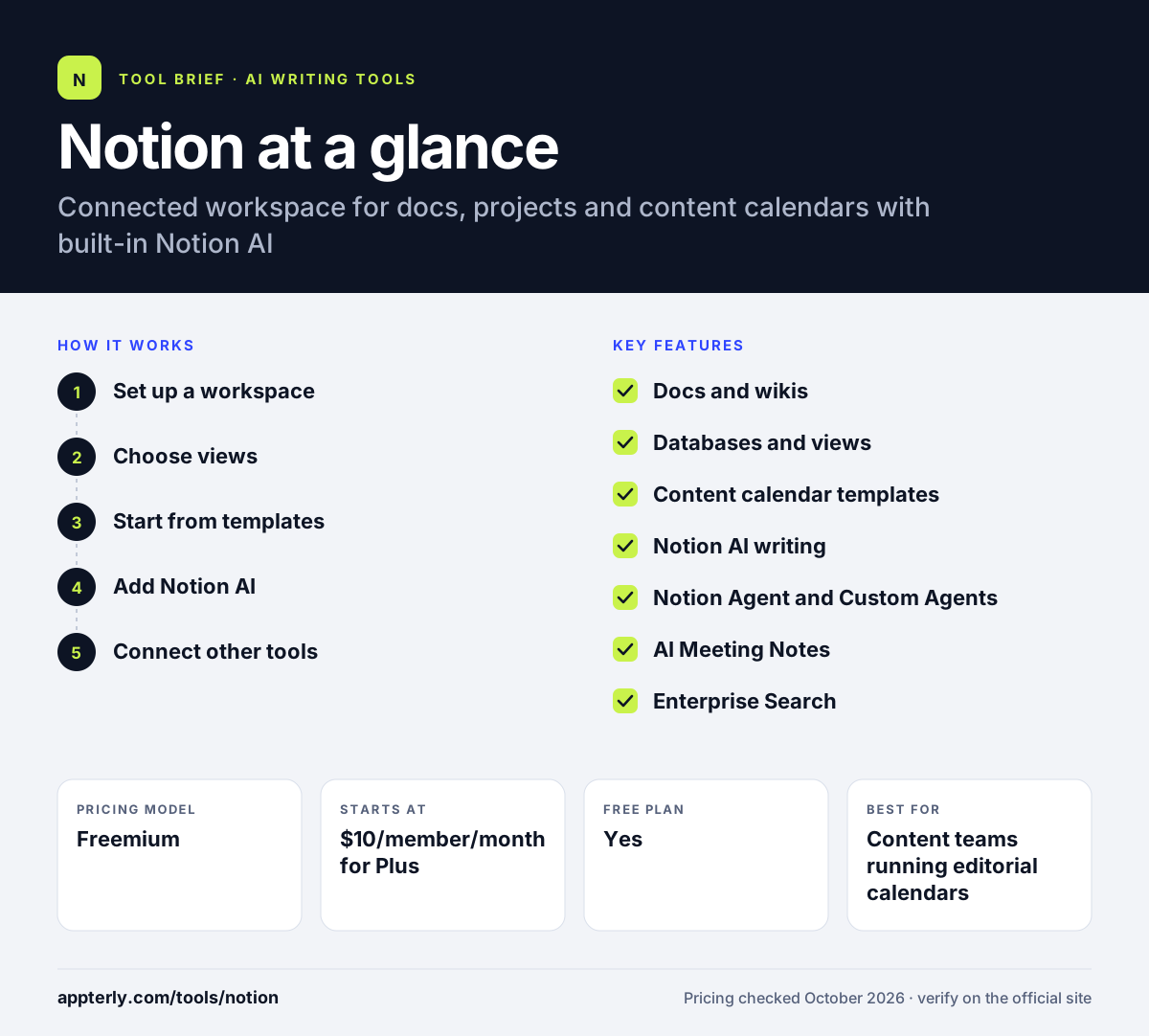
How does Notion work?
- Set up a workspace
Create pages for docs and wikis, then add databases for projects, tasks or content.
- Choose views
Show the same database as a calendar, board, timeline or table to fit each team's workflow. A content team can keep one posts database and view it by publish date, status or owner.
- Start from templates
Use gallery templates such as editorial calendars or roadmaps instead of building from scratch.
- Add Notion AI
Draft and improve text, autofill database properties and ask Notion Agent to complete multi-step tasks.
- Connect other tools
Link Slack, Google Drive, GitHub, Jira and others so updates and search span your stack.
Notion key features
Docs and wikis
Flexible pages for briefs, notes and team knowledge with rich formatting.
Databases and views
Track projects and content with table, board, timeline and calendar views.
Content calendar templates
Ready-made editorial calendars and roadmaps to plan publishing schedules.
Notion AI writing
AI blocks draft and improve text, and Research mode produces detailed reports.
Notion Agent and Custom Agents
Agents that create and edit pages or databases, and run recurring work on triggers or schedules.
AI Meeting Notes
Transcribes and summarizes meetings and drafts follow-ups without a bot joining the call.
Enterprise Search
Searches across Notion and connected apps like Slack, Google Drive and GitHub.
Forms and automations
Collect requests through forms and automate routine database updates.
Why use Notion?
- One tool replaces separate apps for docs, tasks and content planning.
- Flexible databases fit almost any marketing workflow.
- Notion AI works with your own workspace content, not just generic prompts.
- A free plan suits individuals, and students get Plus free.
- Templates make it fast to set up an editorial calendar.
Who is Notion best for?
A good fit for
- Content teams running editorial calendars
- Startups and small agencies managing projects and docs together
- Freelancers organizing client work and notes
- Teams that want AI built into their knowledge base
Less suited to
- Teams needing heavy resource planning or time tracking
- Users who want the full Notion AI agent features on a low budget
Notion pricing
| Pricing model | Freemium |
|---|---|
| Free plan | Yes |
| Free trial | Limited trial of Notion AI on Free and Plus |
| Starting price | $10/member/month for Plus |
Business at $20/member/month includes Notion Agent, AI Meeting Notes and Enterprise Search, and yearly billing saves up to 20%. Custom Agents cost $10 per 1,000 monthly Notion credits after a free trial.
Prices checked October 2026. Vendors change plans often, so confirm on the official Notion pricing page before you buy.
Notion pros and cons
Pros
- Very flexible pages and databases
- Large template gallery including content calendars
- AI agents that work on your own workspace data
- Useful free plan for individuals
Cons
- Takes time to set up a clean workspace structure
- Best AI features require the Business plan
- The Free plan limits blocks on multi-member workspaces
Notion integrations and platforms
Works with
Available on
Notion alternatives
See the full shortlist in Best AI Writing Tools.
Notion FAQ
Is Notion free?
Yes. Notion has a free plan for individuals with a limited trial of Notion AI. Multi-member Free workspaces have a block limit. Paid plans start at $10 per member per month for Plus, and Business costs $20 per member per month with full Notion AI features.
Is Notion AI included in Notion?
Notion AI is fully included on the Business and Enterprise plans, which add Notion Agent, AI Meeting Notes, Enterprise Search and Research mode. Free and Plus plans get a limited trial of these features. Custom Agents are charged separately through Notion credits after a free trial.
Can I use Notion as a content calendar?
Yes. Notion includes editorial calendar templates, and any database can be shown as a calendar, board or timeline. Teams track each post's status, owner, channel and publish date in one place, then use Notion AI to draft briefs or autofill details.
Notion vs ClickUp: what's the difference?
Both tools handle projects and docs. Notion starts from flexible pages and databases, which makes it strong for wikis, content calendars and knowledge bases. ClickUp starts from task management with more built-in project features. Teams that prioritize writing and documentation often prefer Notion.
Does Notion integrate with Slack?
Yes. Notion connects with Slack to preview linked messages, and Enterprise Search on the Business plan can search Slack content alongside your workspace. Notion also integrates with Google Drive, GitHub, Jira, Figma and Asana.
Sources
This overview is based on Notion's official website and documentation, checked October 2026.