What is Grammarly?
Grammarly is an AI writing assistant that checks spelling, grammar, clarity and tone as you type and suggests rewrites. It works inside browsers, desktop apps, Microsoft Office, Google Docs and mobile devices, so the same help follows you across email, documents and social posts. Founded in 2009, it is now part of Superhuman, the new name of the company that also owns Coda and Superhuman Mail.
Beyond proofreading, Grammarly offers generative AI prompts, full-sentence rewrites, tone adjustment and agents such as an AI Detector, a Humanizer and a Citation Finder. Pro adds plagiarism checks, brand tones and style guides for teams. Enterprise plans, sold through Superhuman Go, add security controls like SSO, data loss prevention and audit logs. It is available for Windows and Mac, the main browsers, and iPhone, iPad and Android.
Grammarly at a glance
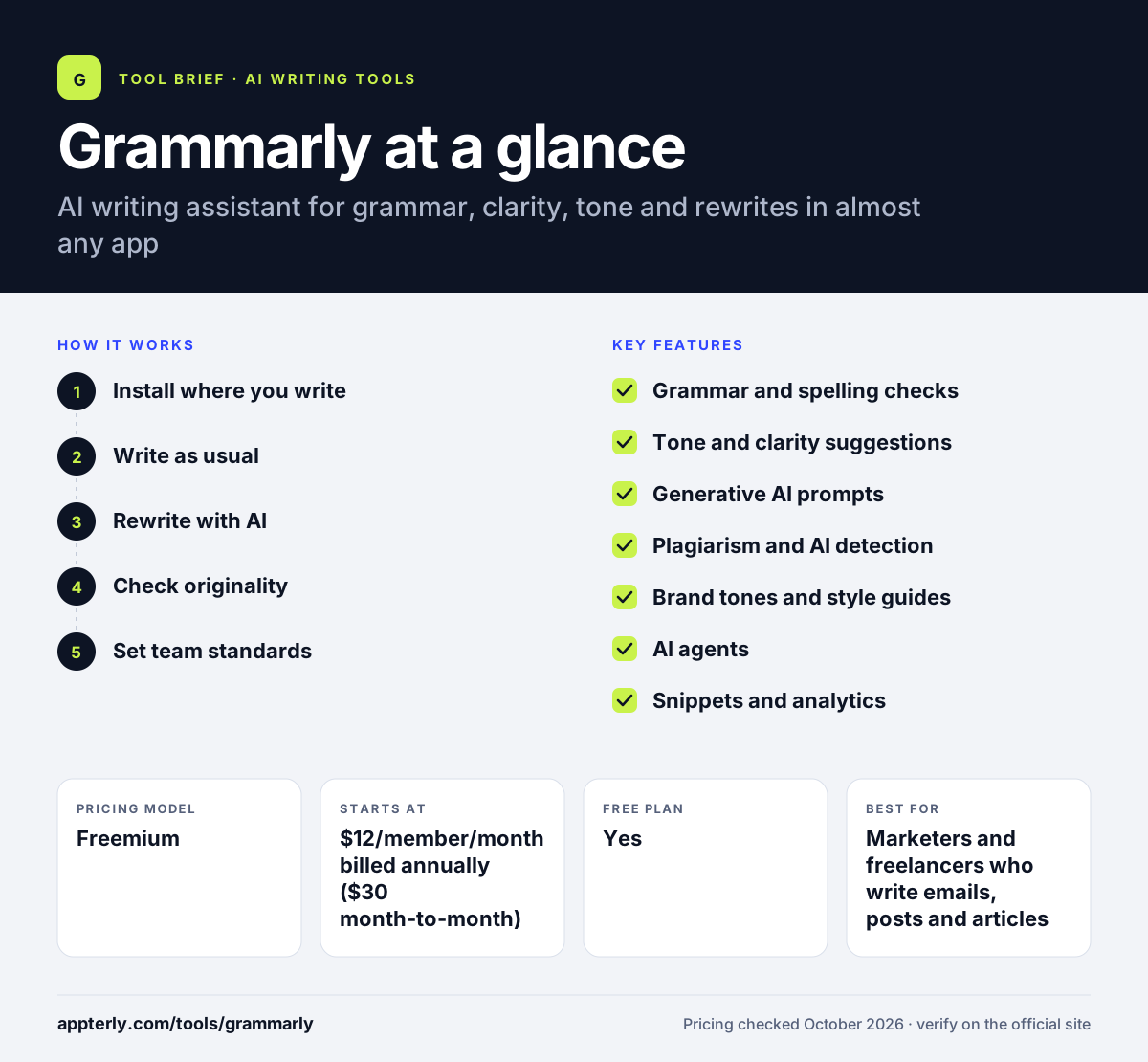
How does Grammarly work?
- Install where you write
Add the browser extension, desktop app, Office add-in or mobile app, then sign in.
- Write as usual
Grammarly underlines issues in real time and shows suggestions for grammar, clarity and tone.
- Rewrite with AI
Use prompts to rewrite paragraphs, adjust tone or generate drafts within your limit.
- Check originality
On Pro, run plagiarism and AI-text detection before you publish or submit.
- Set team standards
Admins add style guides, brand tones and snippets so everyone writes consistently.
Grammarly key features
Grammar and spelling checks
Real-time corrections for spelling, grammar and punctuation on every plan.
Tone and clarity suggestions
Shows how your writing sounds and, on Pro, adjusts tone and rewrites full sentences.
Generative AI prompts
100 prompts per month on Free and 2,000 per member on Pro for drafting and rewriting.
Plagiarism and AI detection
Checks text against other sources and flags likely AI-written passages on Pro.
Brand tones and style guides
Team controls that keep word choice and voice consistent across a company.
AI agents
Tools such as Humanizer, AI Detector, Citation Finder and Reader Reactions.
Snippets and analytics
Reusable text blocks and team usage analytics on Pro and Enterprise.
Writing tools library
Standalone tools such as a citation generator, translator and AI chat on the Grammarly website.
Why use Grammarly?
- It works in nearly every app, so you do not need to copy text into another tool.
- The free plan covers everyday spelling and grammar checks.
- Tone suggestions help non-native English writers sound natural.
- Plagiarism and AI detection help before publishing or submitting work.
- Team style guides keep client and brand content consistent.
Who is Grammarly best for?
A good fit for
- Marketers and freelancers who write emails, posts and articles daily
- Non-native English speakers writing for global audiences
- Students checking essays and citations
- Teams that need shared style guides and brand tone
Less suited to
- Writers who need long-form content generation at scale
- Users writing mainly in languages other than English
Grammarly pricing
| Pricing model | Freemium |
|---|---|
| Free plan | Yes |
| Free trial | Free trial on Pro (length not stated) |
| Starting price | $12/member/month billed annually ($30 month-to-month) for Pro |
Pro adds rewrites, tone adjustment, plagiarism and AI detection, and team features. Enterprise is priced through sales and adds unlimited prompts and security controls.
Prices checked October 2026. Vendors change plans often, so confirm on the official Grammarly pricing page before you buy.
Grammarly pros and cons
Pros
- Works across browsers, desktop and mobile
- Useful free plan for basic proofreading
- Strong tone and clarity feedback
- Team controls for brand consistency
Cons
- Monthly billing for Pro costs much more than annual
- Advanced rewrites and plagiarism checks require a paid plan
- Suggestions can feel generic for creative or technical writing
Grammarly integrations and platforms
Works with
Available on
Grammarly alternatives
See the full shortlist in Best AI Writing Tools.
Grammarly FAQ
Is Grammarly free?
Yes. Grammarly's free plan includes spelling and grammar checks, tone detection and 100 AI prompts per month. Pro costs $12 per member per month billed annually, or $30 monthly, and adds full-sentence rewrites, tone adjustment, plagiarism and AI detection, and team tools.
Is Grammarly now called Superhuman?
The company changed its name to Superhuman in October 2025 after buying Coda and the Superhuman email app. Grammarly itself still exists as a product and keeps its name. It now sits inside the Superhuman suite, and Enterprise plans are delivered through Superhuman Go.
Does Grammarly work in Google Docs and Word?
Yes. Grammarly works in Google Docs through its browser extension and in Microsoft Word through the Office add-in and desktop app. It also runs in Chrome, Safari, Firefox and Edge, and on iPhone, iPad and Android, so suggestions appear wherever you write.
Grammarly vs QuillBot: what's the difference?
Grammarly focuses on real-time grammar, clarity and tone feedback inside the apps where you write, plus team style controls. QuillBot is known for paraphrasing and summarizing, and its Premium plan is cheaper. Writers who mainly proofread often prefer Grammarly, while those who rephrase text often prefer QuillBot.
Is Grammarly good for beginners?
Yes. Grammarly needs no setup beyond installing the extension or app. Suggestions appear as underlines with a short explanation, which helps beginners learn from their mistakes. The free plan is enough for basic checks, and Pro adds deeper rewrites when you need them.
Sources
This overview is based on Grammarly's official website and documentation, checked October 2026.