What is Klap?
Klap is an AI video repurposing tool that turns long videos, podcasts and webinars into short vertical clips ready for TikTok, Instagram Reels and YouTube Shorts. It is run by ZIGG SAS. You upload a file or paste a YouTube link, and Klap finds the strongest topics, cuts them into clips, reframes the subject and adds captions, usually producing several clips per minute of source footage.
Klap works best with speech-heavy content such as interviews, lessons and product reviews, since speech detection drives clip selection. It supports 52 languages for transcription and editing. Each clip gets a viral-potential score, and brand fonts, colors and logos can be applied. Clips can be scheduled to TikTok, YouTube, Instagram and LinkedIn, and automation tools like Zapier, Make and n8n connect through its API.
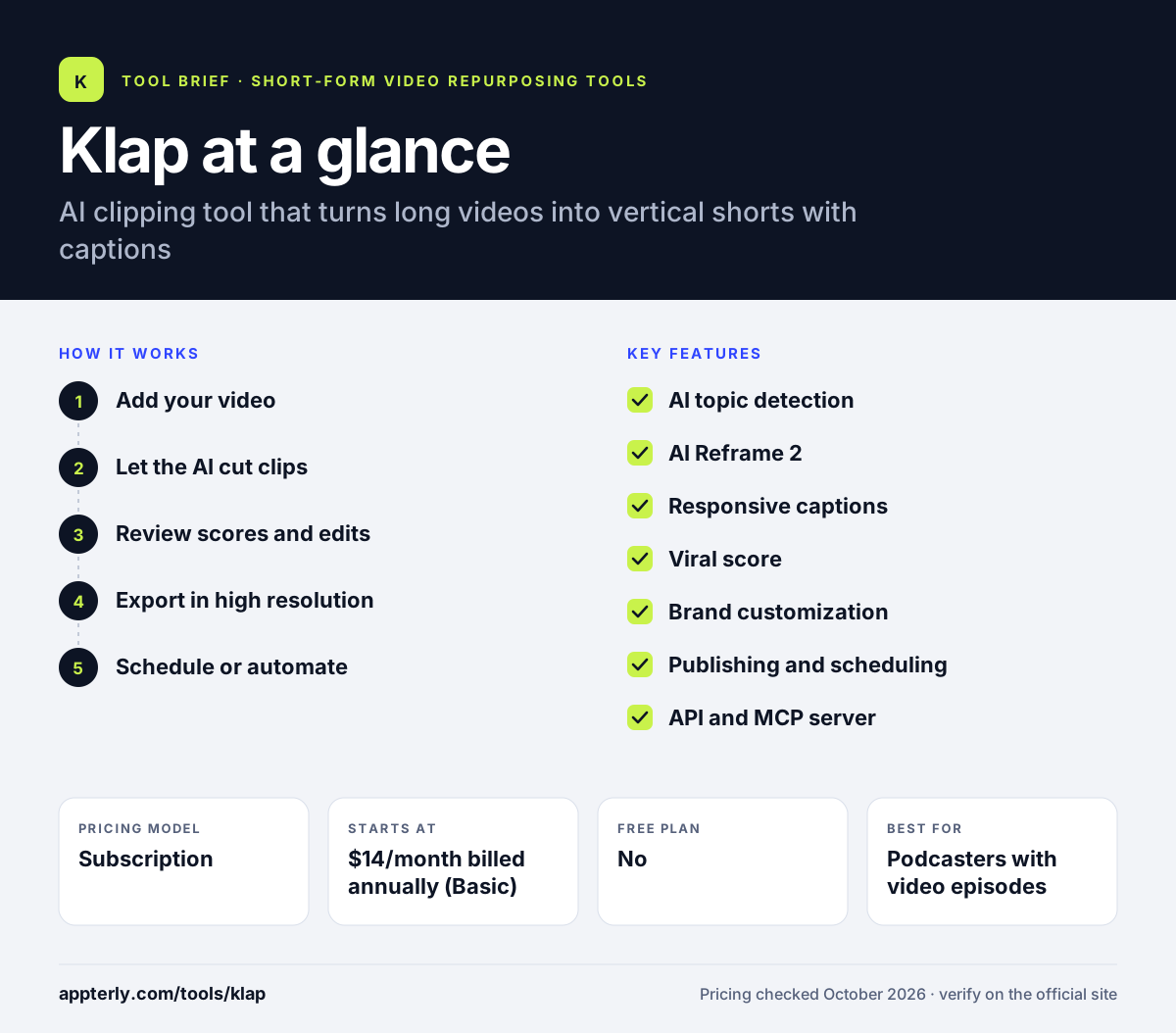
Klap at a glance
How does Klap work?
- Add your video
Upload a video file or paste a YouTube link into Klap.
- Let the AI cut clips
Klap detects key topics in the speech and generates vertical clips with captions.
- Review scores and edits
Check each clip's viral score, adjust framing, captions and branding.
- Export in high resolution
Download the finished clips for manual posting.
- Schedule or automate
Publish or schedule clips to social accounts, or trigger Klap from Zapier, Make, n8n or the API.
Klap key features
AI topic detection
Finds the most interesting topics in a long video and turns them into clips. Speech detection drives which moments are chosen.
AI Reframe 2
Keeps the subject in frame and handles split-screen, screencast and gaming layouts. This makes it practical for tutorials, webinars and game streams.
Responsive captions
Generates subtitles and suggests post captions in 52 languages. Suggested post captions save time when you publish.
Viral score
Rates each clip's potential so you can decide what to post first. It gives a quick way to sort a large batch of clips.
Brand customization
Applies your fonts, colors, logos and framing to every clip. Branding stays consistent without editing each clip by hand.
Publishing and scheduling
Shares or schedules clips to TikTok, YouTube, Instagram and LinkedIn. All plans include unlimited social accounts for TikTok, Instagram and LinkedIn.
API and MCP server
Lets developers and automation tools create clips programmatically. Developer docs are published for teams building their own workflows.
Why use Klap?
- It saves hours of manual cutting for podcasts and webinars.
- Smart reframing handles complex layouts like screen shares and gaming.
- Viral scores help you prioritize which clips to post.
- Automation connections let you build hands-off clipping pipelines.
- You can try it on one video free without a credit card.
Who is Klap best for?
A good fit for
- Podcasters with video episodes
- Educators and course creators
- Marketers repurposing webinars
- Agencies automating clip production through Zapier or Make
Less suited to
- Videos with little or no speech
- Users who want a large ongoing free plan
- Creators who need advanced timeline editing
Klap pricing
| Pricing model | Subscription |
|---|---|
| Free plan | No |
| Free trial | One free video, no credit card |
| Starting price | $14/month billed annually (Basic) |
Basic includes 100 clips per month, Pro ($39/month annually) includes 300, and Pro+ ($94/month annually) includes 1,000 for teams. Annual billing is shown as saving 50%, and higher volumes are arranged directly with the team.
Prices checked October 2026. Vendors change plans often, so confirm on the official Klap pricing page before you buy.
Klap pros and cons
Pros
- Strong reframing for screen shares and gaming
- Wide language support
- Built-in scheduling to major platforms
- Automation through API, Zapier, Make and n8n
Cons
- Free use is limited to one video
- Clip allowances cap monthly output
- Results depend on clear speech in the source video
Klap integrations and platforms
Works with
Available on
Klap alternatives
See the full shortlist in Best AI Video Clipping Tools.
Klap FAQ
Is Klap free?
Klap lets you create one video for free without a credit card, which is enough to test how it clips your content. After that you need a paid plan. Basic costs $14 per month billed annually with 100 clips, Pro costs $39 per month with 300 clips, and Pro+ costs $94 per month with 1,000 clips.
What is Klap used for?
Klap is used to turn long videos, podcasts and webinars into short vertical clips for TikTok, Reels and YouTube Shorts. It finds key topics, reframes speakers, adds captions and scores each clip. Creators and marketers use Klap to post more short-form content from recordings they already have, without manual editing.
Does Klap integrate with Zapier?
Yes. Klap connects with Zapier, Make and n8n, and it offers a public API and an MCP server. This lets you start clip jobs automatically, for example when a new YouTube video is published, and send results to other tools. These options suit agencies and teams that process many videos.
Klap vs Opus Clip: what's the difference?
Both turn long videos into AI clips with captions and reframing. Klap emphasizes speech-driven topic detection, layout-aware reframing and automation through Zapier, Make and n8n. Opus Clip adds extras like AI B-roll, dubbing and Premiere Pro export, and has a free monthly plan. Klap's yearly plans start at $14 per month, while Opus Clip starts at $15 monthly.
What languages does Klap support?
Klap supports 52 languages for transcription and editing. This means it can detect topics and generate captions for videos recorded in many languages, not only English. It works best when the speech is clear, since speech detection is what drives clip selection and caption accuracy.
Sources
This overview is based on Klap's official website and documentation, checked October 2026.