What is 2short.ai?
2short.ai is an AI video clipping tool that turns long YouTube videos into short vertical clips for YouTube Shorts, TikTok and Instagram Reels. You paste a video link, and the AI reads the spoken content to find the most engaging moments. It is built for YouTubers, podcasters and streamers who want more short-form content from videos they have already published.
The tool relies on captions to understand what is said, so source videos need captions, though YouTube's automatic ones usually work. 2short.ai keeps speakers centered with facial tracking, adds animated subtitles in one click and exports in vertical, square or horizontal formats at 1080p without watermarks. It supports English, Spanish, French, German, Japanese, Korean and about 20 other languages.
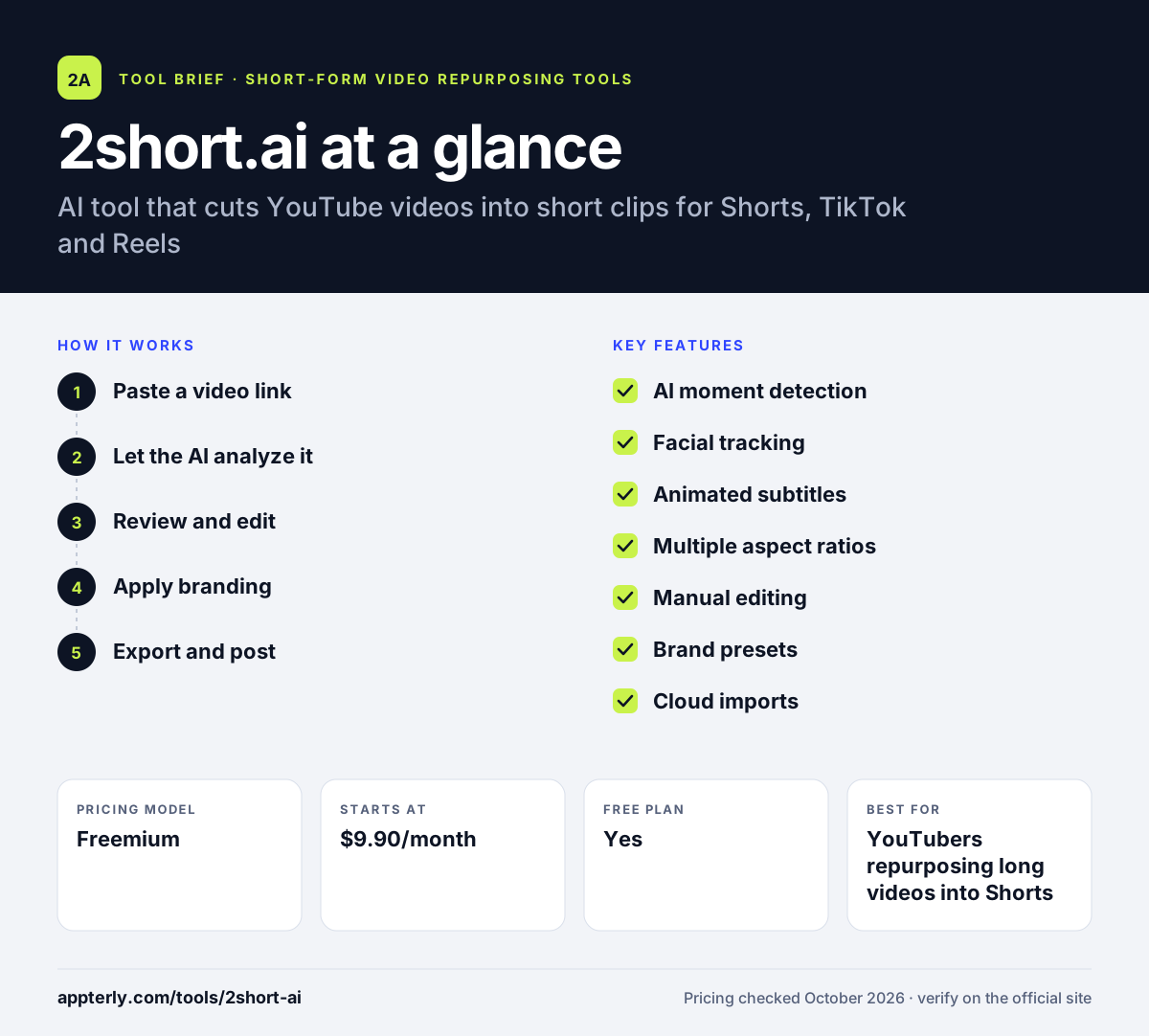
2short.ai at a glance
How does 2short.ai work?
- Paste a video link
Copy the URL of a YouTube video and paste it into the 2short.ai app.
- Let the AI analyze it
The AI reads the transcript and selects the moments most likely to hold attention. The analysis time counts against your monthly plan allowance.
- Review and edit
Check suggested clips, adjust cropping manually if needed, and add animated subtitles.
- Apply branding
Add your logo or overlays using brand presets.
- Export and post
Export clips in 1080p in the format you need, then upload them to Shorts, TikTok or Reels.
2short.ai key features
AI moment detection
Scans the spoken content of a long video to pick out highlight segments. It works from the video's captions, so clear speech gives better picks.
Facial tracking
Keeps the active speaker centered when the video is reframed to vertical. This is useful for interviews and podcasts with more than one speaker.
Animated subtitles
Adds styled, animated captions to clips with one click. Subtitles help viewers who watch with the sound off.
Multiple aspect ratios
Exports vertical, square and horizontal versions of the same clip. You can post the same moment in the best shape for each platform.
Manual editing
Lets you crop and trim by hand when automatic tracking misses. This gives you a fallback when the automatic crop is off.
Brand presets
Saves logos and overlays to apply across exports. It keeps your channel identity consistent across many shorts.
Cloud imports
Paid plans can import from Google Drive and public URLs, not just YouTube. This helps if your raw footage is not on YouTube.
Why use 2short.ai?
- It turns one long video into several shorts without manual editing.
- The free plan includes the full feature set, so you can judge quality before paying.
- Exports are 1080p with no watermark.
- Pricing is based on hours of analysis, which is easy to plan for a regular upload schedule.
- Paid tiers are low cost compared with many clipping tools.
Who is 2short.ai best for?
A good fit for
- YouTubers repurposing long videos into Shorts
- Podcasters with video episodes on YouTube
- Streamers turning broadcasts into highlights
- Solo creators on a small budget
Less suited to
- Videos without speech or captions, since analysis depends on the transcript
- Teams that need built-in scheduling and publishing
- Agencies wanting multi-user workspaces
2short.ai pricing
| Pricing model | Freemium |
|---|---|
| Free plan | Yes |
| Free trial | Not confirmed |
| Starting price | $9.90/month |
Plans scale by monthly AI analysis time: Lite gives 5 hours, Pro ($19.90/month) gives 15 hours with unlimited fast exports, and Premium ($49.90/month) gives 50 hours. The free Starter plan includes a small monthly allowance.
Prices checked October 2026. Vendors change plans often, so confirm on the official 2short.ai pricing page before you buy.
2short.ai pros and cons
Pros
- Simple paste-a-link workflow
- Free plan includes all features
- Watermark-free 1080p exports
- Affordable paid plans
Cons
- Needs captions on source videos to work
- No built-in social scheduling
- Mainly built around YouTube as the source
2short.ai integrations and platforms
Works with
Available on
2short.ai alternatives
See the full shortlist in Best AI Video Clipping Tools.
2short.ai FAQ
Is 2short.ai free?
Yes. 2short.ai has a free Starter plan with a monthly allowance of AI analysis time and access to the same features as paid plans. The difference between plans is mostly usage. Paid plans start at $9.90 per month for Lite with 5 hours of analysis, rising to $19.90 for Pro and $49.90 for Premium.
What is 2short.ai used for?
2short.ai is used to turn long YouTube videos into short clips for YouTube Shorts, TikTok and Instagram Reels. Creators paste a video link, and 2short.ai finds engaging moments, reframes them around the speaker and adds captions. It helps YouTubers, podcasters and streamers publish more short-form content without editing each clip by hand.
Does 2short.ai add a watermark?
No. 2short.ai exports clips at 1080p without watermarks. Paid plans add faster server-side exports, with unlimited fast exports starting on the Pro plan. Lite and higher plans also add imports from Google Drive and public URLs and remove ads from the app.
2short.ai vs Opus Clip: what's the difference?
Both cut long videos into shorts with AI. 2short.ai is simpler and cheaper, with plans from $9.90 per month, and focuses on YouTube links with face tracking and captions. Opus Clip offers more extras, such as AI B-roll, dubbing, a social scheduler and editor exports, with plans from $15 per month. Choose based on whether you need publishing tools.
Why does 2short.ai need captions?
2short.ai analyzes the spoken words in a video to decide which moments are most engaging, so it reads the video's captions. YouTube's automatic captions are usually enough. Videos with no speech or no captions will not produce good results, so the tool works best with talking-head content, interviews and podcasts.
Sources
This overview is based on 2short.ai's official website and documentation, checked October 2026.