What is Ginger?
Ginger is an AI-powered English writing assistant that corrects grammar, spelling and punctuation by looking at whole sentences rather than single words. It also suggests rephrased versions of clunky sentences and offers synonyms on demand. The tool is aimed at non-native English speakers, students and professionals who write emails, social posts and documents every day.
Ginger Software has been building the product since 2010. Beyond the core checker, it bundles a translator, punctuation and essay checkers, a personal trainer for practice, and a dictionary. It runs in Chrome and Edge, inside Microsoft Word, as a desktop app for Windows and Mac, and on iOS and Android, including an Android keyboard. A Grammar API is available for developers.
Ginger at a glance
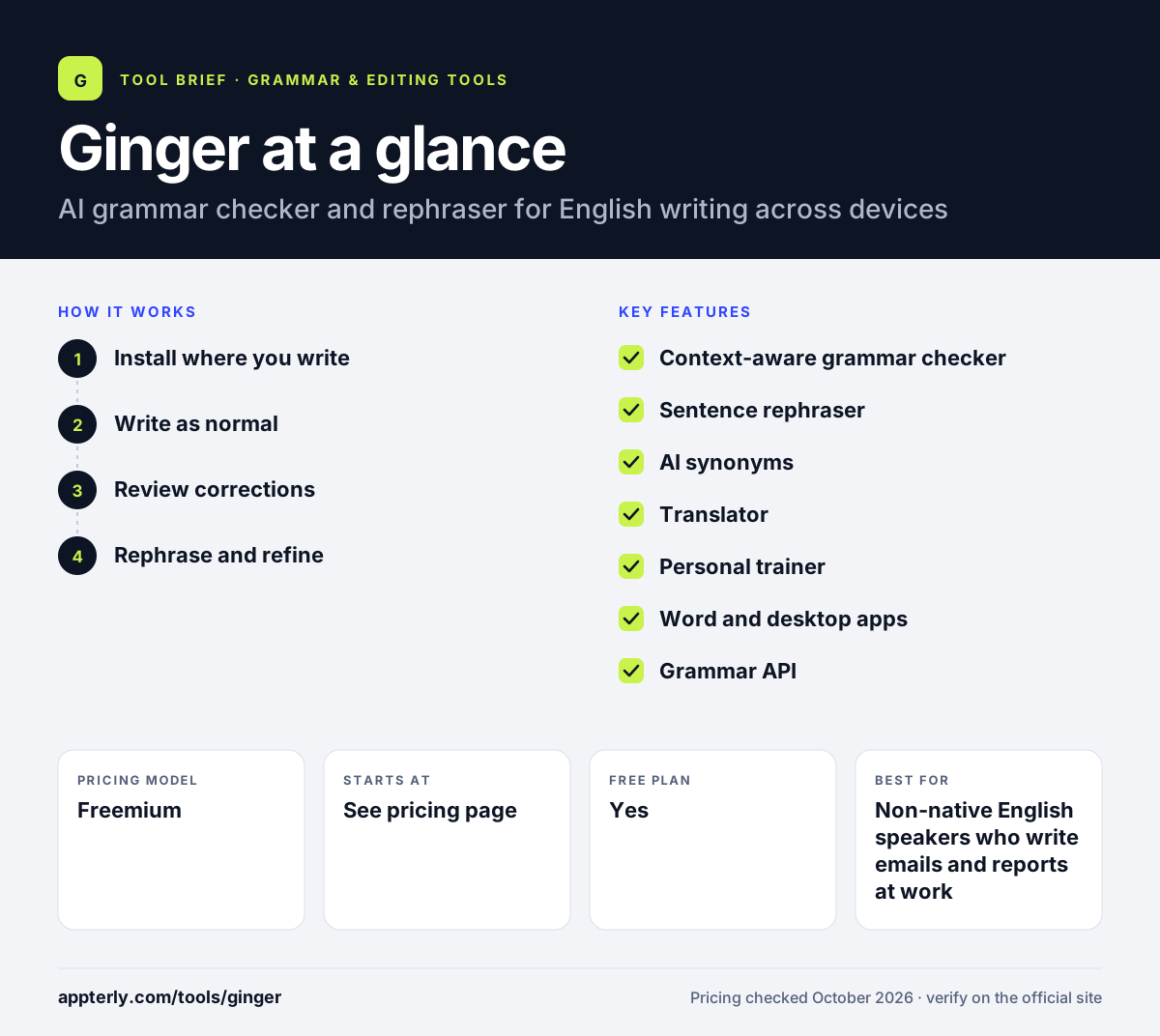
How does Ginger work?
- Install where you write
Add the Chrome or Edge extension, the Word add-in, the desktop app or the mobile app.
- Write as normal
Ginger checks your text in sites like Gmail, LinkedIn and Facebook, or in any app on desktop.
- Review corrections
Underlined issues show context-based fixes that you can accept with a click.
- Rephrase and refine
Use the rephraser or synonym suggestions to make wordy sentences clearer.
Ginger key features
Context-aware grammar checker
Reviews full sentences to catch grammar, spelling and punctuation mistakes. This helps catch errors that look fine word by word but are wrong in context.
Sentence rephraser
Offers alternative wordings for long or awkward sentences. It is useful for non-native speakers who know what they want to say but struggle with phrasing.
AI synonyms
Shows synonyms and expressions when you tap or double-click a word. This keeps you in the flow without opening a separate dictionary or thesaurus.
Translator
Translates text between languages from within the Ginger toolset. It is handy for quick checks of short messages and notes.
Personal trainer
Offers English practice inside the Ginger toolset. It gives learners a way to practice English alongside everyday writing.
Word and desktop apps
A Microsoft Word add-in plus Windows and Mac apps that check text in other programs. This means you get corrections in documents and desktop programs, not just the browser.
Grammar API
Lets businesses add Ginger checks to their own apps and websites. It suits companies that want grammar checks inside their own products.
Why use Ginger?
- It catches context errors that basic spell checkers miss.
- The rephraser helps non-native speakers sound more natural.
- Coverage across browser, desktop and mobile keeps corrections consistent.
- Learning tools such as the personal trainer support ongoing English practice.
- Free entry points let you test it before paying.
Who is Ginger best for?
A good fit for
- Non-native English speakers who write emails and reports at work
- Students drafting essays and assignments in English
- Professionals posting on LinkedIn and Facebook who want clean copy
- Schools and businesses that want a simple, low-friction checker
Less suited to
- Writers who need grammar checks in languages other than English
- Marketing teams that want brand style guides, tone controls and approval workflows
- Long-form authors who need deep style and pacing reports
Ginger pricing
| Pricing model | Freemium |
|---|---|
| Free plan | Yes |
| Free trial | Not confirmed |
| Starting price | See the official pricing page |
The browser extensions, Word add-in and desktop app can be downloaded free, while Premium unlocks the full feature set. Exact Premium prices were not visible on the official site when checked, and a discount sale was being promoted.
Prices checked October 2026. Vendors change plans often, so confirm on the official website before you buy.
Ginger pros and cons
Pros
- Corrects whole sentences in context rather than single words
- Runs on Chrome, Edge, Word, Windows, Mac, iOS and Android
- Built-in learning tools help users improve over time
- Free versions are available on most platforms
Cons
- Grammar checking covers English only
- Premium prices are not clearly shown on the official site
- Fewer tone, style and generative AI features than newer writing tools
Ginger integrations and platforms
Works with
Available on
Ginger alternatives
See the full shortlist in Best Grammar Checkers.
Ginger FAQ
Is Ginger free?
Ginger has free versions of its browser extensions, Microsoft Word add-in and desktop app, so you can check grammar without paying. A Premium subscription unlocks the full set of tools. The official site was promoting a Premium discount when checked, but exact plan prices were not listed on the pages available.
What is Ginger used for?
Ginger is used to correct grammar, spelling and punctuation in English text and to rephrase awkward sentences. People use it in email, social media, Word documents and mobile messaging. It also includes a translator, synonyms and a personal trainer for English practice.
Is Ginger good for beginners?
Yes. Ginger is simple to install and shows corrections inline, so beginners can accept fixes with a click. Its focus on context-based corrections and its practice tools make it especially helpful for English learners and non-native speakers who want to improve while they write.
Ginger vs Grammarly: what's the difference?
Both tools check grammar and spelling across browsers and apps. Grammarly offers more detailed tone, clarity and generative AI features, plus wider business controls. Ginger is a simpler checker with a rephraser, translator and learning tools, and it appeals mostly to English learners who want straightforward corrections.
Does Ginger work with Microsoft Word?
Yes. Ginger offers a Microsoft Word add-in, and its Windows and Mac desktop app can check text in other applications too. It also works through Chrome and Edge extensions on sites like Gmail and LinkedIn, and on iOS and Android devices.
Sources
This overview is based on Ginger's official website and documentation, checked October 2026.