What is Feedoptimise?
Feedoptimise is a product feed management and optimization platform that creates, enriches and distributes product data to marketing channels without manual file editing. It imports catalogs from Shopify, Magento, WooCommerce, Salesforce, other carts or a website crawl, then reshapes the data for destinations such as Google Merchant Center, Meta catalogs, Microsoft Shopping, TikTok, Amazon, eBay, affiliate networks and comparison sites. The company claims delivery to more than 3,500 channels.
Generative AI is central to how Feedoptimise improves listings. It can rewrite titles and descriptions, suggest categories, map attributes and even extract colors from product images. You can run the platform yourself or choose a managed service in which the Feedoptimise team builds and maintains your rules. Pricing is based on items per feed and the number of sources and feeds, with every plan getting the same features. There is no notice period and no seat limit on any plan.
Feedoptimise at a glance
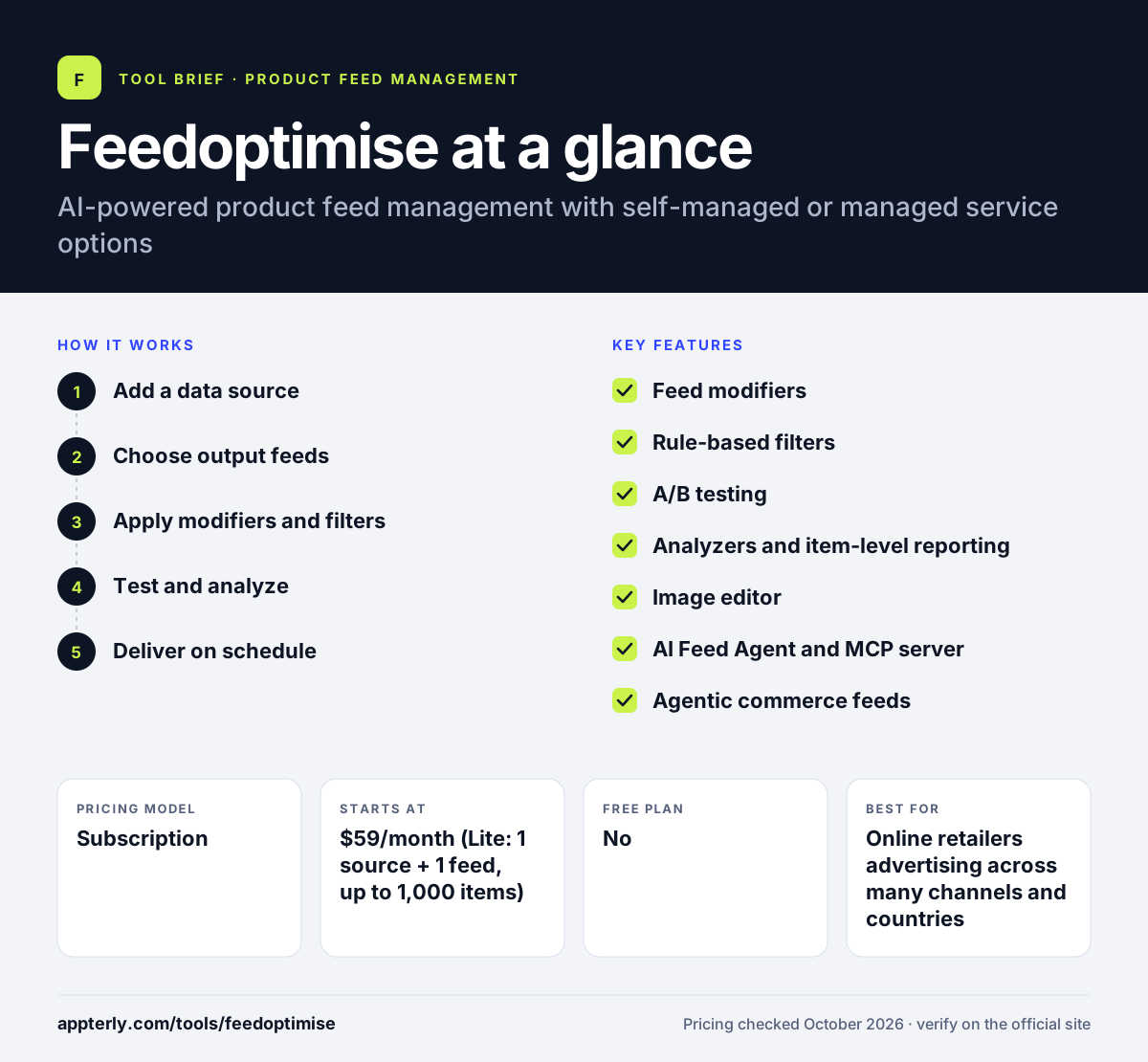
How does Feedoptimise work?
- Add a data source
Connect your store platform, upload a file or let Feedoptimise crawl your website to import products.
- Choose output feeds
Pick from one-click templates for channels like Google, Meta or Amazon, or define a custom format.
- Apply modifiers and filters
Use rules and AI modifiers to rewrite titles, fill attributes and filter out products you don't want to advertise.
- Test and analyze
Run A/B tests on titles or other attributes and review item-level reports to see what performs.
- Deliver on schedule
Feeds are delivered by HTTPS, FTP, SFTP or API and refreshed automatically.
Feedoptimise key features
Feed modifiers
A large set of data transformations, including AI-generated titles and image color extraction, applied in bulk.
Rule-based filters
Include or exclude products using conditions on any field in your data.
A/B testing
Tests different titles or attributes and can apply the winning version automatically.
Analyzers and item-level reporting
Shows performance and data quality down to individual products.
Image editor
Edits product images for channel requirements without leaving the platform.
AI Feed Agent and MCP server
An in-app AI assistant helps build and adjust feeds, with an MCP server for connecting outside AI tools.
Agentic commerce feeds
Prepares product data for AI shopping assistants such as ChatGPT, Gemini, Copilot and Perplexity.
Why use Feedoptimise?
- All plans include the full feature set, so you only pay more for catalog size and feed count. A small store gets the same AI, testing and reporting tools as a large one.
- AI tools can rewrite and enrich thousands of listings far faster than manual editing.
- Built-in A/B testing helps you prove which titles or attributes lift performance.
- A managed option lets you hand off feed work without switching platforms.
- There is no notice period and no limit on user seats, which keeps commitments low and lets whole teams collaborate.
Who is Feedoptimise best for?
A good fit for
- Online retailers advertising across many channels and countries
- Agencies that need flexible custom feed formats
- Merchants with large catalogs that need AI-assisted enrichment
- Teams that want the choice of self-service or managed feeds
Less suited to
- Sellers who need marketplace order and inventory management in the same tool
- Users who want a simple one-click app with no rule configuration
Feedoptimise pricing
| Pricing model | Subscription |
|---|---|
| Free plan | No |
| Free trial | 7 days |
| Starting price | $59/month (Lite: 1 source + 1 feed, up to 1,000 items) |
Each plan has a retainer plus a fee per extra feed or source, scaling by items per feed from Lite (1,000) up to 5 million items. Usage is calculated daily and billed monthly in arrears.
Prices checked October 2026. Vendors change plans often, so confirm on the official Feedoptimise pricing page before you buy.
Feedoptimise pros and cons
Pros
- Same features on every plan
- Strong AI and A/B testing tools for optimization
- Wide channel coverage including AI shopping assistants
- Fully featured trial with no card required
Cons
- Pricing math with retainers and per-feed fees takes some working out
- Self-managed setup has a learning curve for complex rules
- Short 7-day trial for evaluating a full feed setup
Feedoptimise integrations and platforms
Works with
Available on
Feedoptimise alternatives
See the full shortlist in Best Product Feed Management Tools.
Feedoptimise FAQ
How much does Feedoptimise cost?
Feedoptimise pricing starts at $59 per month for the Lite plan with one source and one feed of up to 1,000 items. Each plan combines a monthly retainer with a fee for every extra source or feed, and tiers scale by items per feed up to 5 million. All plans include the same features.
Does Feedoptimise have a free trial?
Yes. Feedoptimise offers a fully featured 7-day free trial, and no payment card is needed to start. There is no permanent free plan. After the trial, billing is calculated from daily usage and charged on the first of each month for the previous month.
What is Feedoptimise used for?
Feedoptimise is used to build and optimize product feeds for shopping ads, marketplaces, affiliate networks and comparison engines. Retailers use it to import catalogs, rewrite titles with AI, filter products, run A/B tests and deliver channel-ready feeds to Google, Meta, Amazon, eBay and AI shopping assistants.
Does Feedoptimise integrate with Shopify?
Yes. Feedoptimise can import product data from Shopify, as well as Magento, WooCommerce, Salesforce and other carts. If a direct connection isn't available, it can crawl your website or read a file. Feeds are then delivered to channels by HTTPS, FTP, SFTP or API.
Feedoptimise vs DataFeedWatch: what's the difference?
Both are self-service feed tools with managed options. Feedoptimise prices by items per feed plus extra feeds and keeps features identical across plans, with built-in A/B testing and an AI feed agent. DataFeedWatch uses tiered plans by SKUs, feeds and shops, with agency-specific features on higher tiers.
Sources
This overview is based on Feedoptimise's official website and documentation, checked October 2026.