What is DataFeedWatch?
DataFeedWatch is a product feed management platform that pulls your store catalog, fixes data problems and sends a channel-ready feed to shopping engines, ad platforms and AI assistants. It connects to stores built on Shopify, Magento, BigCommerce and other carts, then maps each product attribute to the format a channel expects. The goal is fewer disapproved products and better-performing listings on Google Shopping, Meta, Microsoft Advertising, TikTok, Pinterest and similar destinations.
The platform is sold as a self-service subscription with optional managed services on top. Plans scale by the number of SKUs, feeds and shops you need, which makes DataFeedWatch suitable for a single store as well as for agencies running feeds for many clients. Recent additions focus on AI: generated titles and descriptions, automatic category assignment and data enrichment aimed at shopping answers in tools like ChatGPT and Perplexity.
DataFeedWatch at a glance
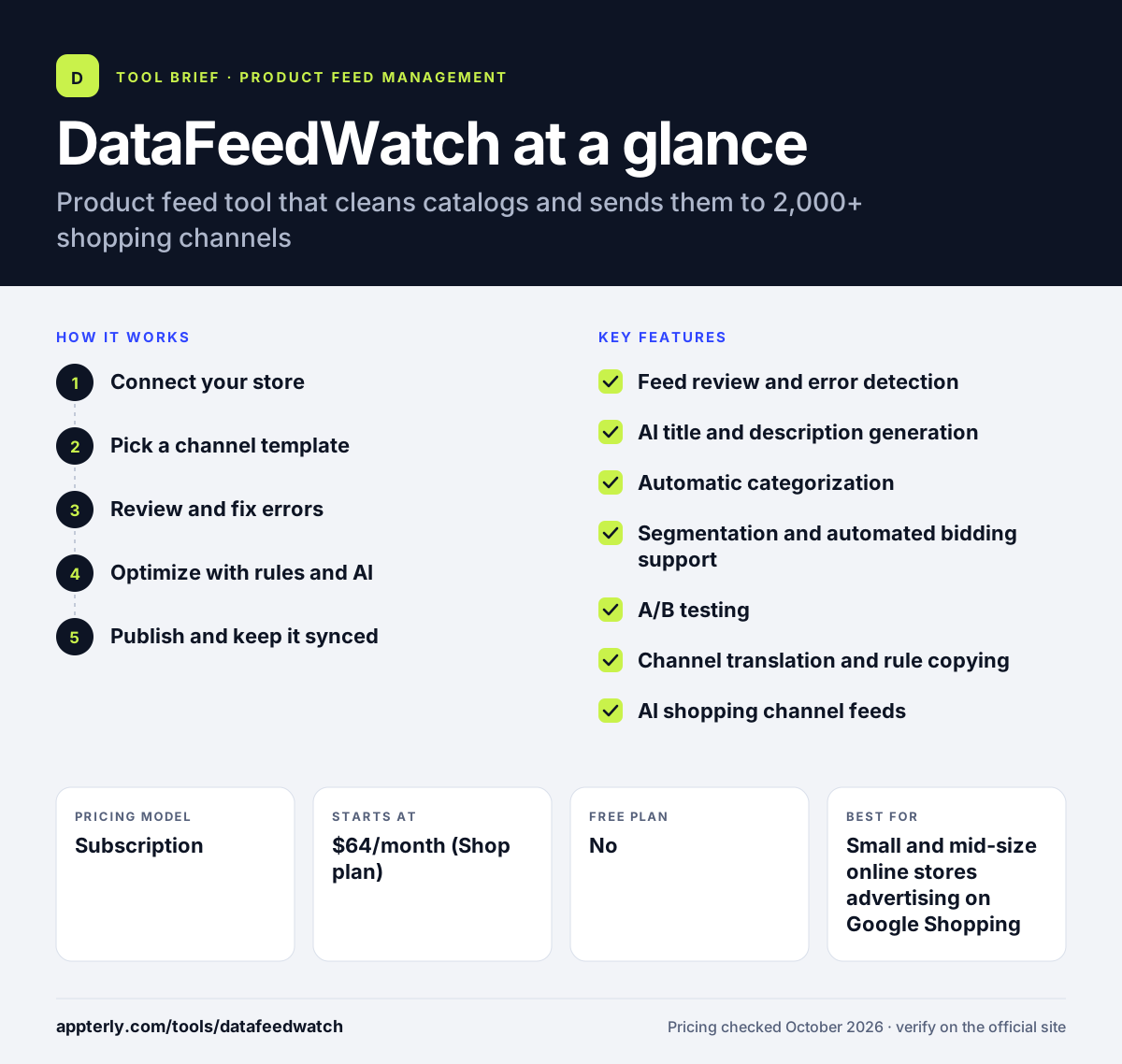
How does DataFeedWatch work?
- Connect your store
Link your ecommerce platform or upload a source file so DataFeedWatch can import your product catalog on a schedule.
- Pick a channel template
Choose a destination such as Google Shopping or Meta, and the tool maps your fields to that channel's required attributes.
- Review and fix errors
A feed review flags gaps like missing GTINs, colors or sizes and suggests how to fix each issue.
- Optimize with rules and AI
Use rules and AI to rewrite titles, fill attributes, assign categories, add custom labels or exclude products.
- Publish and keep it synced
The feed is sent to the channel and refreshed one to several times a day, depending on your plan.
DataFeedWatch key features
Feed review and error detection
Scans each feed for missing or invalid data and points you to the products and fields that need attention.
AI title and description generation
Creates or rewrites product text and fills missing attributes so listings match what shoppers search for.
Automatic categorization
Assigns products to Google's product taxonomy, which saves hours of manual mapping on large catalogs.
Segmentation and automated bidding support
Groups products by margin, bestseller status or other criteria, and can pause out-of-stock or unprofitable items.
A/B testing
Compares title and image variants so you can see which version drives better results.
Channel translation and rule copying
Converts one catalog into many channel formats and copies rules between channels or countries.
AI shopping channel feeds
Enriches product data for discovery in AI assistants such as ChatGPT and Perplexity.
Managed service and coaching
Paid add-ons let a specialist set up and run feeds or coach your team one-on-one.
Why use DataFeedWatch?
- It reduces product disapprovals by catching data errors before a channel rejects them.
- One catalog can feed thousands of destinations without maintaining separate spreadsheets.
- Rule-based and AI optimization can improve titles and attributes at scale, not product by product.
- Agency plans include unlimited shops, master rules and multi-client access for teams running many accounts.
- Transparent published pricing makes it easier to budget than many enterprise feed platforms.
Who is DataFeedWatch best for?
A good fit for
- Small and mid-size online stores advertising on Google Shopping and Meta
- PPC and ecommerce agencies managing feeds for several clients
- Merchants selling in multiple countries or currencies
- Brands that want to prepare product data for AI shopping assistants
Less suited to
- Very small stores that only need a free native Google or Meta sales channel app
- Large enterprises that want fully managed marketplace operations and order handling in one contract
DataFeedWatch pricing
| Pricing model | Subscription |
|---|---|
| Free plan | No |
| Free trial | 15 days |
| Starting price | $64/month (Shop plan) |
Plans step up from Shop ($64) to Merchant ($84) and Agency ($239) per month, with more SKUs, feeds, shops and daily syncs at each level; Enterprise is quoted. Extra SKUs are billed per 1,000, and yearly billing is advertised at about 17% off.
Prices checked October 2026. Vendors change plans often, so confirm on the official DataFeedWatch pricing page before you buy.
DataFeedWatch pros and cons
Pros
- Supports a very large number of channels from one catalog
- Clear published pricing with a free trial
- Strong rule engine plus AI tools for titles, attributes and categories
- Agency tier designed for multi-client work
Cons
- Lower tiers have tight SKU and feed limits, so overage fees can add up
- Managed service and coaching are costly add-ons
- Rule building has a learning curve for first-time feed managers
DataFeedWatch integrations and platforms
Works with
Available on
DataFeedWatch alternatives
See the full shortlist in Best Product Feed Management Tools.
DataFeedWatch FAQ
Is DataFeedWatch free?
No. DataFeedWatch does not offer a free plan. It offers a 15-day free trial on its paid plans, after which the entry Shop plan costs $64 per month for up to 1,000 SKUs and three feeds. Higher tiers add more products, feeds, shops and daily syncs, and yearly billing comes with a discount.
What is DataFeedWatch used for?
DataFeedWatch is used to turn an online store's product catalog into optimized feeds for shopping and advertising channels. Merchants and agencies use it to fix feed errors, rewrite titles, assign categories, exclude unprofitable products and keep listings on Google Shopping, Meta, Microsoft, TikTok and Pinterest in sync with the store.
Does DataFeedWatch integrate with Shopify?
Yes. DataFeedWatch connects to Shopify and imports products automatically, along with other platforms such as Magento and BigCommerce. Once connected, it can map Shopify product data to the formats required by Google Shopping, Meta catalogs and other channels, then refresh those feeds on a daily schedule.
DataFeedWatch vs Feedonomics: what's the difference?
DataFeedWatch is mainly a self-service tool with published plans starting at $64 per month and optional managed help. Feedonomics leans toward full-service feed management with a dedicated feed manager and custom pricing. Smaller stores and agencies often prefer DataFeedWatch's transparency, while large retailers may want Feedonomics's hands-on service.
Is DataFeedWatch good for beginners?
It is approachable for beginners thanks to channel templates, a feed review that explains errors, and onboarding sessions on mid-tier plans. Advanced rules and segmentation take longer to learn. Beginners who want help can add coaching or a managed service, though both increase the monthly cost noticeably.
Sources
This overview is based on DataFeedWatch's official website and documentation, checked October 2026.