What is Veed?
Veed is an online AI video creation and editing platform, known as VEED.io, that lets marketers, creators and teams generate, edit and subtitle videos in the browser. It focuses on social and business content such as talking-head clips, product videos, training videos and ads. Because it runs online, there is nothing to install, and projects can be shared with teammates for review.
Veed combines a timeline editor with AI tools for automatic subtitles, translation and dubbing, AI avatars and lip sync, eye contact correction, noise removal and clip generation. It also includes a screen and webcam recorder, a teleprompter, AI voice generation and cloning, and Gen-AI Studio for text-to-video and image-to-video. Developers can access Veed's Fabric model and other features through APIs.
Veed at a glance
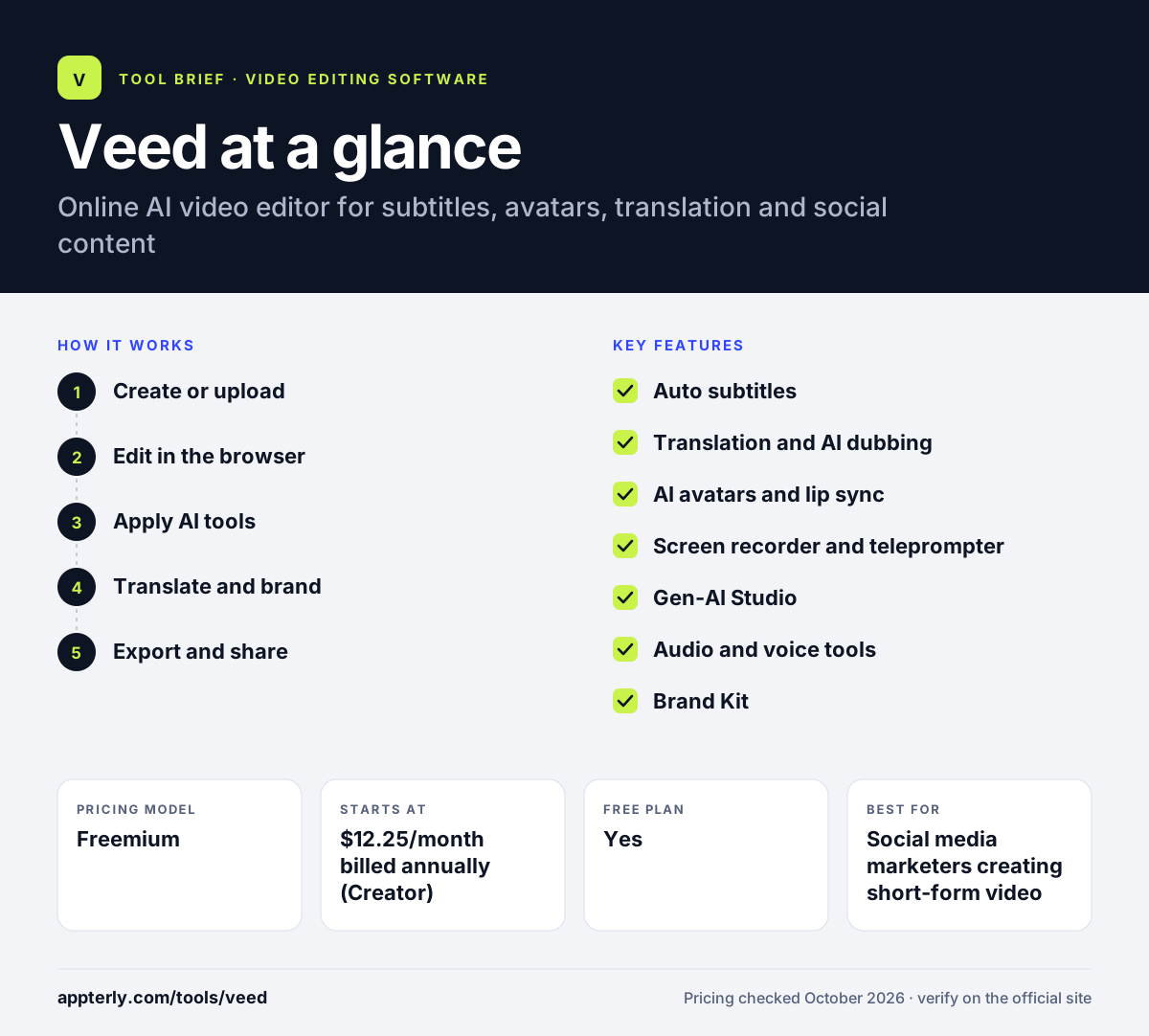
How does Veed work?
- Create or upload
Upload footage, record your screen or webcam with the teleprompter, or generate a video from a prompt or image.
- Edit in the browser
Trim, arrange and layer clips, text, music and stock media on the timeline.
- Apply AI tools
Add auto subtitles, clean audio, fix eye contact or swap in an AI avatar and voice. Credits are used for generative features, while subtitles are unlimited on paid plans within fair use.
- Translate and brand
Translate or dub the video and apply brand kit colors, fonts and logos. Pro and higher plans include translation into 50+ languages.
- Export and share
Export for TikTok, Instagram, YouTube or LinkedIn, or share a link for team review.
Veed key features
Auto subtitles
Generates and styles captions automatically, with unlimited subtitles on paid plans within fair use.
Translation and AI dubbing
Translates subtitles and voice into 50+ languages on Pro and higher plans.
AI avatars and lip sync
Creates presenter videos with AI avatars, lip sync and talking photos.
Screen recorder and teleprompter
Records screen and webcam in the browser with an on-screen script.
Gen-AI Studio
Generates video from text or images and includes Veed's Fabric model.
Audio and voice tools
AI voice generation and cloning, plus one-click background noise removal.
Brand Kit
Stores brand colors, fonts and logos to keep team videos consistent.
Video APIs
APIs for Fabric, subtitles, dubbing, lip sync and background removal.
Why use Veed?
- Browser-based editing removes the need for powerful hardware or installs.
- Subtitles, translation and dubbing help one video reach several audiences.
- Recording, editing and AI generation live in the same tool.
- Brand kits keep videos consistent across a marketing team.
- Annual billing roughly halves the monthly price of paid plans.
Who is Veed best for?
A good fit for
- Social media marketers creating short-form video
- Solopreneurs making talking-head and promo videos
- Training and internal comms teams needing translated video
- Developers adding video features through APIs
Less suited to
- Editors handling long, high-resolution cinematic projects
- Users who need offline desktop editing
- Heavy generative video users on lower plans, given the credit limits
Veed pricing
| Pricing model | Freemium |
|---|---|
| Free plan | Yes |
| Free trial | Not confirmed |
| Starting price | $12.25/month billed annually (Creator) |
Creator, Pro and Studio are priced per editor seat and differ by AI credits, translation, brand kits and AI voice hours; monthly billing costs $25, $45 and $79. Enterprise is custom.
Prices checked October 2026. Vendors change plans often, so confirm on the official Veed pricing page before you buy.
Veed pros and cons
Pros
- No installation required
- Strong subtitle, translation and avatar tools
- Built-in recorder and teleprompter
- Free plan to get started
Cons
- Free plan adds a watermark
- AI credits limit heavy generative use
- Free trials are reserved for enterprise customers
Veed integrations and platforms
Works with
Available on
Veed alternatives
See the full shortlist in Best Video Editing Software for Marketers.
Veed FAQ
Is Veed free?
Yes, Veed has a free plan with 50 AI credits a month, unlimited exports and 10 minutes of subtitles monthly, but videos include a watermark. Paid plans start with Creator at $12.25 per month billed annually or $25 billed monthly, which removes the watermark and adds unlimited auto subtitles and more AI tools.
What is Veed used for?
Veed is used to create and edit videos online, especially for social media, marketing and training. People use it to add subtitles, translate and dub videos, record screen and webcam footage, generate AI avatar presenters and create videos from text or images. Teams also use brand kits to keep videos consistent. Developers can also access Veed's Fabric model and subtitle, dubbing and lip sync features through its APIs.
Is Veed good for beginners?
Yes, Veed is designed to be easy for beginners. Everything runs in the browser, the editor is simple and many tasks such as subtitles, noise removal and resizing take one click. Templates for platforms like TikTok, Instagram and YouTube also help new users create content quickly. A built-in teleprompter also helps first-time presenters record cleaner takes.
Veed vs Kapwing: what's the difference?
Veed and Kapwing are both browser-based editors with AI subtitles and translation. Veed puts more weight on AI avatars, lip sync, a teleprompter recorder and generative video through its Fabric model and APIs. Kapwing emphasizes team collaboration, transcript editing and repurposing long videos into clips. Pricing and credit limits also differ. Both offer free plans with watermarks, so testing each with your own footage is the best way to compare.
Is Veed safe to use?
Veed is an established video platform founded in 2018 that offers enterprise plans with privacy controls, central team and data management and review mode. As with any online editor, check its privacy policy and terms before uploading sensitive footage, and use enterprise controls if your organization has strict data requirements. Enterprise customers can also arrange a free trial with sales for teams of three or more users.
Sources
This overview is based on Veed's official website and documentation, checked October 2026.