What is Reply.io?
Reply.io is a sales engagement platform that helps teams find prospects and contact them through automated, multichannel sequences. It combines a B2B contact database, email finder tools, sequences across email, LinkedIn, calls, SMS and WhatsApp, and a shared inbox for replies. The goal is to let a sales team run outbound prospecting from one place instead of stitching together a data tool, a sending tool and a separate inbox.
On top of the core sequencer, Reply.io offers Jason AI SDR, an AI agent that can research leads, write messages and handle outbound with less manual work. The platform also covers deliverability, with mailbox warmup and tools to buy and connect sending mailboxes. Developers can work with an API, webhooks and an MCP server, and there is a dedicated agency version for firms that run outreach for several clients.
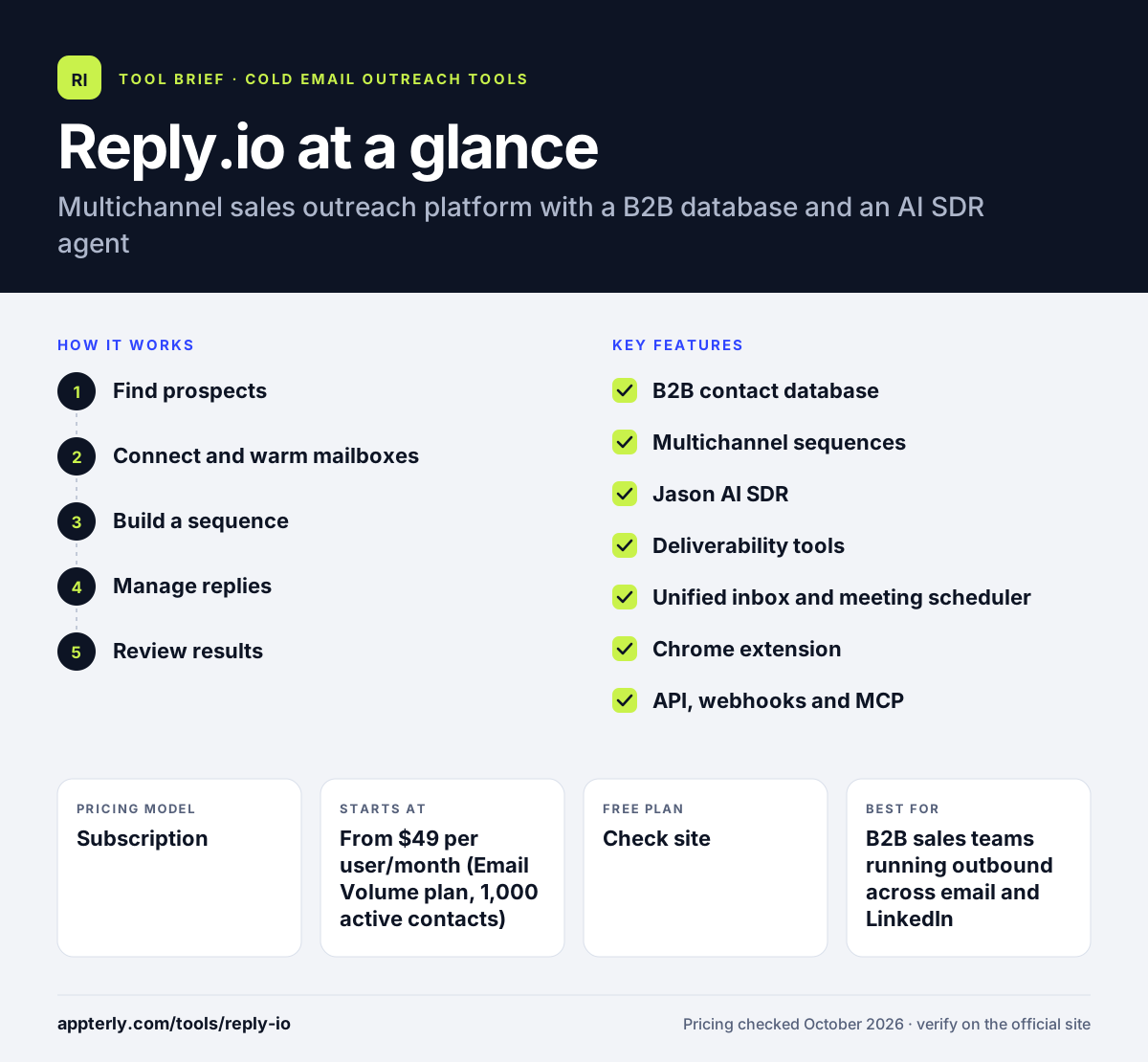
Reply.io at a glance
How does Reply.io work?
- Find prospects
Search the built-in B2B database or use the Chrome extension on LinkedIn to find contacts and verified emails, then enrich their records.
- Connect and warm mailboxes
Connect Gmail or Microsoft accounts, or buy new domains and mailboxes inside Reply.io, and let automatic warmup build sender reputation.
- Build a sequence
Create a conditional sequence that mixes emails, LinkedIn actions, calls and SMS, using AI to draft steps and personalize variables.
- Manage replies
Handle responses in the unified inbox, use AI-suggested replies and book meetings with the built-in scheduler.
- Review results
Check team and channel reports to see which sequences and channels produce replies and meetings.
Reply.io key features
B2B contact database
Access to a large database of business contacts with filters, intent signals and enrichment to build prospect lists.
Multichannel sequences
Conditional sequences that combine email, LinkedIn, calls, SMS and WhatsApp steps in one flow.
Jason AI SDR
An AI agent that can run outbound in autopilot or copilot mode, from lead research to personalized messages.
Deliverability tools
Automatic mailbox warmup, built-in mailbox purchasing and an anti-spam suite to protect sending reputation.
Unified inbox and meeting scheduler
All replies land in one inbox, with AI-generated response suggestions and a booking tool for meetings.
Chrome extension
Find and verify emails while browsing LinkedIn and add prospects straight into sequences.
API, webhooks and MCP
Developer access to automate outreach and connect Reply.io to AI tools and internal workflows.
Why use Reply.io?
- It keeps prospect data, multichannel outreach and replies in one tool, which cuts down on switching between apps.
- Conditional sequences let you change the next step based on how a prospect behaves.
- The AI SDR option can take on repetitive prospecting work for small sales teams.
- Unlimited mailboxes and warmup on core plans help teams scale sending without extra per-inbox fees.
- CRM integrations with HubSpot, Salesforce and Pipedrive keep activity synced with the sales pipeline.
Who is Reply.io best for?
A good fit for
- B2B sales teams running outbound across email and LinkedIn
- Startups that want a prospect database and sequencer in one product
- Lead generation agencies managing several client workspaces
- Teams interested in testing an AI SDR for outbound
Less suited to
- Marketers sending newsletters to opted-in subscribers
- Solo users who only need a simple email sender on a tight budget
- Teams that want LinkedIn and calling included without paying for add-ons
Reply.io pricing
| Pricing model | Subscription |
|---|---|
| Free plan | Not confirmed |
| Free trial | 14 days |
| Starting price | From $49 per user/month (Email Volume plan, 1,000 active contacts) |
The Email Volume plan scales by number of active contacts, while the Multichannel plan starts from $89 per user/month billed annually. LinkedIn automation and calls and SMS are paid add-ons, and the AI SDR and agency plans are priced separately.
Prices checked October 2026. Vendors change plans often, so confirm on the official Reply.io pricing page before you buy.
Reply.io pros and cons
Pros
- Covers data, multichannel outreach and replies in one platform
- Unlimited mailboxes and warmup on core plans
- Strong CRM and automation integrations, plus API and MCP access
- Separate options for agencies and AI-led outbound
Cons
- LinkedIn and calling cost extra on top of the base plan
- The pricing structure has many tiers and add-ons, which can be hard to compare
- AI SDR plans are a large step up in cost from the core sequencer
Reply.io integrations and platforms
Works with
Available on
Reply.io alternatives
See the full shortlist in Best Cold Email Software.
Reply.io FAQ
Is Reply.io free?
Reply.io lets you sign up without a credit card and offers a 14-day trial of paid features, including the B2B database, email finder extension, sequences, reporting and AI tools. After the trial, ongoing use requires a paid plan. The Email Volume plan starts from $49 per user per month for 1,000 active contacts.
What is Reply.io used for?
Reply.io is used for outbound sales prospecting. Teams use it to find business contacts, enrich their data, and reach them with automated sequences that mix email, LinkedIn, calls and SMS. Replies are handled in one inbox, and reports show which sequences book meetings. Some teams also use its AI SDR agent.
Reply.io vs Lemlist: what's the difference?
Both are multichannel cold outreach tools that combine email and LinkedIn. Reply.io leans on its built-in B2B database, an AI SDR agent and a dedicated agency product, and it prices its email plan by active contacts. Lemlist is known for personalized email content and includes its lemwarm warmup tool in every plan.
Does Reply.io integrate with HubSpot?
Yes. Reply.io connects with HubSpot, Salesforce, Pipedrive and other CRMs, so contacts and outreach activity can sync between the two systems. It also works with automation tools such as Zapier, Make and n8n, and offers an API and webhooks for custom workflows.
Is Reply.io good for beginners?
Reply.io is usable for beginners in sales outreach because AI can draft sequences and the trial includes core features. However, the number of channels, add-ons and plan types means there is a learning curve. New users should start with a simple email sequence before adding LinkedIn or calling steps.
Sources
This overview is based on Reply.io's official website and documentation, checked October 2026.