What is Mailshake?
Mailshake is a sales engagement platform that helps teams send personalized cold email sequences and combine them with calls and social touches. It was co-founded by Sujan Patel and Robert Senoff and works with Google Workspace, Microsoft Outlook and SMTP mailboxes. Mailshake says more than 100,000 companies have used it, from solo founders to agencies.
The core of Mailshake is automated sequences with follow-ups, A/B testing and AI writing help from its SHAKEspeare assistant. Lead Catcher gathers engaged leads in one place so reps can respond quickly. Higher plans add a power phone dialer, phone scripts and more Data Finder credits for finding prospects by role, location and company. Deliverability tools include free warmup, list cleaning and a copy analyzer that flags spam words.
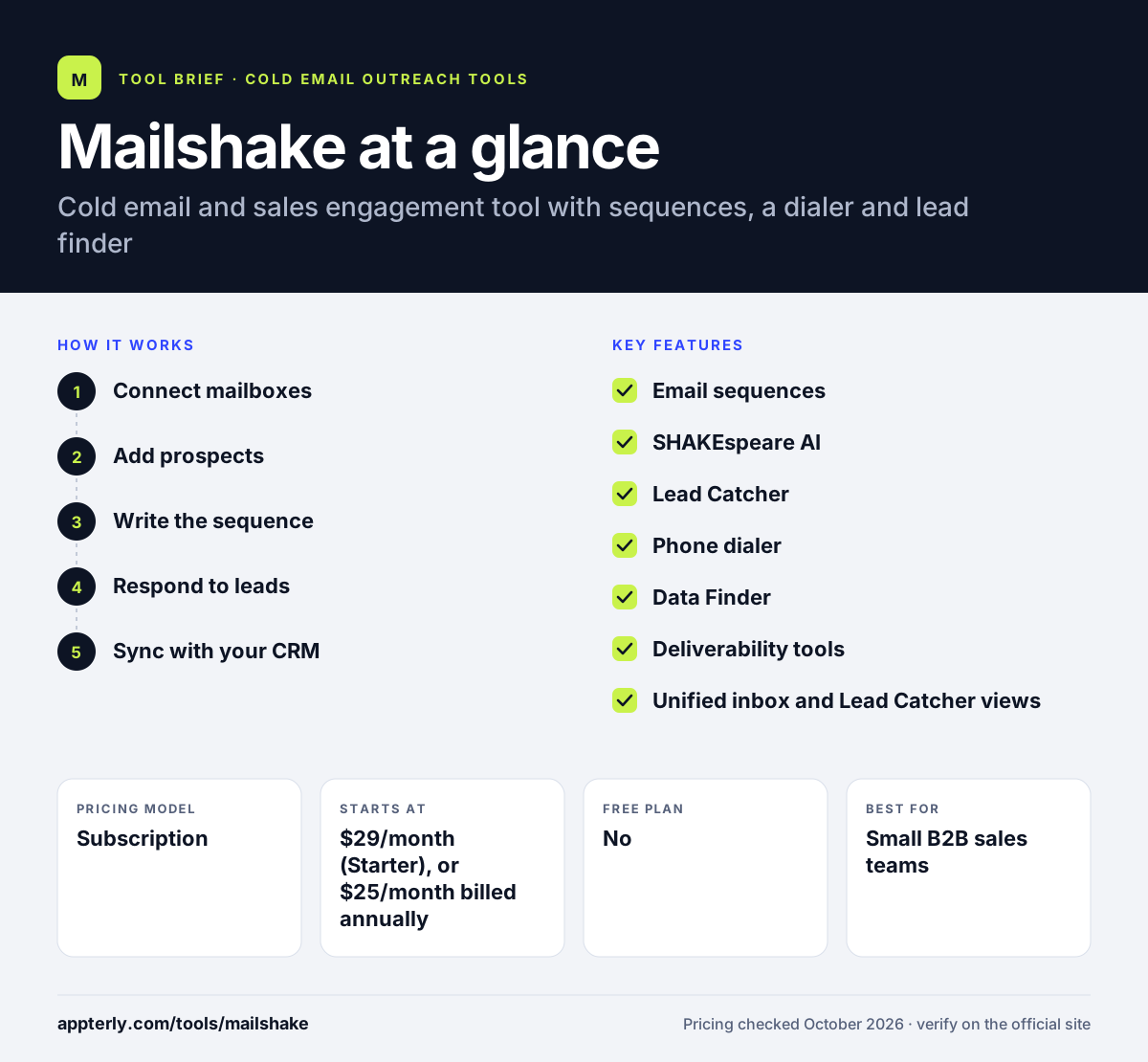
Mailshake at a glance
How does Mailshake work?
- Connect mailboxes
Link Google, Outlook or SMTP accounts and let warmup prepare them for sending.
- Add prospects
Import a list or find prospects with Data Finder by role, location or company.
- Write the sequence
Draft emails with SHAKEspeare AI, add follow-ups, calls and social tasks, and A/B test variations.
- Respond to leads
Work engaged leads in Lead Catcher and the unified inbox, or call them from the dialer.
- Sync with your CRM
Push activity to Salesforce, HubSpot or Pipedrive and review analytics.
Mailshake key features
Email sequences
Automated campaigns with follow-ups, mail merge, scheduling and throttling.
SHAKEspeare AI
AI writing help for cold email copy, plus spintax and A/B testing.
Lead Catcher
Collects engaged leads and replies so reps can act on them fast.
Phone dialer
A power dialer with phone numbers and scripts on the Sales Engagement plan.
Data Finder
Find prospects and contact details, with credits included on each plan.
Deliverability tools
Free warmup, a domain setup assistant, list cleaning and a spam-word copy analyzer.
Unified inbox and Lead Catcher views
Reply to prospects from one place and see account-level activity on higher plans.
Why use Mailshake?
- The entry plan is affordable for solo users testing cold email.
- Warmup and list cleaning are included rather than sold separately.
- Calls and email can be combined on the Sales Engagement plan.
- Native CRM integrations keep sales records in sync.
- Simple interface suits small teams without dedicated sales ops.
- Sales Engagement includes unlimited free dialer minutes to North American numbers.
Who is Mailshake best for?
A good fit for
- Small B2B sales teams
- Agencies running outreach for clients
- Founders doing their own prospecting
- SDRs who mix email with cold calls
Less suited to
- Teams that want a free trial before paying
- Senders who need deep LinkedIn automation
- Large teams needing a big built-in lead database
Mailshake pricing
| Pricing model | Subscription |
|---|---|
| Free plan | No |
| Free trial | Not confirmed |
| Starting price | $29/month (Starter), or $25/month billed annually |
Email Outreach at $49/month adds unlimited sends, rotation and CRM integrations, and Sales Engagement at $99/month adds the dialer and 2,500 Data Finder credits. Billing is per user, and Agency pricing requires contacting sales.
Prices checked October 2026. Vendors change plans often, so confirm on the official Mailshake pricing page before you buy.
Mailshake pros and cons
Pros
- Low entry price for cold email
- Warmup and list cleaning included
- Dialer and email in one platform on higher tiers
- Clean, simple interface
Cons
- No free trial or free plan
- Starter limits you to 1,500 sends a month and one address
- CRM integrations start on the Email Outreach plan
Mailshake integrations and platforms
Works with
Available on
Mailshake alternatives
See the full shortlist in Best Cold Email Software.
Mailshake FAQ
Is Mailshake free?
No. Mailshake does not offer a free plan or a free trial, and payment is taken up front. The Starter plan costs $29 a month, or $25 a month billed annually, and includes one email address, 1,500 sends a month, sequences, warmup and AI writing help. Data Finder credits are included on every plan, and more can be added for $19 a month.
What is Mailshake used for?
Mailshake is used for cold outreach and sales engagement. Teams send personalized email sequences with follow-ups, find prospects with Data Finder and call leads from the built-in dialer on higher plans. Lead Catcher and the unified inbox help reps respond to interested prospects quickly. Deliverability tools such as warmup, list cleaning and a copy analyzer are built in.
Is Mailshake good for beginners?
Yes. Mailshake is known for a simple setup and a clean interface. It includes a domain setup assistant, free warmup and AI writing help, which lowers the learning curve for people new to cold email. Beginners can start on the Starter plan and upgrade as volume grows. The copy analyzer also flags words that may trigger spam filters.
Mailshake vs Lemlist: what's the difference?
Mailshake focuses on email sequences with an optional phone dialer, and its plans start at a lower price. Lemlist offers a large lead database and deeper multichannel steps across LinkedIn, SMS and WhatsApp on its Multichannel plan. Teams that mostly email and call often find Mailshake simpler. Lemlist also includes warmup with every seat.
Does Mailshake integrate with Salesforce?
Yes. Mailshake integrates with Salesforce, HubSpot and Pipedrive starting on the Email Outreach plan. It also connects to Zapier for wider automation and works with Calendly and Vidyard. Starter plan users do not get the CRM integrations. These integrations let reps keep prospect activity and outcomes in sync with their CRM.
Sources
This overview is based on Mailshake's official website and documentation, checked October 2026.