What is QuickMail?
QuickMail is a cold outreach platform that runs email and LinkedIn campaigns from one place, with a strong focus on deliverability. It has been operating since 2014 and is aimed at growth teams and lead generation agencies. Every plan includes unlimited email senders, LinkedIn accounts and users, so teams can scale outreach without paying per seat.
QuickMail spreads sending across multiple mailboxes with smart inbox rotation and warms up new addresses in the background through its AutoWarmer tool. It adds blacklist monitoring, deliverability insights and an AI rewording feature. LinkedIn steps run through a browser extension and cover connection requests, messages, InMail and voice messages. Replies from both channels arrive in a single inbox.
QuickMail at a glance
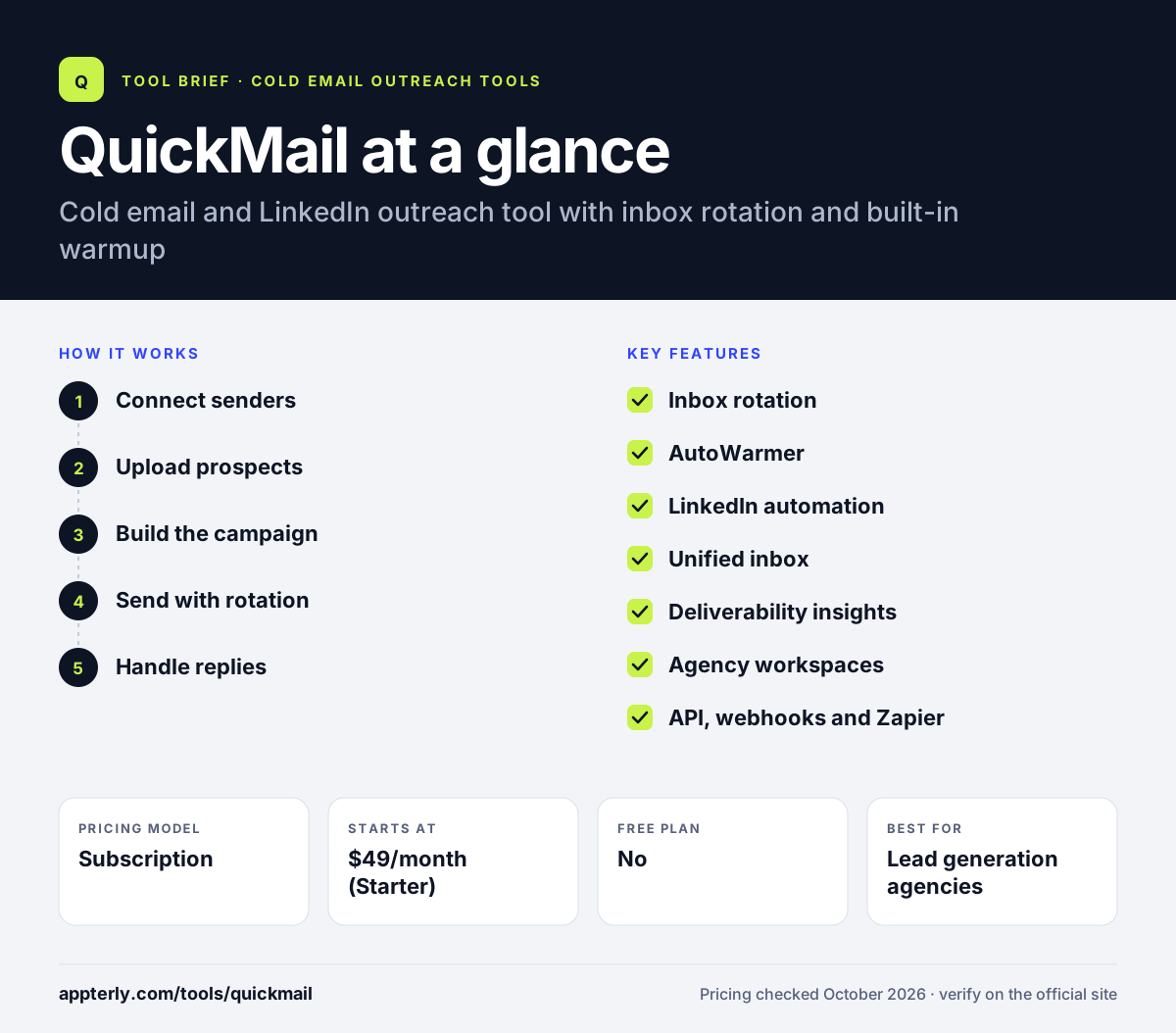
How does QuickMail work?
- Connect senders
Add as many email accounts and LinkedIn profiles as you need and turn on AutoWarmer.
- Upload prospects
Import contacts, filter by your ideal customer profile and organize them into campaigns.
- Build the campaign
Combine email and LinkedIn steps with automatic follow-ups when there is no response.
- Send with rotation
Spread sends across mailboxes so no single inbox carries too much volume.
- Handle replies
Answer email and LinkedIn replies from one inbox and sync leads to your CRM.
QuickMail key features
Inbox rotation
Distributes sending across several accounts and can swap accounts automatically.
AutoWarmer
Built-in warmup for new addresses, included on every plan.
LinkedIn automation
Connection requests, messages, InMail and voice messages through a browser extension.
Unified inbox
Email and LinkedIn replies in one place.
Deliverability insights
Blacklist monitoring, deliverability reports and AI rewording of copy.
Agency workspaces
Separate workspaces for clients on the Agency plan.
API, webhooks and Zapier
Zapier on all plans, API from Growth and webhooks on Agency.
Reword with AI
Use AI to rewrite email copy, which helps vary messages across a campaign.
Why use QuickMail?
- Unlimited users and senders keep costs flat as a team grows.
- Warmup and rotation are included, which supports deliverability at volume.
- Email and LinkedIn steps run in the same campaign.
- Agency workspaces help separate client work.
- A 14-day free trial lets teams test before paying.
- Higher plans give room to grow, with up to 500,000 emails a month on Agency.
Who is QuickMail best for?
A good fit for
- Lead generation agencies
- B2B growth teams running outbound
- Teams combining email and LinkedIn outreach
- Companies that use many sending domains
Less suited to
- Teams that need a built-in lead database
- Users who want phone calls inside sequences
- Very small senders who need only a handful of emails
QuickMail pricing
| Pricing model | Subscription |
|---|---|
| Free plan | No |
| Free trial | 14 days |
| Starting price | $49/month (Starter) |
Growth at $99/month raises limits to 25,000 contacts and 100,000 emails and adds API access, while Agency at $299/month adds a second workspace and webhooks. All plans include unlimited senders, LinkedIn accounts and users.
Prices checked October 2026. Vendors change plans often, so confirm on the official QuickMail pricing page before you buy.
QuickMail pros and cons
Pros
- Unlimited users, senders and LinkedIn accounts
- Strong deliverability features included
- Email and LinkedIn in one campaign
- Agency-friendly workspaces
Cons
- No built-in lead database
- API access starts on the Growth plan
- Starter caps contacts at 1,000
QuickMail integrations and platforms
Works with
Available on
QuickMail alternatives
See the full shortlist in Best Cold Email Software.
QuickMail FAQ
Is QuickMail free?
QuickMail does not have a permanent free plan, but every plan comes with a 14-day free trial. After the trial, plans start at $49 a month for Starter, which includes unlimited senders, LinkedIn accounts and users, 1,000 uploaded contacts and 5,000 emails a month. Starter also includes AutoWarmer and Zapier.
What is QuickMail used for?
QuickMail is used to run cold outreach campaigns over email and LinkedIn. Teams connect many mailboxes, warm them up and rotate sending to protect deliverability. Campaigns send automatic follow-ups, and replies from both channels are handled in one inbox. Agencies use it to run outreach for several clients. Built-in blacklist monitoring warns teams if a sending domain runs into trouble.
Is QuickMail good for beginners?
QuickMail is usable for beginners, though it is built with deliverability-minded teams in mind. Warmup and inbox rotation run automatically, and campaign building is straightforward. New users may need some time to learn sending limits and domain setup before scaling to many senders. A 14-day free trial gives time to learn the basics before paying.
QuickMail vs Instantly: what's the difference?
Both tools offer unlimited sending accounts, warmup and inbox rotation for cold email. QuickMail adds LinkedIn steps and unlimited users on every plan. Instantly adds a large built-in lead database, a CRM and AI agents, with lead credits sold separately. The choice often depends on whether you need LinkedIn or lead data. Pricing is also structured differently, since QuickMail plans scale by contacts and emails while Instantly sells outreach and lead credits separately.
Does QuickMail integrate with HubSpot?
Yes. QuickMail lists HubSpot and Pipedrive as integrations, along with Zapier, which is included on every plan. The Growth plan adds API access and the Agency plan adds webhooks, which let teams connect QuickMail to other CRMs and internal systems. Google Drive is also listed as an integration for working with files and lists.
Sources
This overview is based on QuickMail's official website and documentation, checked October 2026.