What is OptinMonster?
OptinMonster is lead generation software that turns website visitors into email subscribers and customers using popups, floating bars, slide-ins, fullscreen welcome mats, inline forms and gamified campaigns. It works alongside your existing email platform rather than replacing it. The product is owned by Retyp, LLC and is especially popular with WordPress site owners, though it also runs on Shopify, Wix, Squarespace and any HTML site.
OptinMonster is known for its trademarked Exit-Intent technology, which detects when a visitor is about to leave and shows an offer. Display rules can target by page, referral source, cart contents, geolocation, cookies, scroll depth and inactivity. The platform also includes A/B testing, revenue attribution, more than 700 templates and a training library called OptinMonster University. Features unlock by plan tier.
OptinMonster at a glance
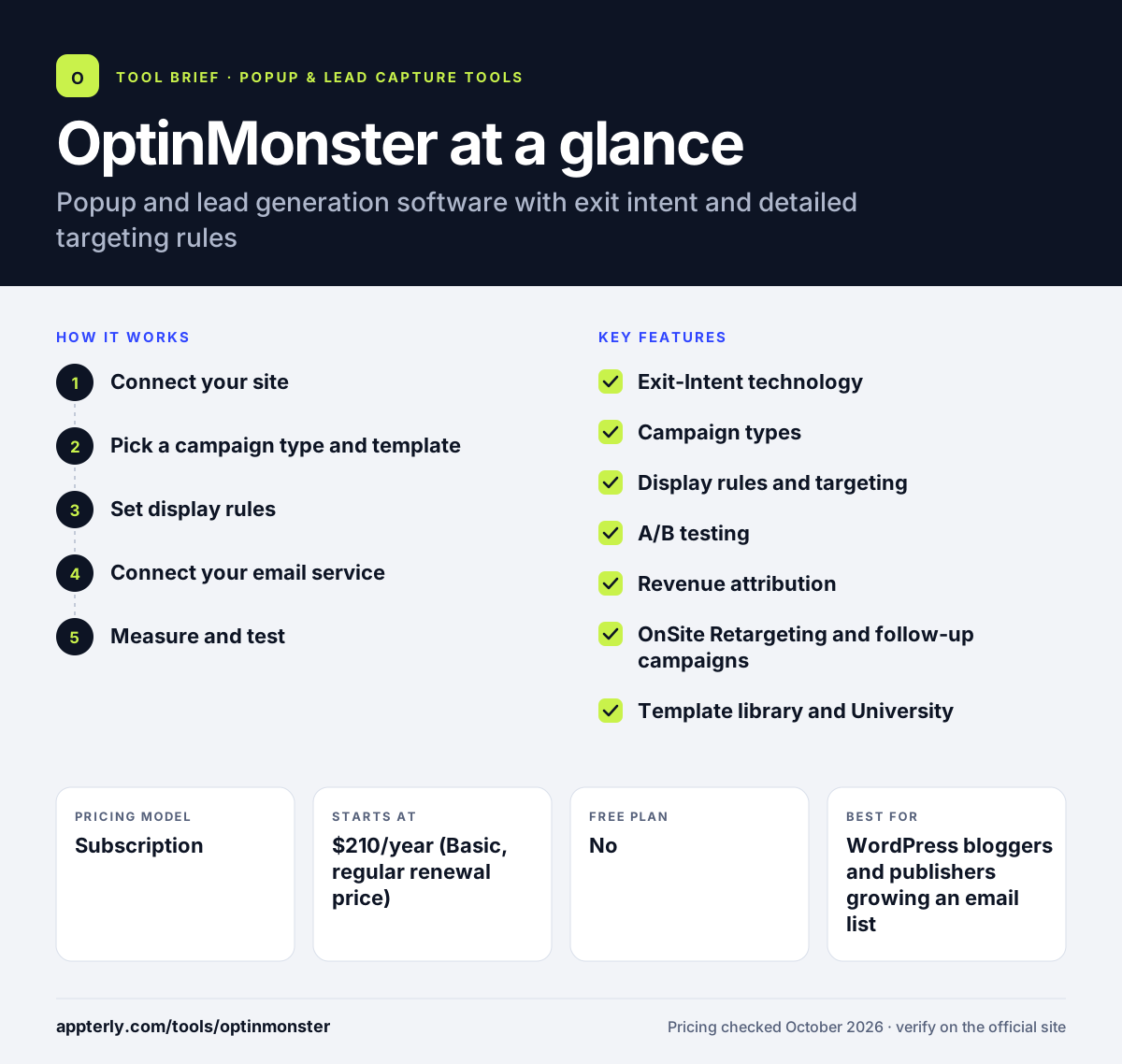
How does OptinMonster work?
- Connect your site
Install the WordPress plugin, connect your Shopify store or paste an embed code on any site. The free OptinMonster University courses explain setup and strategy.
- Pick a campaign type and template
Choose a popup, floating bar, slide-in, welcome mat, inline form or coupon wheel and edit it without code.
- Set display rules
Combine triggers and targeting such as exit intent, time on page, geolocation or cart value.
- Connect your email service
Send leads to Mailchimp, Klaviyo, HubSpot or another platform, or route them through webhooks and Zapier.
- Measure and test
Track conversions and revenue, then split test copy and offers on Plus and higher plans. Revenue attribution starts on Pro.
OptinMonster key features
Exit-Intent technology
Shows an offer when a visitor moves to leave the page, available from the Pro plan.
Campaign types
Popups, floating bars, slide-ins, fullscreen welcome mats, inline forms, content locking and coupon wheels.
Display rules and targeting
Targets by page, referrer, cookies, device, scroll, inactivity and, on Growth, geolocation and new versus returning visitors.
A/B testing
Split tests copy, design and timing, available from the Plus plan.
Revenue attribution
Ties campaigns to sales as well as signups, included from the Pro plan.
OnSite Retargeting and follow-up campaigns
Shows different messages to returning visitors based on past actions, on the Growth plan.
Template library and University
More than 700 templates and a training course library included with every plan.
Integrations and sub-accounts
Native links to major email services, webhooks, Zapier and a public API, plus sub-accounts for agencies and teams on Pro and Growth.
Why use OptinMonster?
- Exit intent and detailed display rules help show offers at the right moment.
- It works with nearly every major email marketing service.
- The WordPress plugin makes setup easy on WordPress sites.
- Revenue attribution shows which campaigns lead to sales.
- A 14-day money-back guarantee lowers the risk of trying it.
Who is OptinMonster best for?
A good fit for
- WordPress bloggers and publishers growing an email list
- Small businesses with an existing email platform
- WooCommerce and Shopify stores using exit-intent offers
- Agencies managing campaigns across client sub-accounts
Less suited to
- Users who want a free plan for ongoing use
- Small sites that need exit intent or geotargeting on the cheapest plan
OptinMonster pricing
| Pricing model | Subscription |
|---|---|
| Free plan | No |
| Free trial | Not confirmed |
| Starting price | $210/year (Basic, regular renewal price) |
Plans are billed annually: Basic, Plus ($570), Pro ($870) and Growth ($1,470) at regular renewal prices, adding sites, impressions and features. First-year introductory prices are lower, and a 14-day money-back guarantee applies.
Prices checked October 2026. Vendors change plans often, so confirm on the official OptinMonster pricing page before you buy.
OptinMonster pros and cons
Pros
- Mature targeting with Exit-Intent and many display rules
- Large template library and free training resources
- Works with almost any email marketing service
- Strong fit for WordPress sites
Cons
- No free plan and annual billing by default
- Exit intent, Zapier and geotargeting are locked to higher tiers
- Renewal prices are much higher than first-year introductory prices
OptinMonster integrations and platforms
Works with
Available on
OptinMonster alternatives
See the full shortlist in Best Popup Builders.
OptinMonster FAQ
Is OptinMonster free?
OptinMonster does not list a free plan on its pricing page, though its WordPress plugin page mentions a limited free tier that shows campaigns a small number of times. Paid plans are billed annually, starting with Basic at $210 per year at the regular renewal price. A 14-day money-back guarantee applies to purchases.
What is OptinMonster used for?
OptinMonster is used to grow email lists and recover leaving visitors with targeted popups, floating bars, slide-ins and inline forms. Site owners use exit intent, scroll and page rules to show offers like lead magnets or discount codes, then send signups to their email platform. Stores also use it for cart-saving and cross-sell offers. It complements, rather than replaces, an email marketing platform.
Does OptinMonster work with WordPress?
Yes. OptinMonster offers a WordPress popup plugin that connects your site to the OptinMonster app, and it integrates with WordPress tools such as WooCommerce, MemberPress and Easy Digital Downloads on the Growth plan. It also runs on Shopify, Wix, Squarespace and any HTML website. Embed code works on most other platforms too.
OptinMonster vs OptiMonk: what's the difference?
They are different companies with similar names. OptinMonster serves blogs, businesses and stores, with strong WordPress support, detailed display rules and annual-only plans. OptiMonk focuses on ecommerce, uses an AI agent to build popups and offers a free plan with all features.
How much does OptinMonster cost?
OptinMonster has four annual plans. Regular renewal prices are $210 for Basic, $570 for Plus, $870 for Pro and $1,470 for Growth per year, with lower introductory prices in the first year. Higher plans add more sites, impressions, A/B testing, exit intent, geolocation and ecommerce integrations. Plans can be changed or cancelled at any time.
Sources
This overview is based on OptinMonster's official website and documentation, checked October 2026.