What is Luma Dream Machine?
Luma Dream Machine is Luma AI's text-to-video and image-to-video generator, which now runs inside the Luma Agents app, an AI creative workspace built on an infinite canvas. You describe a scene or upload a picture, and an agent picks the right model to create video, images, audio or text. Brands and agencies use it to produce campaign visuals with consistent characters and products.
Luma's own models include Ray3.2, Ray3.14 and Uni-1, and the workspace can also call third-party models such as Veo 3.1, Kling 3.0, Seedance 2.0 and ElevenLabs audio. The agent offers a Brainstorm mode for ideas and a Create mode for generation. Reference assets keep logos and people consistent across shots, and teams can share canvases with view or edit rights.
Luma Dream Machine at a glance
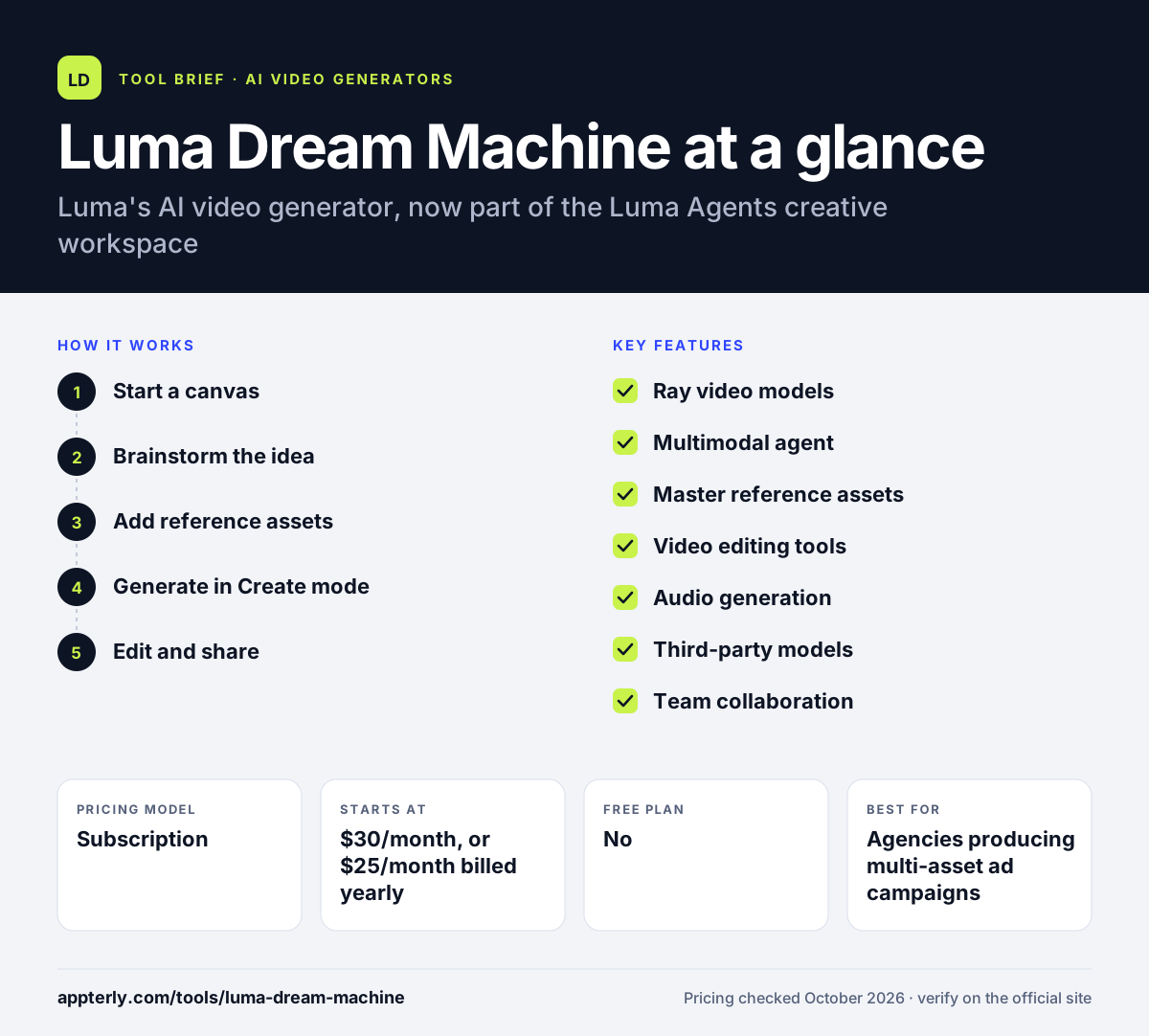
How does Luma Dream Machine work?
- Start a canvas
Open the web app and create a new board for your project or campaign.
- Brainstorm the idea
Use Brainstorm mode to talk through concepts with the agent before spending credits.
- Add reference assets
Upload master references for characters, products or logos so outputs stay on brand.
- Generate in Create mode
The agent chooses a model such as Ray3.2 and produces video, images, voiceover or music.
- Edit and share
Extend clips, reframe aspect ratios, add captions, then share the canvas or export files.
Luma Dream Machine key features
Ray video models
Luma's own Ray3.2 and Ray3.14 models generate video from text or still images. They power most text-to-video and image-to-video jobs in the app.
Multimodal agent
An agent reads your intent and picks the best model for each task across video, image and audio. You can still pick a model manually when you want a specific look.
Master reference assets
Keeps characters, products and brand elements consistent across many generations. This matters most for product shots and recurring brand mascots.
Video editing tools
Extend clips, reframe to new aspect ratios, stitch clips and add captions. These edits save you from regenerating a whole clip.
Audio generation
Adds voiceovers, music, sound effects and lip sync to finished clips.
Third-party models
Access to models like Veo 3.1, Kling 3.0 and Nano Banana from the same workspace. Each model draws from the same shared credit balance.
Team collaboration
Share canvases by link or invite, set viewer or editor rights and leave annotations.
Why use Luma Dream Machine?
- One workspace replaces several separate video, image and audio tools.
- Reference assets help keep brand and character consistency across a campaign.
- Access to many models means you can pick the best output without new subscriptions.
- Brainstorm mode helps shape ideas before you spend credits.
- Failed generations return their credits, which reduces wasted spend.
Who is Luma Dream Machine best for?
A good fit for
- Agencies producing multi-asset ad campaigns
- Brand teams that need consistent product visuals
- Creators who want video, images and audio in one place
- Production teams needing EXR exports
Less suited to
- Casual users who only want a free tool
- Beginners who just need simple clips for a single post
- Teams that prefer a traditional timeline editor
Luma Dream Machine pricing
| Pricing model | Subscription |
|---|---|
| Free plan | No |
| Free trial | Not confirmed |
| Starting price | $30/month, or $25/month billed yearly |
Plus includes 10,000 credits, Pro ($90/month) adds 40,000 credits and more agent usage, and Ultra ($300/month) adds 150,000 credits. Team and Enterprise plans are sold through sales, and unused credits expire each billing cycle.
Prices checked October 2026. Vendors change plans often, so confirm on the official Luma Dream Machine pricing page before you buy.
Luma Dream Machine pros and cons
Pros
- Brings many leading video and image models into one workspace
- Strong tools for brand and character consistency
- Built-in audio, captions and lip sync
- Credits are refunded for failed generations
Cons
- Entry price is higher than many AI video tools
- Unused credits do not roll over
- The shift from Dream Machine to Luma Agents can confuse new users
Luma Dream Machine integrations and platforms
Works with
Available on
Luma Dream Machine alternatives
See the full shortlist in Best AI Video Generators.
Luma Dream Machine FAQ
Is Luma Dream Machine free?
Luma's current pricing page lists paid plans only, starting with Plus at $30 per month or $25 per month billed yearly. Luma's help content says you can try the platform before choosing a plan, but it does not spell out free limits. Expect to pay for regular use, since every generation draws from your monthly credit balance.
What happened to Luma Dream Machine?
Luma moved its video generation into a broader product called Luma Agents, introduced in March 2026. The new app uses an AI agent on an infinite canvas to create video, images, audio and text. Dream Machine's video capabilities continue through Luma's Ray models inside this workspace, and older Dream Machine guides remain in Luma's learning hub.
What is Luma Dream Machine used for?
Luma Dream Machine is used to generate short videos from text prompts or images. Marketers and agencies use it for ad concepts, product visuals and social clips. Inside Luma Agents, it also handles image editing, video extension, aspect-ratio changes, voiceovers and music, so a whole campaign asset set can come from one place.
Luma Dream Machine vs Runway: what's the difference?
Both create AI video from prompts and images. Runway offers its Gen-4.5 model, a free starter allowance, mobile apps and plans from $12 per month billed annually. Luma Agents focuses on an agent-driven canvas that combines Luma's Ray models with third-party models, starting at $25 per month billed yearly. Runway is cheaper to start, while Luma suits multi-model campaign work.
Can teams collaborate in Luma?
Yes. You can share a canvas by link or email invite and give each person viewer or editor access. Collaborators can leave annotations on the board. Team and Enterprise plans add member management, shared credits, analytics and single sign-on, and are priced through Luma's sales team.
Sources
This overview is based on Luma Dream Machine's official website and documentation, checked October 2026.