What is KWFinder?
KWFinder is a keyword research tool from Mangools that helps you find long-tail keywords with solid search volume and low SEO difficulty. You search by keyword or by competitor domain, choose a location and language, and get a list of ideas with volume, trend history and a difficulty score, plus a look at the pages already ranking on Google.
KWFinder is sold as part of the Mangools suite, so one subscription also includes SERPChecker for search result analysis, SERPWatcher for rank tracking, LinkMiner for backlinks and SiteProfiler for domain metrics. It is known for a clean interface that suits beginners. Local research covers more than 65,000 locations, which helps businesses targeting specific cities or regions.
KWFinder at a glance
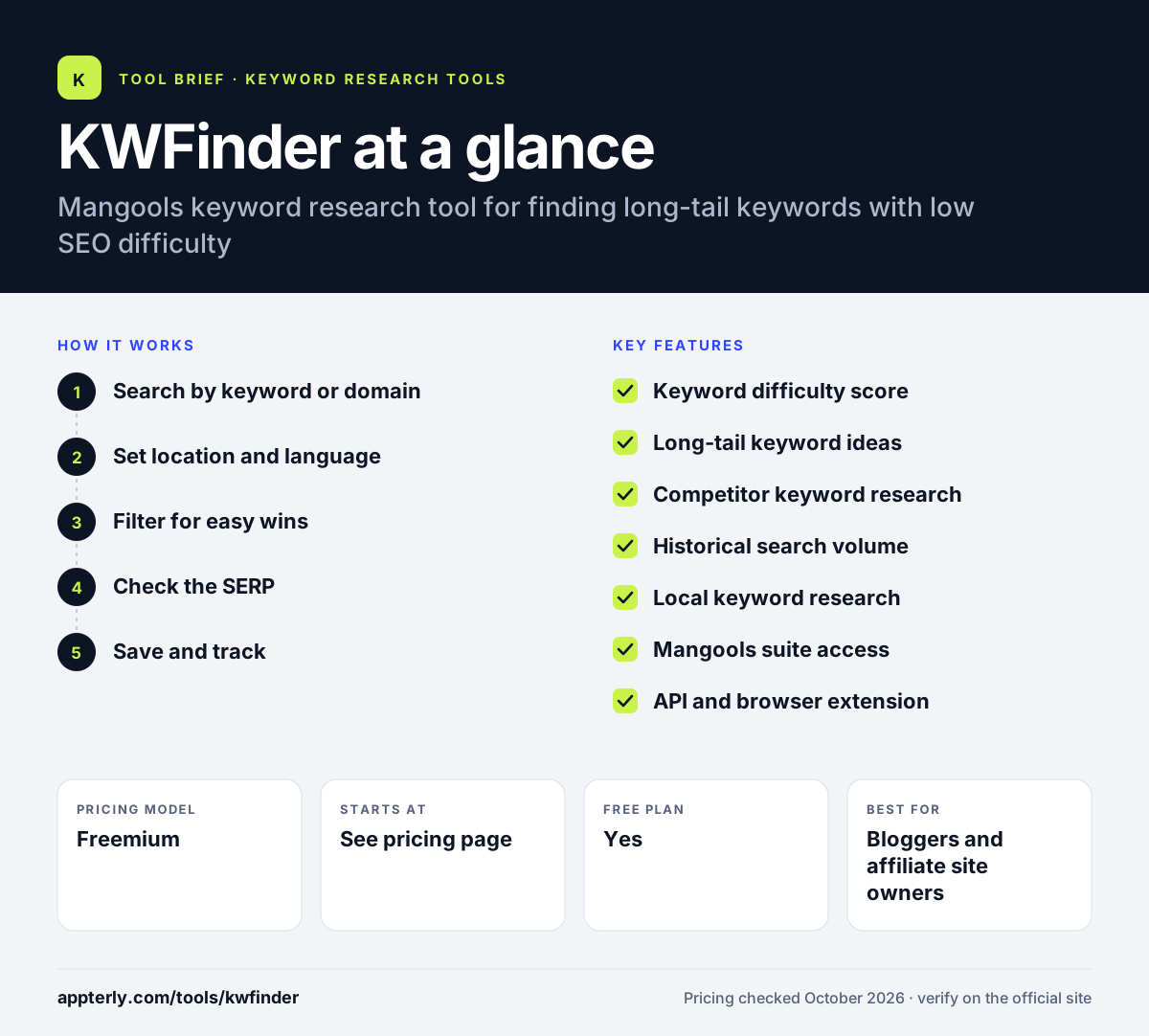
How does KWFinder work?
- Search by keyword or domain
Enter a seed keyword, or a competitor's domain or URL to see the keywords it already ranks for.
- Set location and language
Pick a country, city or region and a language to get localized volumes and results.
- Filter for easy wins
Sort by keyword difficulty and volume to find terms you can realistically rank for.
- Check the SERP
Review the top-ranking pages and their authority metrics before committing to a keyword.
- Save and track
Save keywords to lists, export them, and add targets to SERPWatcher to follow rankings.
KWFinder key features
Keyword difficulty score
Rates how hard a keyword is to rank for based on the strength of the current top results.
Long-tail keyword ideas
Generates related keywords, autocomplete terms and questions from a single seed.
Competitor keyword research
Shows which keywords a competing domain or page ranks for.
Historical search volume
Displays trends over time to spot seasonal and rising topics.
Local keyword research
Supports localized data and SERPs across more than 65,000 locations.
Mangools suite access
Plans include SERPChecker, SERPWatcher, LinkMiner and SiteProfiler alongside KWFinder.
API and browser extension
Mangools offers an API, an SEO MCP server and a browser extension for quick checks.
Why use KWFinder?
- Difficulty scores make it quick to separate realistic keywords from ones dominated by big sites.
- Competitor lookups reveal proven keywords you may be missing.
- Local data helps small businesses target specific cities.
- One subscription covers keyword research, rank tracking, SERP analysis and backlinks.
- The interface is approachable for people new to SEO.
Who is KWFinder best for?
A good fit for
- Bloggers and affiliate site owners
- Small businesses doing local SEO
- Freelance SEOs and content marketers
- Beginners who want a simple keyword tool
Less suited to
- Large agencies needing deep technical audits or enterprise reporting
- Users who want a generous free tier, since free lookups are limited to five per day
KWFinder pricing
| Pricing model | Freemium |
|---|---|
| Free plan | Yes |
| Free trial | Not confirmed |
| Starting price | See the official pricing page |
KWFinder is sold within Mangools Basic, Premium and Agency plans, which raise usage limits as you move up. Annual billing saves 35%, and paid plans have a 48-hour money-back guarantee. Exact prices were not shown on the official pricing page.
Prices checked October 2026. Vendors change plans often, so confirm on the official KWFinder pricing page before you buy.
KWFinder pros and cons
Pros
- Clear keyword difficulty scores
- Includes a full suite of Mangools SEO tools
- Strong local keyword data
- Beginner-friendly design
Cons
- Free account is limited to a few lookups per day
- Fewer advanced features than enterprise SEO platforms
- Daily rank updates in SERPWatcher are limited to the Agency plan
KWFinder integrations and platforms
Available on
KWFinder alternatives
See the full shortlist in Best Keyword Research Tools.
KWFinder FAQ
Is KWFinder free?
KWFinder offers a free Mangools account with five lookups every 24 hours, showing a limited number of related and competitor keywords per search. For full results and higher limits you need a paid Mangools plan. Paid plans include a 48-hour money-back guarantee, and annual billing saves 35%.
What is KWFinder used for?
KWFinder is used to find keywords that have decent search volume but low ranking difficulty. Bloggers, small businesses and SEOs use it to discover long-tail ideas, research competitor keywords, check seasonal trends, and run local keyword research for specific cities or regions.
Is KWFinder good for beginners?
Yes. KWFinder is widely seen as beginner-friendly thanks to its clean layout and color-coded difficulty scores. A new user can enter one keyword and quickly see which related terms look easy to rank for, then check the top results without needing advanced SEO knowledge.
KWFinder vs Ahrefs: what's the difference?
Ahrefs is a large SEO platform with extensive backlink data, site audits and content tools, priced for professionals and teams. KWFinder focuses on keyword research and comes with lighter Mangools tools for rank tracking, SERPs and backlinks. KWFinder is simpler and generally aimed at smaller budgets.
Is KWFinder part of Mangools?
Yes. KWFinder is one of the Mangools SEO tools. Every Mangools plan includes KWFinder along with SERPChecker, SERPWatcher, LinkMiner and SiteProfiler, so you get keyword research, SERP analysis, rank tracking, backlink research and domain metrics under one login.
Sources
This overview is based on KWFinder's official website and documentation, checked October 2026.