What is Kapwing?
Kapwing is a browser-based video editor that helps individuals and teams create, subtitle, translate and repurpose videos without installing any software. It is popular with social media managers, content marketers, educators and small teams who need to produce short videos fast and review them together. Because everything runs online, projects can be shared and edited from any computer with a browser.
Kapwing combines a standard timeline editor with AI tools such as an auto subtitle generator, Trim with Transcript for text-based editing, Clip Maker and Repurpose Studio for short clips, dubbing into more than 40 languages, Clean Audio, Smart Cut and text-to-speech. It also includes a video generator that builds videos from prompts, plus brand kits and shared workspaces on paid plans.
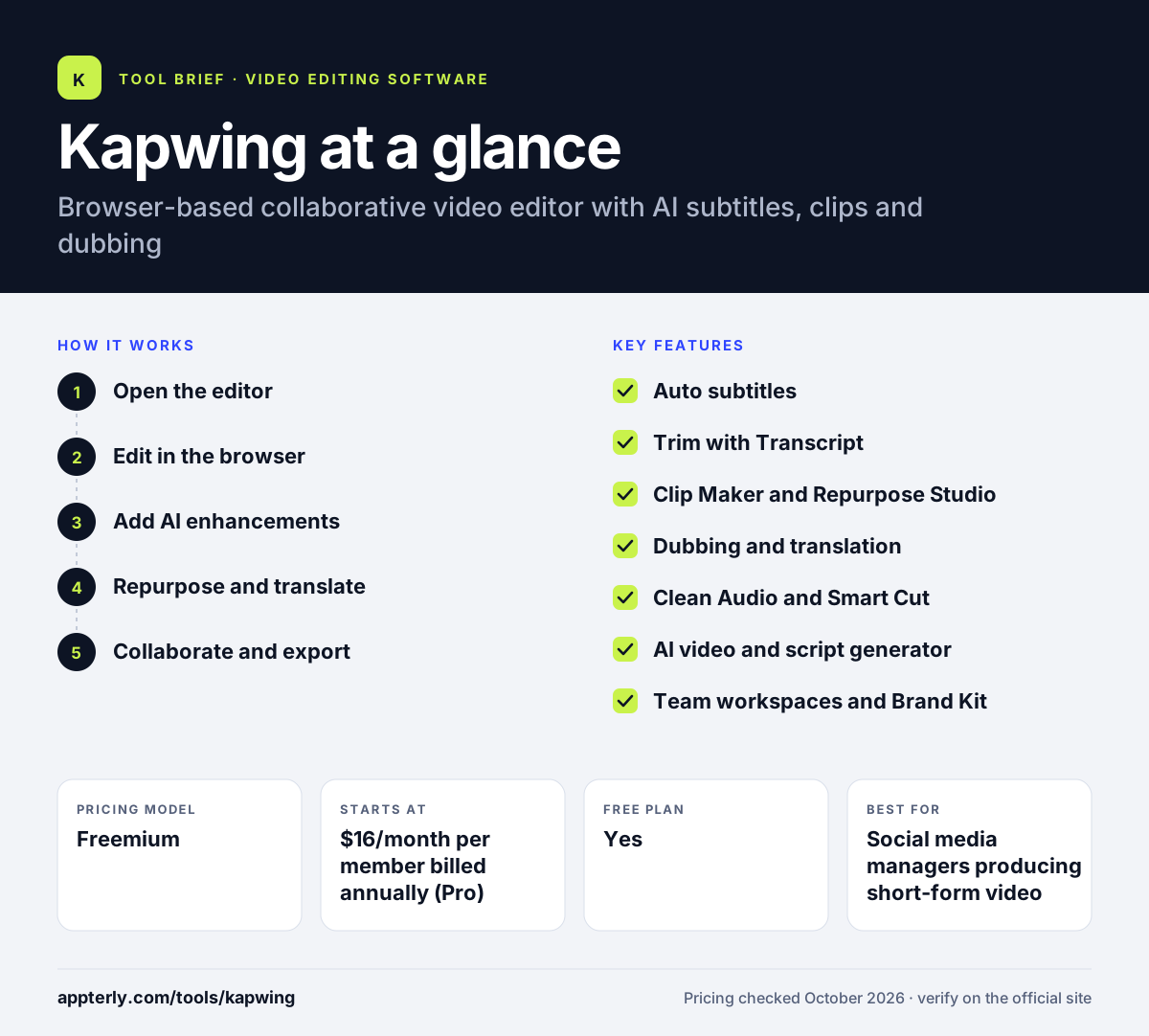
Kapwing at a glance
How does Kapwing work?
- Open the editor
Sign in at kapwing.com and start a project from scratch, a template or an uploaded file or link. You can also paste a video link to import footage.
- Edit in the browser
Trim, crop, resize and layer clips, text, images and audio on the timeline.
- Add AI enhancements
Generate subtitles, clean audio, remove silences or edit by transcript with a few clicks.
- Repurpose and translate
Cut long videos into short clips and dub or translate them for other audiences.
- Collaborate and export
Share the project with teammates for feedback, then export for social platforms. Paid plans remove the watermark and allow 4K exports.
Kapwing key features
Auto subtitles
Generates captions automatically and lets you style and edit them in the browser.
Trim with Transcript
Edits video by deleting text in the transcript, which speeds up cuts on spoken content.
Clip Maker and Repurpose Studio
Turns long videos into short, social-ready clips.
Dubbing and translation
Translates dialogue, audio and subtitles into 40+ languages.
Clean Audio and Smart Cut
Removes background noise and cuts silences automatically.
AI video and script generator
Creates videos with visuals, voiceover and music from a text prompt and drafts scripts.
Team workspaces and Brand Kit
Shared workspaces, custom fonts and brand assets keep team videos consistent.
Why use Kapwing?
- No downloads are needed, so anyone on the team can edit from any computer.
- AI subtitles and translation make videos accessible and ready for global audiences.
- Repurposing tools turn one long video into many short social posts.
- Shared workspaces simplify review and feedback for marketing teams.
- A free plan lets you test the editor before paying.
- Trim with Transcript speeds up cuts on interviews, podcasts and webinars.
Who is Kapwing best for?
A good fit for
- Social media managers producing short-form video
- Content marketing teams repurposing webinars and podcasts
- Educators adding subtitles and translations
- Small teams that collaborate on video in the browser
Less suited to
- Editors working with very large files or long cinematic projects
- Users who need offline desktop editing
- Free users who need watermark-free or longer exports
Kapwing pricing
| Pricing model | Freemium |
|---|---|
| Free plan | Yes |
| Free trial | Not confirmed |
| Starting price | $16/month per member billed annually (Pro) |
Pro is $24 per member billed monthly and Business is $50 per member annually or $64 monthly, with more credits, storage and features like voice clones; Enterprise is custom.
Prices checked October 2026. Vendors change plans often, so confirm on the official Kapwing pricing page before you buy.
Kapwing pros and cons
Pros
- Fully browser-based with no installation
- Strong subtitle, translation and repurposing tools
- Built for team collaboration
- Free plan available
Cons
- Free plan adds a watermark and limits exports to 720p and 4 minutes
- No free trial of paid plans
- Credit limits apply to AI features
Kapwing integrations and platforms
Available on
Kapwing alternatives
See the full shortlist in Best Video Editing Software for Marketers.
Kapwing FAQ
Is Kapwing free?
Yes, Kapwing has a free plan. It includes 10 one-time credits and 5GB of storage, but exports carry a watermark, are limited to 720p and can be up to 4 minutes long. Paid plans start at $16 per member per month on annual billing. Kapwing does not offer a free trial of its paid plans.
What is Kapwing used for?
Kapwing is used to edit, subtitle, translate and repurpose videos in a web browser. Marketers and creators use it to make social media clips, add captions, cut long recordings into shorts, dub videos into other languages and create videos from prompts. Teams also use it to review and edit projects together. The video generator can also draft a full video with voiceover, visuals and music from a short text prompt.
Is Kapwing good for beginners?
Yes, Kapwing is beginner-friendly. It runs in the browser, uses a simple drag-and-drop editor and offers templates and one-click AI tools for subtitles, audio cleanup and resizing. Beginners can produce social-ready videos quickly, while the timeline still allows more detailed edits as skills grow. Shared workspaces also make it easy for beginners to get feedback from teammates.
Kapwing vs Canva: what's the difference?
Canva is a broad design tool that includes basic video editing alongside graphics and documents. Kapwing focuses specifically on video, with deeper tools for subtitles, transcript editing, dubbing, clip making and audio cleanup. Teams that mainly produce video often prefer Kapwing, while those needing all-round design may choose Canva. Kapwing also offers a dedicated dubbing tool that covers more than 40 languages.
Does Kapwing have an app?
Kapwing is a web app that runs in a desktop or mobile browser, and it does not require downloads or installation. Its homepage promotes the browser-based editor and does not list separate desktop or mobile apps. You can access projects from any device by signing in at kapwing.com. Your projects are stored in the cloud, so you can pick up work on another computer.
Sources
This overview is based on Kapwing's official website and documentation, checked October 2026.