What is Glimpse?
Glimpse is a trend research platform that finds fast-growing topics and adds absolute search volume, growth rates and forecasts to the relative data shown in Google Trends. It is best known for its Chrome extension, which overlays extra metrics on Google Trends pages and has more than 200,000 users. The web app also includes a trends database across many categories that updates daily.
Marketers, product teams and investors use Glimpse to judge whether an idea is truly growing or just spiking. Each topic can show year-over-year and month-over-month change, a trajectory with seasonality removed, a forecast for the coming year and a breakdown of where people discuss it, such as TikTok, Reddit, YouTube and Instagram. Trend alerts and API access support ongoing monitoring, and an enterprise offering serves larger teams. The company lists New York as its address and says customers in more than 130 countries use its data.
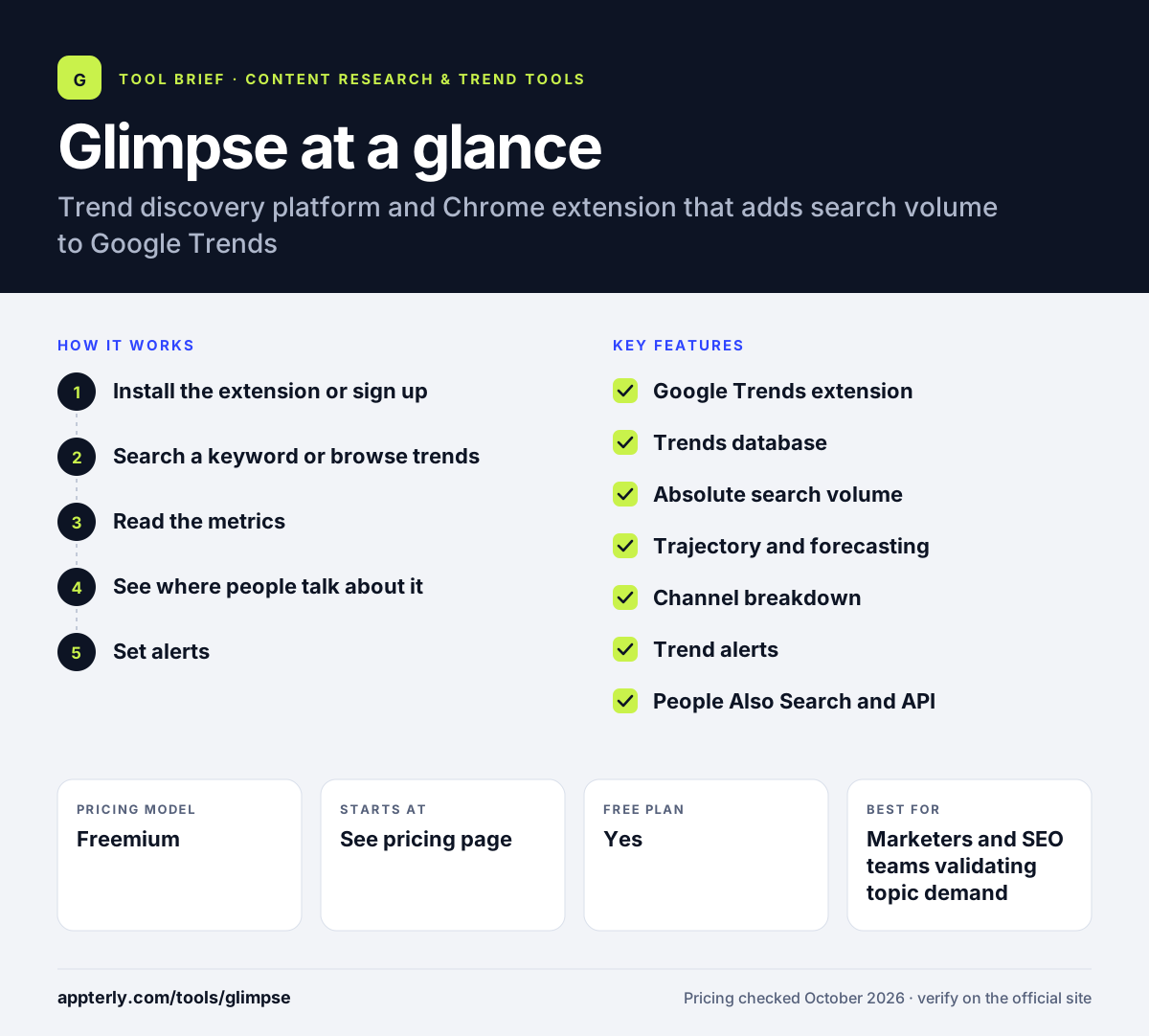
Glimpse at a glance
How does Glimpse work?
- Install the extension or sign up
Add the Chrome extension to enrich Google Trends, or create a free account on the web app.
- Search a keyword or browse trends
Look up any term and country, or explore the daily-updated trends database by category.
- Read the metrics
Review absolute search volume, growth rates, the cleaned trajectory and the forecast to judge momentum.
- See where people talk about it
Use the channel breakdown to find which platforms host the conversation, which guides content and ad placement.
- Set alerts
Follow keywords and get notified when search activity rises or falls.
Glimpse key features
Google Trends extension
Adds absolute volume and growth data directly on top of Google Trends charts in Chrome.
Trends database
A browsable list of growing topics across categories, refreshed daily.
Absolute search volume
Shows estimated searches for any keyword and country, plus year-over-year and month-over-month change.
Trajectory and forecasting
Removes seasonality and noise to show the underlying trend, then projects it forward.
Channel breakdown
Shows where consumers discuss a topic across networks such as TikTok, Reddit, YouTube, Instagram, LinkedIn and Pinterest.
Trend alerts
Real-time notifications when keywords you follow grow or decline.
People Also Search and API
Related searches with volumes, plus API access for teams that want to pull data into their own tools.
Enterprise offering
Larger organizations can book a demo to discuss an enterprise plan for their team.
Why use Glimpse?
- It turns Google Trends' relative index into numbers you can size a market with.
- Forecasts help separate lasting trends from short spikes.
- Channel data shows where to publish or advertise about a topic.
- Alerts let you watch keywords without checking manually.
- The extension fits into a workflow many marketers already use.
Who is Glimpse best for?
A good fit for
- Marketers and SEO teams validating topic demand
- Ecommerce and product teams researching new ideas
- Investors and analysts studying consumer trends
- Researchers who already rely on Google Trends
Less suited to
- Buyers who want published self-serve prices before signing up
- Teams needing full SEO suites with rank tracking and audits
- Users outside Chrome who want the extension features
Glimpse pricing
| Pricing model | Freemium |
|---|---|
| Free plan | Yes |
| Free trial | Not confirmed |
| Starting price | See the official pricing page |
Glimpse offers free sign-up and an enterprise option with demos. Paid plan prices were not listed on the official pricing page when checked.
Prices checked October 2026. Vendors change plans often, so confirm on the official Glimpse pricing page before you buy.
Glimpse pros and cons
Pros
- Adds real volume numbers to Google Trends
- Forecasts and cleaned trajectories aid decisions
- Channel breakdown across major social platforms
- Popular, well-rated Chrome extension
Cons
- Paid pricing is not clearly published
- Forecast accuracy claims come from the vendor
- Extension features are limited to Chrome
Glimpse integrations and platforms
Works with
Available on
Glimpse alternatives
See the full shortlist in Best Content Research Tools.
Glimpse FAQ
Is Glimpse free?
Glimpse offers free sign-up, and its Chrome extension is available in the Chrome Web Store. Paid tiers and an enterprise plan unlock more data and features. When checked in October 2026, the official pricing page did not show specific paid plan prices, so confirm current costs with Glimpse before buying.
What does the Glimpse Chrome extension do?
The Glimpse extension adds extra data to Google Trends pages. Instead of only seeing a relative 0 to 100 index, you can see estimated absolute search volume and growth rates for a term. This helps you judge how big a topic really is and whether it is worth pursuing.
Glimpse vs Exploding Topics: what's the difference?
Both tools help you find growing trends. Glimpse is built around enriching Google Trends with absolute volume, forecasts, channel data and alerts, and it has a widely used Chrome extension. Exploding Topics, owned by Semrush, focuses on a curated database of trends, products and startups with clearly listed monthly plans.
Where does Glimpse get its data?
Glimpse says it analyzes hundreds of millions of consumer behavior signals from across the web, and it builds on Google Trends data for search interest. It then adds its own estimates of absolute volume, removes seasonality to show the trajectory and creates forecasts for the year ahead.
Is Glimpse good for beginners?
Yes. If you already use Google Trends, the extension adds numbers to the same screen, so there is little to learn. The web app lets you browse trends by category and read simple growth metrics, which makes it approachable for marketers new to trend research.
Sources
This overview is based on Glimpse's official website and documentation, checked October 2026.