What is Framer?
Framer is a website builder that lets designers, marketers and startups design, build and publish fast websites on a visual canvas without writing code. It feels closer to a design tool than a traditional page builder, with freeform layouts, animations and responsive breakpoints, and it handles hosting, SEO and performance once the site is live.
Framer adds an AI design agent that can generate and refine layouts directly on the canvas, plus a CMS with collections, localization, built-in analytics and A/B testing. Teams can work on branches with staging previews, and developers can extend sites with code components, overrides and plugins. An MCP server lets outside AI tools work on Framer sites. It is widely used for startup homepages and landing pages.
Framer at a glance
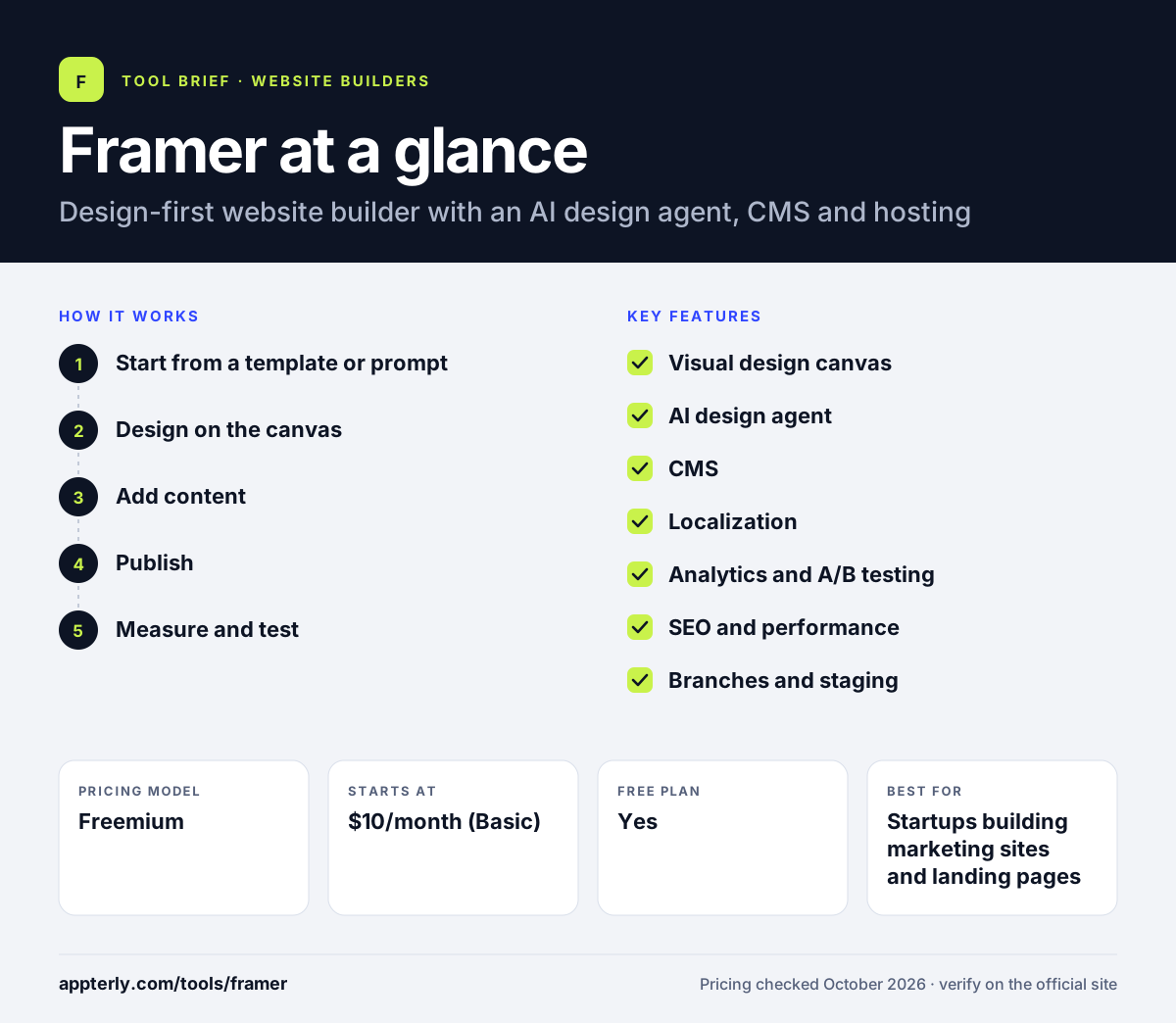
How does Framer work?
- Start from a template or prompt
Pick a template, design from scratch or ask the AI agent to generate a first layout.
- Design on the canvas
Arrange sections, add animations and set breakpoints visually, then refine with the agent.
- Add content
Set up CMS collections for blogs, case studies or job listings and add locales for translation.
- Publish
Launch to a free Framer domain or connect a custom domain on a paid plan, with hosting included.
- Measure and test
Track visitors in built-in analytics and run A/B tests on pages to improve conversions.
Framer key features
Visual design canvas
Freeform, design-tool-style editing with animations, effects and responsive layouts.
AI design agent
Generates and edits layouts in place, and changes stay editable on the canvas.
CMS
Collections and fields for dynamic content, with an agent that can organize and update entries.
Localization
Translates sites into multiple locales, with paid add-on locales on Basic and Pro.
Analytics and A/B testing
Built-in traffic analytics and page variant testing, with A/B testing on Pro.
SEO and performance
Built-in SEO and answer engine optimization settings and Core Web Vitals reporting.
Branches and staging
Teams can work on site versions and preview changes before publishing.
Plugins and code components
Developers can extend sites with React code components, overrides and plugins.
Why use Framer?
- Design teams can ship polished, animated sites without handing off to developers.
- A free plan makes it easy to start and test.
- Analytics, A/B testing and SEO are built in rather than bolted on.
- Hosting and performance are managed, with a stated 99.99% uptime.
- The AI agent speeds up first drafts and edits.
Who is Framer best for?
A good fit for
- Startups building marketing sites and landing pages
- Designers who want to publish their own work
- Marketing and growth teams running experiments
- Agencies building high-design client sites
- Teams that want outside AI coding tools to work on their site through MCP
Less suited to
- Large online stores needing native ecommerce
- Content-heavy sites that exceed CMS item limits
- Users wanting a simple form-based builder with no design work
Framer pricing
| Pricing model | Freemium |
|---|---|
| Free plan | Yes |
| Free trial | Not confirmed |
| Starting price | $10/month (Basic) |
Free includes a Framer domain and 1 GB bandwidth. Basic adds a custom domain, 30 pages and 1,000 CMS items, and Pro ($30/month) adds 150 pages, staging and A/B testing. Extra editors cost $20/month each, and Enterprise is custom.
Prices checked October 2026. Vendors change plans often, so confirm on the official Framer pricing page before you buy.
Framer pros and cons
Pros
- High design freedom with animations and interactions
- Low entry price and a free plan
- Built-in analytics, A/B testing and localization
- Fast, managed hosting
Cons
- Page and CMS limits on Basic can be tight
- Extra editors and locales add to the cost
- No native ecommerce store
Framer integrations and platforms
Available on
Framer alternatives
See the full shortlist in Best Website Builders.
Framer FAQ
Is Framer free?
Yes. Framer has a free plan that lets you build and publish a site on a Framer domain with 1 GB of bandwidth and trial AI credits. Paid plans start at $10 per month for Basic, which adds a custom domain and higher limits. Pro costs $30 per month and adds staging, branching and A/B testing.
What is Framer used for?
Framer is used to design and publish websites, especially startup homepages, landing pages, portfolios and marketing sites. Designers and marketers use its visual canvas, animations, CMS and AI agent to build sites without code, and teams use its analytics and A/B testing to improve results after launch.
Framer vs Webflow: what's the difference?
Both are visual, no-code website builders aimed at professionals. Framer feels more like a design tool, with a freeform canvas, an AI design agent and a lower starting price. Webflow offers deeper control over CSS structure, more advanced CMS options and native ecommerce. Designers often find Framer faster, while complex sites may suit Webflow.
Is Framer good for beginners?
Framer is approachable thanks to templates and the AI agent, which can create a first layout from a prompt. However, it gives a lot of design freedom, so beginners without design experience may need time to learn layout and responsive settings. Simpler AI builders can be quicker for non-designers.
Can Framer be used for SEO?
Yes. Framer includes built-in SEO and answer engine optimization settings, custom meta tags, redirects on Pro, localization and Core Web Vitals reporting. Sites are hosted on fast infrastructure, which helps page speed. A CMS supports blogs and other content that can rank in search.
Sources
This overview is based on Framer's official website and documentation, checked October 2026.