What is Swipe Pages?
Swipe Pages is a no-code landing page builder that creates fast, mobile-first pages for paid traffic campaigns. It publishes pages built on AMP technology, so they load quickly even on slow mobile connections. Marketers can build a page by describing their business to an AI builder, start from a template, or use a classic drag-and-drop editor. Every plan includes unlimited pages, unlimited funnels and unlimited conversions.
The product has grown beyond simple lead pages. It now includes AI agents that research competitors and audit live pages for conversion problems, plus checkout funnels with order bumps and upsells for digital products. Agencies get sub-accounts, team roles and a read-only client view. Plans are priced by monthly traffic, custom domains and AI credits rather than by page count.
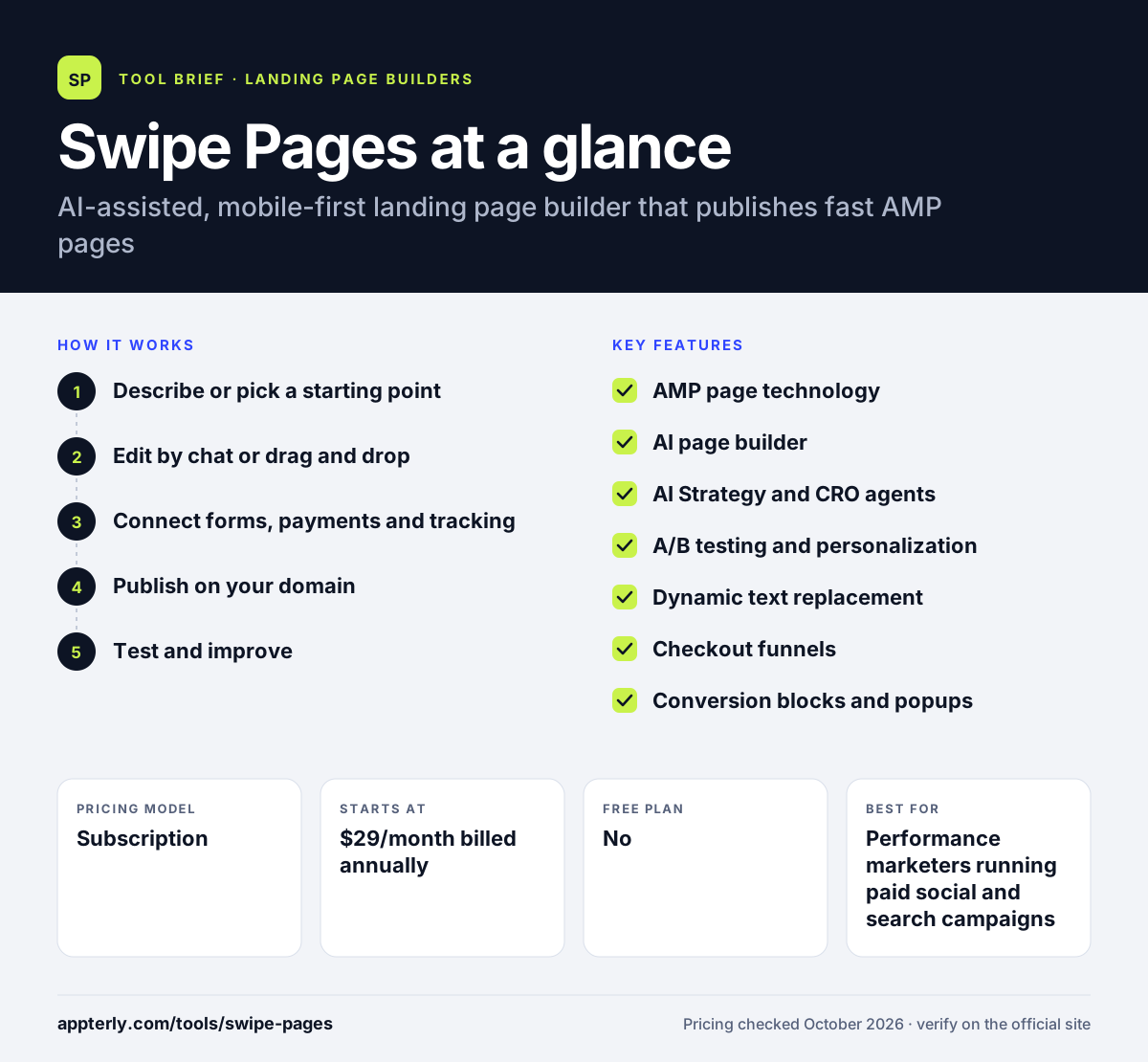
Swipe Pages at a glance
How does Swipe Pages work?
- Describe or pick a starting point
Type a short description of your offer and let the AI builder draft a page, or choose from more than 150 templates in the legacy editor.
- Edit by chat or drag and drop
Refine copy and layout by chatting with the AI, or adjust blocks, mobile breakpoints and visibility settings by hand.
- Connect forms, payments and tracking
Send leads to tools such as HubSpot, Mailchimp or Zapier, add Stripe or PayPal checkout, and install GA4 or the Meta Pixel.
- Publish on your domain
Pages go live on a custom domain with free SSL, a global CDN and automatic speed optimizations.
- Test and improve
Run A/B tests, review conversion goals, and use the CRO agent to rank issues and suggest fixes.
Swipe Pages key features
AMP page technology
Pages are built on AMP so they load quickly on phones, which helps ad landing pages keep visitors from bouncing.
AI page builder
The Swipe Genie builder turns a plain description into a full page, and you can keep editing it through chat.
AI Strategy and CRO agents
One agent drafts competitor teardowns, personas and ad angles. Another reviews a live page and estimates the impact of each suggested fix.
A/B testing and personalization
Test page variants and show different versions to different audiences based on ad parameters, available from the Marketer plan.
Dynamic text replacement
Swap words on the page to match the search query or ad that brought the visitor in.
Checkout funnels
Sell digital products with Stripe, PayPal or Razorpay, and add order bumps, one-click upsells and downsells.
Conversion blocks and popups
Add countdown timers, review blocks, trust badges, sticky calls to action and exit-intent popups.
Agency tools
Invite team members with roles, organize client work into sub-accounts and share a read-only client view.
Why use Swipe Pages?
- Mobile visitors from paid ads get a page that loads quickly, which can lower wasted ad spend.
- Unlimited pages and conversions on every plan mean you are not penalized for launching many campaigns.
- The AI builder and CRO agent shorten the time from idea to a tested page.
- Built-in checkout and upsells let you sell simple digital products without a separate cart tool.
- Sub-accounts and client views make it practical to manage several clients from one login.
Who is Swipe Pages best for?
A good fit for
- Performance marketers running paid social and search campaigns
- Small agencies building landing pages for multiple clients
- Businesses with mostly mobile traffic
- Creators selling simple digital products
Less suited to
- Teams that need a full website or blog rather than campaign pages
- Businesses that want a free plan, since only a trial is offered
- Sites with very high traffic on a small budget, because visits above the plan cap are billed as overage
Swipe Pages pricing
| Pricing model | Subscription |
|---|---|
| Free plan | No |
| Free trial | 14 days |
| Starting price | $29/month billed annually |
Plans step up from Startup to Marketer ($69/month) and Agency ($149/month) on annual billing, adding domains, traffic, AI credits, team members and sub-accounts. Traffic above the monthly cap costs $5 per extra 5,000 visits.
Prices checked October 2026. Vendors change plans often, so confirm on the official Swipe Pages pricing page before you buy.
Swipe Pages pros and cons
Pros
- Pages are designed for speed on mobile devices
- Unlimited pages, funnels and conversions on all plans
- AI tools cover both page building and conversion audits
- Checkout, upsells and order bumps are built in
Cons
- No free plan, only a 14-day trial
- A/B testing and team features start on the mid-tier plan
- AMP-based pages can be more limited for heavy custom code than a standard builder
Swipe Pages integrations and platforms
Works with
Available on
Swipe Pages alternatives
See the full shortlist in Best Landing Page Builders.
Swipe Pages FAQ
Is Swipe Pages free?
Swipe Pages does not have a free plan. It offers a 14-day trial with full access to features and no credit card required. After the trial, paid plans start at $29 per month on annual billing for the Startup plan, which includes one custom domain and 20,000 monthly visits.
What is Swipe Pages used for?
Swipe Pages is used to build landing pages and short sales funnels for paid ad campaigns. Marketers use it to capture leads, sell digital products with checkout and upsells, and test page variants. Its focus on fast, mobile-friendly AMP pages makes it a common pick for campaigns where most visitors arrive on phones.
Swipe Pages vs Unbounce: what's the difference?
Both tools build and test landing pages. Swipe Pages focuses on AMP pages for mobile speed and includes unlimited pages and conversions on every plan, plus built-in checkout funnels. Unbounce offers popups, sticky bars and AI traffic routing through Smart Traffic on its higher plans. Unbounce also has a wider integration library, while Swipe Pages is usually cheaper at the entry level.
Does Swipe Pages support A/B testing?
Yes. Swipe Pages lets you create page variants, split traffic between them and track conversion goals for each version. It can also personalize pages for different audiences using ad parameters. According to the pricing FAQ, A/B testing and personalization are available starting from the Marketer plan, not on the entry Startup plan.
Does Swipe Pages integrate with HubSpot and Zapier?
Yes. Swipe Pages has direct integrations with HubSpot and Zoho on the CRM side, and with email tools such as Mailchimp, ConvertKit, Constant Contact and Campaign Monitor. For anything else, it connects through Zapier or webhooks. It also supports GA4, the Meta Pixel and conversion APIs for Meta and TikTok.
Sources
This overview is based on Swipe Pages's official website and documentation, checked October 2026.