What is Sendy?
Sendy is a self-hosted email newsletter application that you install on your own web server and connect to Amazon Simple Email Service (SES) for delivery. Instead of paying a monthly fee based on list size, you buy a one-time license and pay Amazon only for the emails you send. This makes Sendy one of the cheapest ways to send large volumes of newsletters, at the cost of handling setup and hosting yourself.
The app runs on standard PHP hosting with MySQL or MariaDB. It includes template editors, list and subscriber management, segmentation, autoresponders, reports and webhooks. A feature called brands lets agencies and businesses manage several products or clients from one installation, each with its own settings and optional client access. Updates are free within the same major version, and an optional AI assistant can be bought as an add-on.
Sendy at a glance
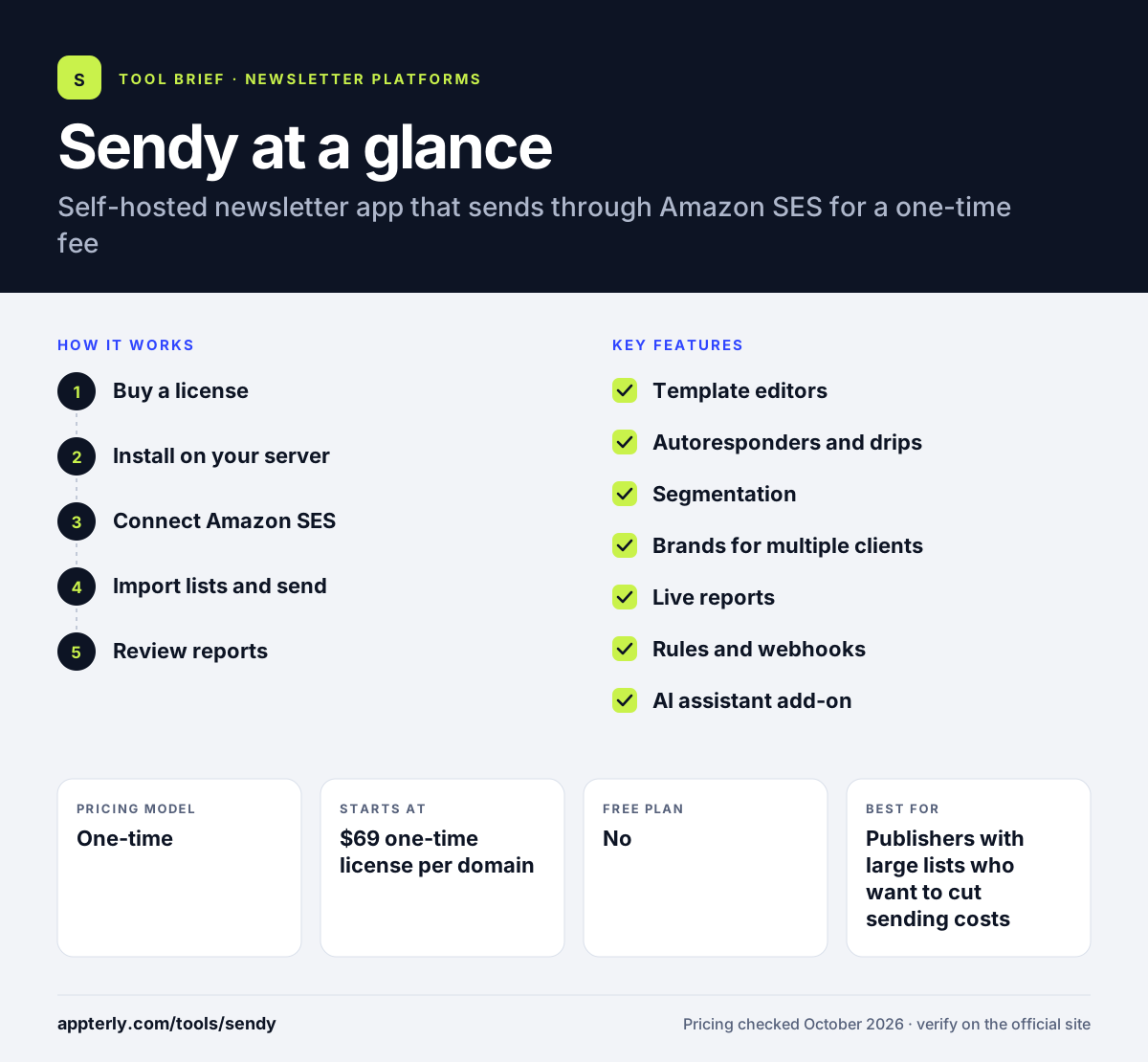
How does Sendy work?
- Buy a license
Purchase a one-time Sendy license for a single domain, with an optional paid installation service.
- Install on your server
Upload Sendy to PHP hosting with MySQL or MariaDB, or run it on Amazon EC2.
- Connect Amazon SES
Link your Amazon SES account so Sendy can send email through it, or use a supported SMTP provider.
- Import lists and send
Import subscribers, design a campaign in the editor and send it to a list or segment.
- Review reports
Track opens, clicks, bounces, complaints and locations while Sendy handles unsubscribes automatically.
Sendy key features
Template editors
Build emails with drag-and-drop, WYSIWYG or raw HTML editors.
Autoresponders and drips
Send automated follow-up sequences to new subscribers.
Segmentation
Target campaigns by list and by conditions based on subscriber data.
Brands for multiple clients
Manage separate products or clients from one install, with client logins and sending limits.
Live reports
See opens, clicks, bounces, complaints and subscriber locations as campaigns go out.
Rules and webhooks
Automate actions when subscribers do something, and connect to other systems.
AI assistant add-on
Generate newsletters and subject lines and analyze reports with an optional paid assistant.
Why use Sendy?
- Sending costs are very low because you pay Amazon SES rates instead of a per-subscriber monthly fee.
- The license is a one-time payment, with no ongoing subscription to Sendy.
- You keep your subscriber data on your own server.
- Agencies can manage several clients from one installation using brands.
- Minor updates are free, and major-version updates are optional.
Who is Sendy best for?
A good fit for
- Publishers with large lists who want to cut sending costs
- Agencies managing newsletters for several clients
- Technical users comfortable with web hosting
- Businesses that want to own their subscriber data
Less suited to
- Non-technical users who do not want to manage hosting and Amazon SES
- Teams that need advanced visual automation and CRM features
- Small senders for whom a free hosted plan already covers their needs
Sendy pricing
| Pricing model | One-time |
|---|---|
| Free plan | No |
| Free trial | Not confirmed |
| Starting price | $69 one-time license per domain |
Amazon SES sending costs are paid separately, which Sendy cites as about $1.60 per 10,000 emails. An installation service costs $79 and the AI assistant is a one-time add-on.
Prices checked October 2026. Vendors change plans often, so confirm on the official Sendy pricing page before you buy.
Sendy pros and cons
Pros
- Very low cost at high sending volumes
- One-time license with no monthly fee
- Full control over your own data
- Multi-brand support for agencies
Cons
- Requires hosting, setup and Amazon SES configuration
- Interface and automation are simpler than modern hosted tools
- Support and maintenance depend on you and your host
Sendy integrations and platforms
Works with
Available on
Sendy alternatives
See the full shortlist in Best Newsletter Platforms.
Sendy FAQ
Is Sendy free?
No. Sendy costs a one-time $69 license for one domain, and there is no monthly subscription. You also pay Amazon SES for sending, which Sendy estimates at about $1.60 per 10,000 emails, plus your own web hosting. Sendy offers a refund policy if the software does not work for you.
What is Sendy used for?
Sendy is used to send email newsletters and autoresponders at low cost through Amazon SES. Businesses, publishers and agencies install it on their own server to manage lists, design campaigns, segment subscribers and track results, while avoiding monthly fees from hosted email services that charge by list size.
Sendy vs Mailchimp: what's the difference?
Mailchimp is a hosted service with a monthly fee that grows with your list, plus more design, automation and support options. Sendy is self-hosted, costs a one-time license and sends through Amazon SES at very low rates. Sendy saves money at scale, while Mailchimp is easier to start with.
Is Sendy good for beginners?
Sendy is not the easiest choice for beginners. You need web hosting with PHP and MySQL and an Amazon SES account, and you must handle setup and troubleshooting. Sendy offers a step-by-step guide and a paid installation service, which helps, but non-technical users may prefer a hosted newsletter tool.
Does Sendy work without Amazon SES?
Sendy is designed around Amazon SES, but it also supports SMTP sending through providers such as SendGrid, Mailjet and Elastic Email. Amazon SES remains the main option and the reason Sendy can keep sending costs so low compared with hosted platforms.
Sources
This overview is based on Sendy's official website and documentation, checked October 2026.