What is Buttondown?
Buttondown is a newsletter platform that focuses on clean writing, reliable delivery and a developer-friendly API. It lets writers, small businesses and technical teams send email newsletters using a rich text or Markdown editor, publish a hosted archive and accept paid subscriptions. The company presents itself as a small, independent business built for the long term, and it keeps the product deliberately simple rather than adding a broad marketing suite.
Buttondown is free for the first 100 subscribers, and that tier already includes custom sending domains and hosted archives. Larger lists pay based on active subscribers, and extra capabilities come as add-ons, such as tagging and segmentation, paid subscriptions, analytics, RSS-to-email, automations, multiple newsletters and teams. This modular approach means you only pay for the features your newsletter actually uses.
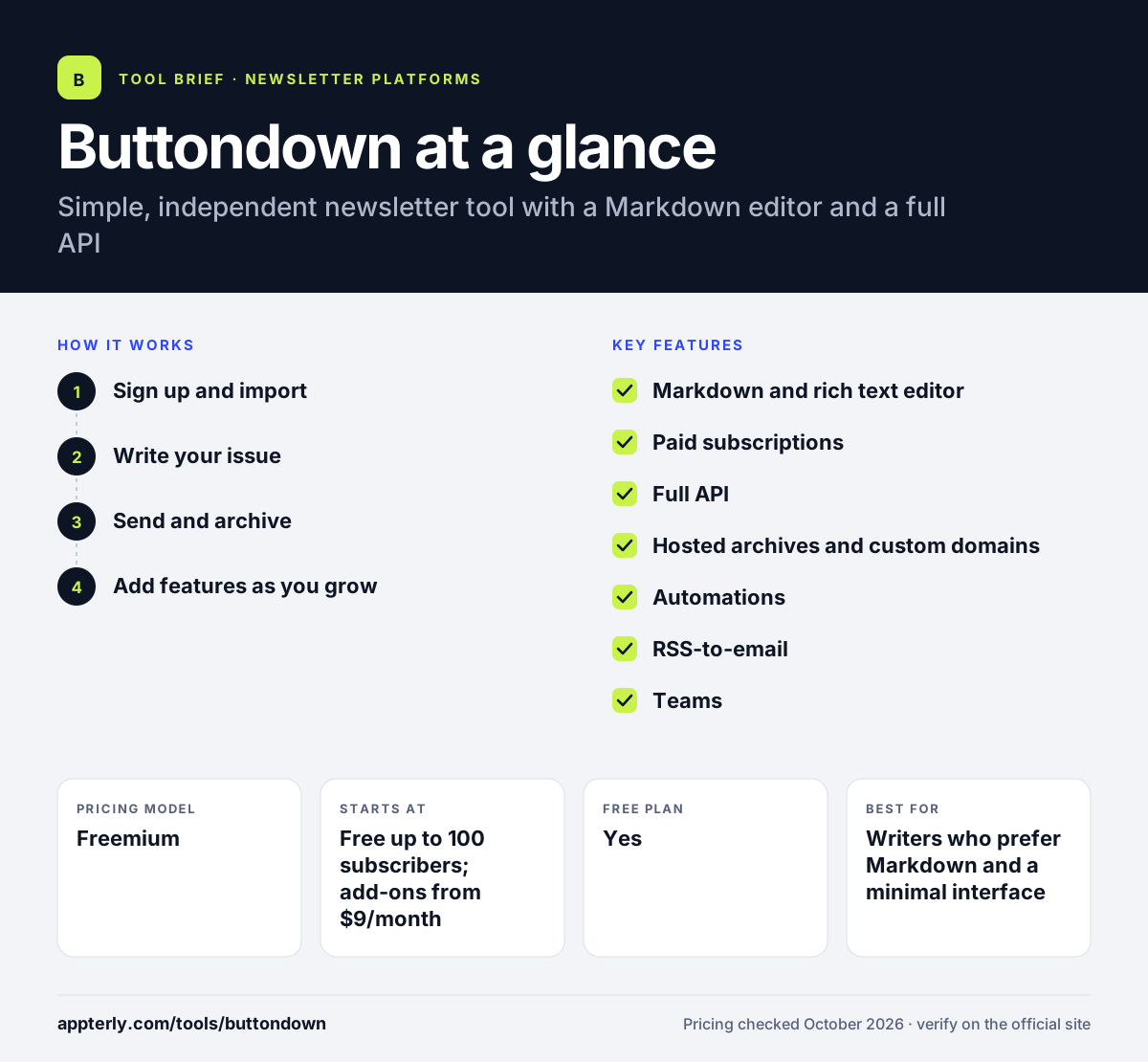
Buttondown at a glance
How does Buttondown work?
- Sign up and import
Create a free account with no card needed and bring an existing list, with concierge migration help if you want it.
- Write your issue
Compose in the rich text or Markdown editor, or send a post by email without logging in.
- Send and archive
Deliver the issue from your own domain, and each post is saved to a public web archive.
- Add features as you grow
Turn on add-ons such as paid subscriptions, tagging, analytics or automations when you need them.
Buttondown key features
Markdown and rich text editor
Write in plain Markdown or a visual editor, which suits technical writers and minimal designs.
Paid subscriptions
Charge readers through Stripe with fixed, pay-what-you-want or per-email pricing, and Buttondown takes no cut.
Full API
A feature-complete API lets developers manage subscribers, send emails and build custom tools.
Hosted archives and custom domains
Every issue lives on a web archive, and you can send from your own domain on the free tier.
Automations
Set up targeted and triggered emails as a paid add-on.
RSS-to-email
Turn a blog feed into newsletter issues automatically.
Teams
Invite collaborators without paying per seat once the Teams add-on is active.
Why use Buttondown?
- The first 100 subscribers are free, which lets new writers start without any cost.
- Buttondown takes no fee on paid subscription revenue beyond standard Stripe charges.
- The add-on model means you avoid paying for features you never use.
- Developers get a complete API and Markdown support, which makes automation and custom workflows easy.
- Registered nonprofits can get 50% off their plan.
Who is Buttondown best for?
A good fit for
- Writers who prefer Markdown and a minimal interface
- Developers and technical teams that want API control
- Small paid newsletters that want to keep their revenue
- Bloggers who want to send posts by RSS-to-email
Less suited to
- Marketers who want a visual drag-and-drop email designer with many templates
- Teams that need ecommerce flows, SMS or a built-in CRM
- Senders who email their full list more than once a day, which needs custom pricing
Buttondown pricing
| Pricing model | Freemium |
|---|---|
| Free plan | Yes |
| Free trial | Not confirmed |
| Starting price | Free up to 100 subscribers; add-ons from $9/month |
Paid pricing scales with active subscribers, and extra features are added for $9 to $79 per month each. Listed prices assume no more than one email per day to the full list.
Prices checked October 2026. Vendors change plans often, so confirm on the official Buttondown pricing page before you buy.
Buttondown pros and cons
Pros
- Free for the first 100 subscribers
- No platform fee on paid subscriptions
- Excellent API and Markdown support
- Pay only for the add-ons you need
Cons
- Costs can add up as you stack several add-ons
- Fewer design templates than visual email builders
- Not built for ecommerce or multichannel marketing
Buttondown integrations and platforms
Works with
Available on
Buttondown alternatives
See the full shortlist in Best Newsletter Platforms.
Buttondown FAQ
Is Buttondown free?
Yes, for small lists. Buttondown is free for your first 100 subscribers, and that tier includes the rich text or Markdown editor, sending from a custom domain and a hosted newsletter archive. After that you pay based on active subscribers, plus optional add-ons for features such as analytics, paid subscriptions and automations.
What is Buttondown used for?
Buttondown is used to write and send email newsletters, keep a public archive of past issues and run paid newsletters. It is popular with technical writers and developers because it supports Markdown and offers a complete API. People also use it for RSS-to-email, so new blog posts go out to subscribers automatically.
Buttondown vs Substack: what's the difference?
Substack is free to start but takes 10% of paid subscription revenue and keeps readers inside its own network and app. Buttondown charges for larger lists and add-ons but takes no cut of subscription revenue, supports custom domains and gives developers a full API. Buttondown suits writers who want more control and ownership.
Is Buttondown good for beginners?
Buttondown works well for beginners who want a simple, distraction-free tool. The free tier for 100 subscribers removes the cost of getting started, and the editor is easy to learn. Beginners who want lots of visual templates or drag-and-drop design may prefer a more design-focused newsletter platform.
Does Buttondown support paid newsletters?
Yes. Buttondown supports paid subscriptions through Stripe as an add-on. You can set fixed monthly or yearly prices, let readers pay what they want, or charge per email. Buttondown says you keep the money you earn, with only Stripe's processing fees deducted from payments.
Sources
This overview is based on Buttondown's official website and documentation, checked October 2026.