What is Sellerboard?
Sellerboard is a profit analytics tool for Amazon sellers that calculates real-time profit after every Amazon fee, refund, ad cost and cost of goods. Instead of estimating margins in spreadsheets, sellers see gross and net profit by day, by product and by cost type in one dashboard. Sellerboard was founded in 2017, is based in Germany and works with all Amazon marketplaces.
On top of analytics, Sellerboard adds automation tools that many FBA sellers would otherwise buy separately. These include inventory forecasting and purchase order planning, a PPC optimizer, a profit-based repricer, automated review request emails, a lost inventory reimbursement finder and listing change alerts. Sellerboard also lists Walmart, Shopify and eBay among other supported platforms. Because these tools share the same data, alerts and decisions are based on real profit rather than revenue alone.
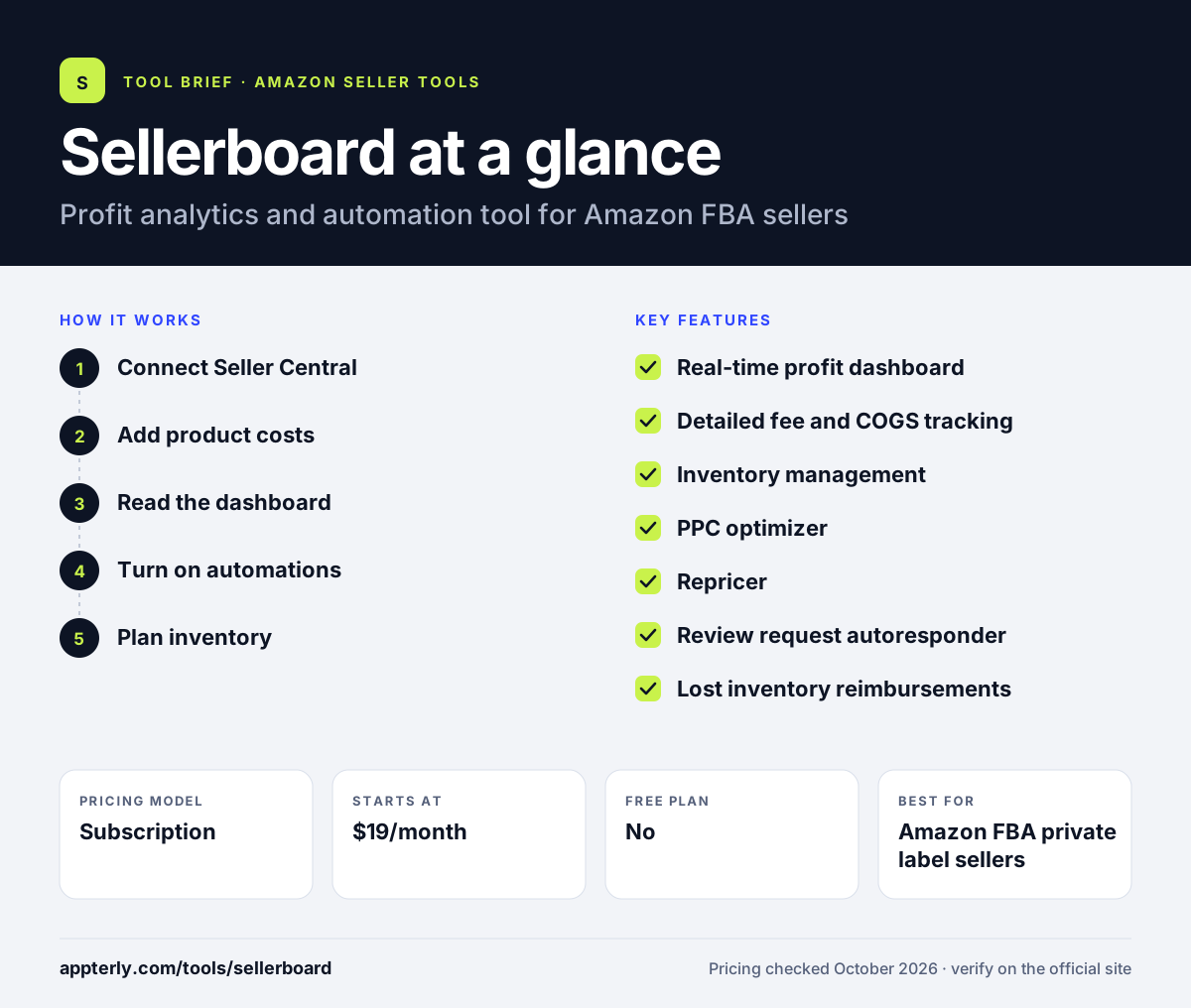
Sellerboard at a glance
How does Sellerboard work?
- Connect Seller Central
Start the free trial and link your Amazon seller account so Sellerboard can import orders, fees, refunds and ad spend.
- Add product costs
Enter cost of goods using FIFO, batch, period-based or marketplace-specific methods, plus any indirect expenses.
- Read the dashboard
View real-time profit, margins and cost breakdowns at the account and product level. Trend views show how each product's margin changes over time.
- Turn on automations
Set up review request emails, listing alerts, reimbursement checks, PPC rules and repricing goals.
- Plan inventory
Use restock estimates and purchase order planning to avoid running out of stock.
Sellerboard key features
Real-time profit dashboard
Shows sales, refunds, ad spend, Amazon fees, COGS and net profit. Data is available overall, by cost type and by product. You can export the data to spreadsheets for deeper analysis.
Detailed fee and COGS tracking
Tracks storage, inbound shipping and other Amazon fees. COGS supports FIFO and several other methods.
Inventory management
Estimates when stock will run out and helps plan purchase orders and batches.
PPC optimizer
Analyzes campaigns, ad groups and keywords. It can automate bids toward a target profit or ACOS and harvest keywords.
Repricer
Changes prices within profit-based limits. Goals can maximize profit, maximize sales or clear stock by a date. It works for FBA, FBM-Prime and regular FBM offers.
Review request autoresponder
Sends follow-up email campaigns to buyers to request reviews.
Lost inventory reimbursements
Finds FBA errors such as lost or damaged stock and helps you file reimbursement claims with Seller Support.
Listing change alerts and LTV
Alerts you to listing changes, new sellers, Buy Box loss and fee changes. An LTV dashboard tracks customer lifetime value.
Why use Sellerboard?
- Sellerboard shows true net profit, not just revenue, after all Amazon costs.
- It replaces several separate tools for repricing, reimbursements, emails and PPC.
- Plans are low cost and scale by order volume.
- The one-month free trial needs no credit card.
- A demo account lets you explore before signing up.
Who is Sellerboard best for?
A good fit for
- Amazon FBA private label sellers
- Sellers who want accurate profit numbers without spreadsheets
- Small teams wanting PPC, repricing and reimbursements in one tool
- Sellers running several Amazon marketplaces
Less suited to
- Sellers looking for product or keyword research tools
- Large enterprises needing custom BI and data warehousing
- Stores that do not sell on Amazon
Sellerboard pricing
| Pricing model | Subscription |
|---|---|
| Free plan | No |
| Free trial | 1 month |
| Starting price | $19/month |
Standard is $19/month for up to 3,000 orders, Professional $29, Business $39 and Enterprise $79 for up to 50,000 orders per month. Annual billing lowers the monthly rate, and EU prices exclude VAT.
Prices checked October 2026. Vendors change plans often, so confirm on the official Sellerboard pricing page before you buy.
Sellerboard pros and cons
Pros
- Accurate, detailed profit tracking
- Many automation tools included at a low price
- Generous one-month free trial with no card
- Plans scale by order volume
Cons
- No product research or keyword tools
- Setup of COGS and expenses takes time
- Mainly built around Amazon
Sellerboard integrations and platforms
Works with
Available on
Sellerboard alternatives
See the full shortlist in Best Amazon Seller Tools.
Sellerboard FAQ
Is Sellerboard free?
Sellerboard does not have a free plan, but it offers a one-month free trial with no credit card required, and you can cancel any time. There is also a demo account you can open without registering. After the trial, plans start at $19 per month for the Standard tier. That gives you a full month of real data to judge accuracy.
What is Sellerboard used for?
Sellerboard is used by Amazon sellers to track real profit after fees, refunds, ad spend and cost of goods. Sellers also use Sellerboard to plan inventory, optimize PPC bids, reprice products, send review request emails, find lost inventory reimbursements and get alerts about listing changes.
How much does Sellerboard cost?
Sellerboard pricing is based on monthly order volume. Standard costs $19 per month for up to 3,000 orders, Professional $29, Business $39 and Enterprise $79 for up to 50,000 orders. Paying annually lowers the effective monthly price. EU customers see net prices, and VAT may be added.
Sellerboard vs Helium 10 Profits: what's the difference?
Both track Amazon profit. Sellerboard is a dedicated profit and automation tool that also includes a repricer, PPC optimizer, reimbursement finder and review emails at a low monthly price. Helium 10 Profits is one part of a larger suite focused on product research and keywords. Choose based on whether you need research tools.
Does Sellerboard work with all Amazon marketplaces?
Yes. Sellerboard says it works with all Amazon marketplaces, so sellers in North America, Europe and other regions can track profit in one account. It also lists Walmart, Shopify and eBay among other platforms it supports.
Sources
This overview is based on Sellerboard's official website and documentation, checked October 2026.