What is SellerApp?
SellerApp is an Amazon seller software platform that combines product research, keyword research, advertising automation, listing optimization and profit analytics in one place. It serves individual sellers, brands, agencies and enterprises, and pairs its software with managed advertising services and data APIs. SellerApp covers Amazon across North America, Europe, the Middle East and Asia-Pacific, and also supports Walmart, Flipkart and other channels.
For research, SellerApp offers a large product database with sales estimates, best seller rank and FBA fee data, plus Product Intelligence for tracking any ASIN over time. Its keyword tools include a keyword explorer, reverse ASIN lookup and a rank tracker with alerts. On the advertising side, SellerApp automates bids with AI and rules, supports dayparting and draws on Amazon Marketing Stream and Amazon Marketing Cloud data. A free plan lets new users try the basics.
SellerApp at a glance
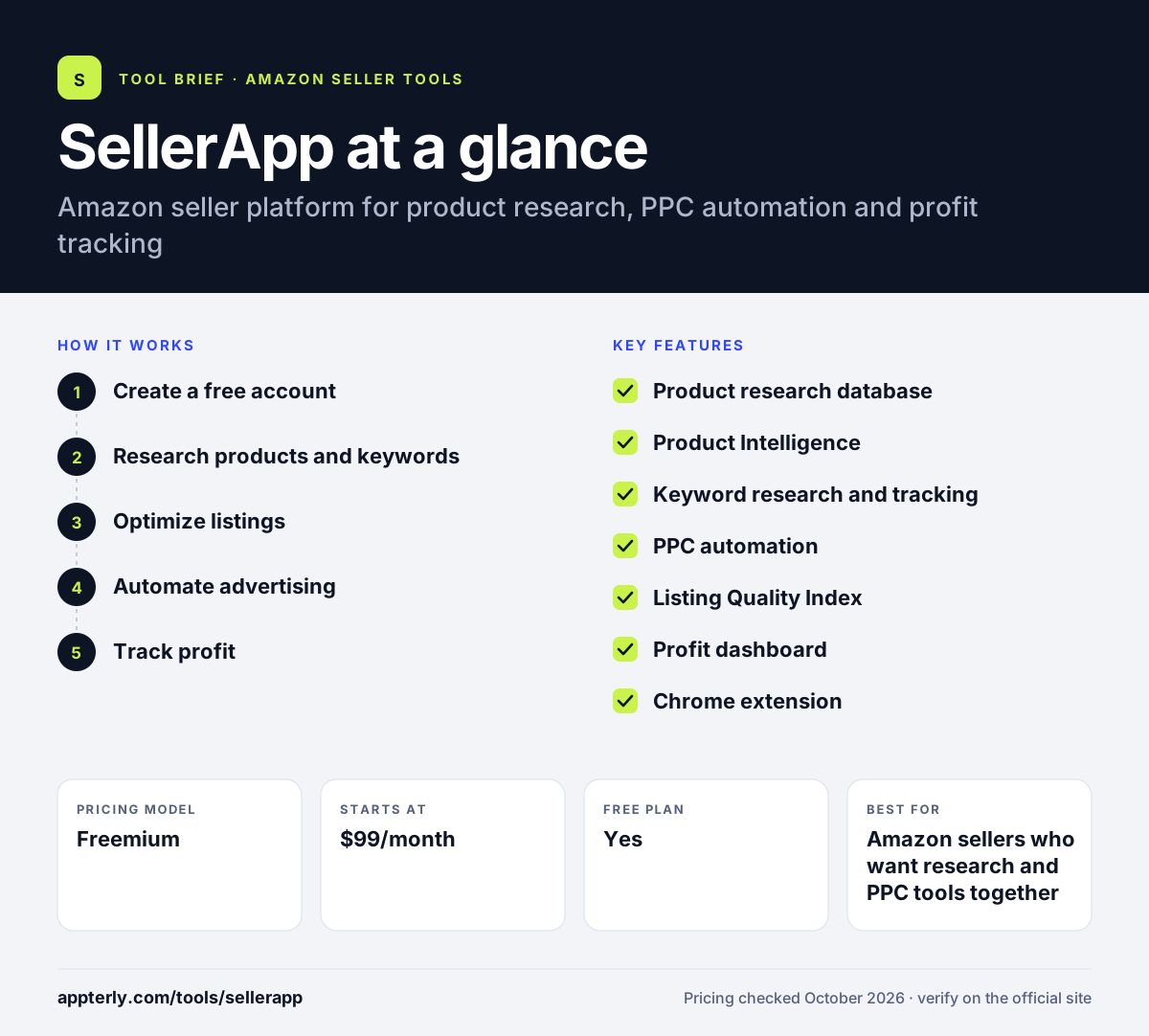
How does SellerApp work?
- Create a free account
Sign up for the Freemium plan without a credit card and connect your Amazon seller and advertising accounts.
- Research products and keywords
Use the product database, Chrome extension and keyword explorer to judge demand, competition and fees.
- Optimize listings
Check each listing's Listing Quality Index score and fix weak titles, bullets or images with the listing builder.
- Automate advertising
Set up rule-based or AI bid automation and dayparting for Amazon PPC campaigns. Dayparting lets you lower bids during hours when shoppers rarely convert.
- Track profit
Review the profit dashboard for margins, TACoS and ROI by product after fees, ad spend and costs.
SellerApp key features
Product research database
Search millions of Amazon products with sales estimates, BSR and FBA fees. It helps you shortlist products before sourcing.
Product Intelligence
Tracks any ASIN's pricing, sales estimates, revenue and listing quality over time. Useful for watching competitors.
Keyword research and tracking
Keyword explorer, reverse ASIN lookup and a keyword tracker that alerts you to ranking changes. Alerts help you react quickly when a key term slips.
PPC automation
AI-driven and rule-based bid changes, dayparting, and data from Amazon Marketing Stream and Amazon Marketing Cloud.
Listing Quality Index
Scores listings across several areas and points to fixes. A listing builder and optimizer help apply them.
Profit dashboard
Combines FBA fees, PPC spend, storage, shipping and COGS to show product-level margins, TACoS and ROI.
Chrome extension
Adds sales, profit and keyword data to Amazon search and product pages for faster research.
Agency and API options
White-label tools for agencies and data APIs with usage-based pricing for teams building their own reports.
Why use SellerApp?
- SellerApp covers research, ads, listings and profit in one tool instead of several. That means fewer logins and less data to reconcile.
- The free plan lets you test core features without a credit card.
- PPC automation uses Amazon Marketing Stream data for faster bid changes.
- Managed advertising services are available if you prefer to outsource.
- It supports many Amazon regions plus Walmart and Indian marketplaces.
Who is SellerApp best for?
A good fit for
- Amazon sellers who want research and PPC tools together
- Brands that want optional managed ad services
- Agencies needing white-label Amazon tools
- Sellers in India using Amazon, Flipkart or quick commerce channels
Less suited to
- Sellers who only need a simple profit calculator
- Teams wanting transparent annual pricing up front
- Sellers focused on Shopify or other non-marketplace stores
SellerApp pricing
| Pricing model | Freemium |
|---|---|
| Free plan | Yes |
| Free trial | Not confirmed |
| Starting price | $99/month |
The Freemium plan is free. Pro starts at $99/month, the Smart Plan with automation and a dedicated account manager starts higher, and Custom plans are quoted by sales; annual billing is advertised as saving 50%.
Prices checked October 2026. Vendors change plans often, so confirm on the official SellerApp pricing page before you buy.
SellerApp pros and cons
Pros
- Free plan with no credit card required
- Broad feature set across research, ads and profit
- Option to add managed services and APIs
- Supports several marketplaces beyond Amazon
Cons
- Pricing page details can be hard to compare
- Automation features sit on higher-priced plans
- Interface can feel crowded for beginners
SellerApp integrations and platforms
Works with
Available on
SellerApp alternatives
See the full shortlist in Best Amazon Seller Tools.
SellerApp FAQ
Is SellerApp free?
Yes. SellerApp has a Freemium plan that is free with no credit card required. It gives access to basic product research, advertising overview and listing quality tools. Paid plans start at $99 per month for Pro, which adds keyword tracking, insights and email support, and annual billing is advertised as saving 50%.
What is SellerApp used for?
SellerApp is used by Amazon sellers to research products and keywords, automate PPC bids, improve listings and track profit. Brands and agencies also use SellerApp's managed advertising services, white-label agency tools and data APIs. It supports Amazon in many regions as well as Walmart, Flipkart and other channels.
Does SellerApp have a Chrome extension?
Yes. The SellerApp Chrome extension adds sales estimates, profitability and keyword data to Amazon search results and product pages. Sellers use it to evaluate products and competitors while browsing Amazon instead of switching to a separate dashboard.
SellerApp vs Helium 10: what's the difference?
Both offer Amazon product research, keyword tools and a Chrome extension. SellerApp puts more weight on PPC automation, profit analytics and optional managed advertising services, and supports Indian marketplaces such as Flipkart. Helium 10 is known for its wide set of research and listing tools. Compare plan limits and pricing before choosing.
Does SellerApp work with Walmart?
Yes. Besides Amazon, SellerApp lists support for Walmart, Flipkart and ONDC, as well as quick-commerce channels in India such as Zepto, Blinkit and Instamart. This makes it a fit for brands that sell on more than one marketplace and want reporting in a single place.
Sources
This overview is based on SellerApp's official website and documentation, checked October 2026.