What is Recraft?
Recraft is an AI image and design platform that generates raster images, editable vector graphics and product mockups from text prompts. It is built for design work rather than one-off art, so it focuses on consistent styles, usable typography and output that can go straight into logos, icons, ads, illustrations and marketing assets.
Recraft runs its own models, including the fast Recraft V4.1 Flash, and also offers other leading models inside Recraft Studio. A custom style feature turns a few reference images into a reusable style for an entire brand. The platform adds an image vectorizer, background remover, eraser, upscaler and photo editor, and it is available on the web, iOS, Android and through an API.
Recraft at a glance
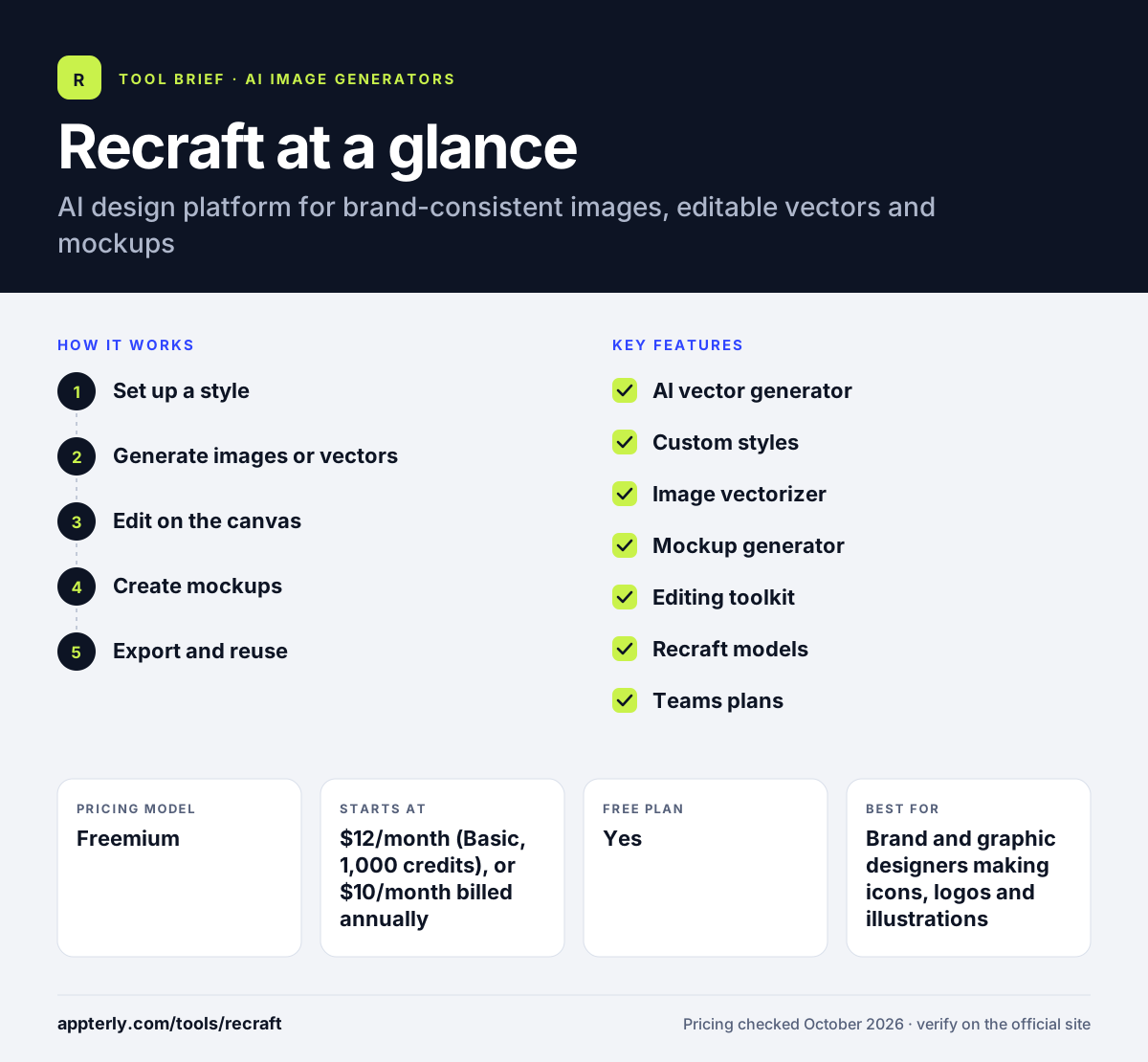
How does Recraft work?
- Set up a style
Pick a built-in style or upload a few reference images to create a reusable custom brand style. Custom styles can be shared across a team on Teams plans.
- Generate images or vectors
Describe the asset, such as an icon set or illustration, and choose raster or vector output.
- Edit on the canvas
Use the eraser, background remover, upscaler and photo editor to clean up and adjust results.
- Create mockups
Place designs onto product mockups to preview merchandise, packaging or ads.
- Export and reuse
Download finished files, or call Recraft through its API for repeat production.
Recraft key features
AI vector generator
Creates complex, editable vector graphics suited to logos, icons and illustrations.
Custom styles
Converts a small set of images into a reusable, editable style for consistent brand visuals.
Image vectorizer
Turns existing raster images into vector graphics.
Mockup generator
Places designs onto realistic product mockups for previews and listings.
Editing toolkit
Includes an AI eraser, background remover, image upscaler and photo editor.
Recraft models
Recraft V4.1 Flash targets speed, and Recraft Studio also offers other frontier models.
Teams plans
Shared custom styles, centralized account management, SSO and premium support for design teams.
Top-up credits
Extra credit packs of 200 to 1,600 credits never expire and are used after monthly credits run out.
Why use Recraft?
- Direct vector output saves time tracing AI images by hand.
- Custom styles keep a whole set of assets visually consistent.
- Mockups and editing tools cover more of the design workflow in one place.
- Paid plans include private generation and commercial usage rights while subscribed.
- Top-up credits never expire, which helps with uneven monthly workloads.
Who is Recraft best for?
A good fit for
- Brand and graphic designers making icons, logos and illustrations
- Print-on-demand and merch sellers who need vectors and mockups
- Marketing teams producing on-brand campaign visuals
- Developers adding vector or image generation through an API
Less suited to
- Free users who need commercial rights, since free images are owned by Recraft
- Creators focused mainly on AI video
- Users who want unlimited generations at a flat price
Recraft pricing
| Pricing model | Freemium |
|---|---|
| Free plan | Yes |
| Free trial | Not confirmed |
| Starting price | $12/month (Basic, 1,000 credits), or $10/month billed annually |
Pro plans scale by credits, from $20/month for 2,000 up to $160/month for 16,000. Teams plans start at $22/month, annual billing saves up to 20%, and API usage is billed separately.
Prices checked October 2026. Vendors change plans often, so confirm on the official Recraft pricing page before you buy.
Recraft pros and cons
Pros
- Strong, editable vector generation
- Custom brand styles from a few reference images
- Built-in mockup and editing tools
- Non-expiring top-up credits
Cons
- Free plan images are public and not licensed for commercial use
- Monthly subscription credits do not roll over
- Credit costs vary by model and action
Recraft integrations and platforms
Available on
Recraft alternatives
See the full shortlist in Best AI Image Generators.
Recraft FAQ
Is Recraft free?
Recraft offers a free plan, but images made on it are owned by Recraft, appear in the public community gallery and are not licensed for commercial use. Paid plans start at $12 per month for Basic, or $10 per month billed annually, and include private generation and commercial rights while subscribed. Top-up credits are also available on paid plans and never expire.
Can Recraft make vector files?
Yes. Recraft's AI vector generator creates editable vector graphics directly from prompts, which suits logos, icons and illustrations. It also includes an image vectorizer that converts existing raster images into vectors, so designers can edit shapes and colors instead of working with flat pixels. Paid plans keep these files private and include commercial rights.
What is Recraft used for?
Recraft is used to design logos, icons, illustrations, ads, characters, stock-style images and product mockups. Its custom styles help teams keep every asset on brand, and its editing tools handle background removal, upscaling and object erasing without switching to another app. Teams plans add shared custom styles for consistent agency output.
Recraft vs Ideogram: what's the difference?
Ideogram is best known for readable text inside images and quick graphic designs. Recraft focuses on design production, with editable vector output, reusable brand styles and a mockup generator. Choose Recraft for icon sets, illustrations and merch, and Ideogram for typography-heavy posters and ads. Both offer free usage, so testing each with the same prompt is easy.
Does Recraft have an API?
Yes. Recraft provides an API for developers. API usage is paid with prepaid API units that are separate from subscription credits, do not expire and are non-refundable except where the law requires. Developer documentation is linked from the Recraft website. This suits teams building design features into their own products.
Sources
This overview is based on Recraft's official website and documentation, checked October 2026.