What is PushEngage?
PushEngage is a customer engagement and retention platform that sends web push notifications, app push notifications and automated messages to bring visitors back to a website or store. It is popular with WordPress and WooCommerce site owners, and its official WordPress plugin lists more than 400,000 installs. Small businesses, bloggers and ecommerce stores use it to recover sales and grow repeat traffic without heavy developer work.
The platform includes drip campaigns, welcome series, cart and browse abandonment reminders, price-drop and back-in-stock alerts, segmentation and A/B testing. Newer channels cover PWA push, in-app messages, WhatsApp automation and an on-site chat widget, all managed through a no-code workflow builder. An AI copywriter, an MCP server and a browser extension help draft notifications. A free plan covers up to 200 subscribers.
PushEngage at a glance
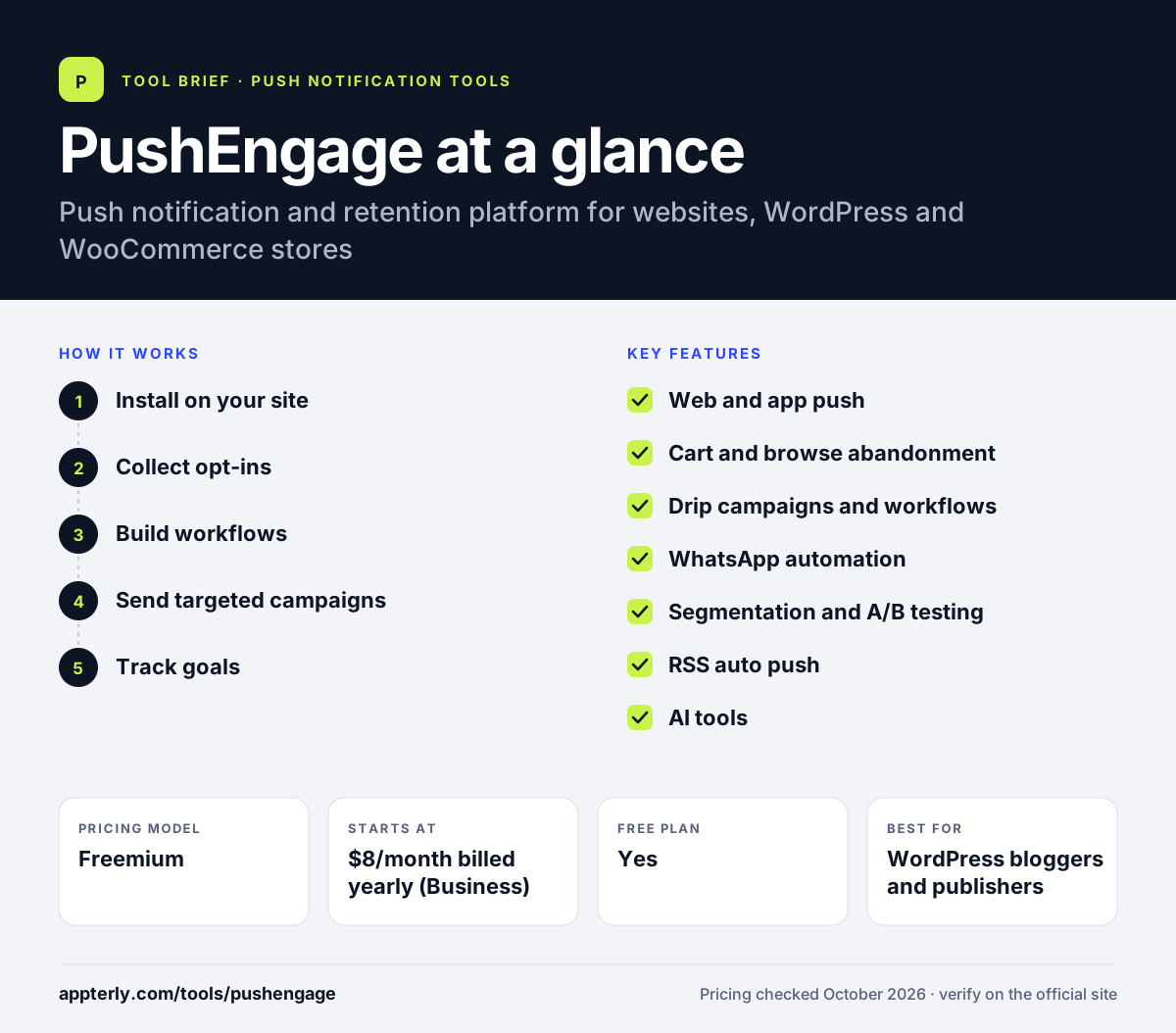
How does PushEngage work?
- Install on your site
Add the WordPress plugin, the Shopify app, the WooCommerce plugin or a code snippet for other platforms.
- Collect opt-ins
Show a customizable permission prompt so visitors can subscribe to browser notifications.
- Build workflows
Use the visual builder to set up welcome drips, cart recovery and other triggered messages. Workflows can include several steps, delays and conditions depending on your plan.
- Send targeted campaigns
Segment subscribers and send broadcasts, scheduled pushes or timezone-based messages.
- Track goals
Measure clicks, conversions and revenue with goal tracking and analytics.
PushEngage key features
Web and app push
Browser notifications for Chrome, Edge, Safari and Firefox, plus native iOS and Android push with Flutter and React Native SDKs. PWA push also reaches iOS Home Screen web apps.
Cart and browse abandonment
Automatic reminders, price-drop and back-in-stock alerts for online stores.
Drip campaigns and workflows
No-code visual workflows for welcome series and re-engagement sequences.
WhatsApp automation
Order updates and abandoned-cart flows sent over WhatsApp on the Growth plan.
Segmentation and A/B testing
Target subscribers by behavior and test message variants.
RSS auto push
Sends notifications automatically when new content is published.
AI tools
An AI copywriter, an MCP server for AI assistants and a browser extension that drafts pushes from a page.
Why use PushEngage?
- Low entry pricing makes it affordable for small sites and stores.
- Deep WordPress and WooCommerce integration speeds up setup.
- Ecommerce automations help recover abandoned carts and revenue.
- You pay only for active subscribers, not unsubscribed users.
- A 14-day money-back guarantee lowers the risk of trying paid plans.
- Plans let you change tiers or cancel at any time.
Who is PushEngage best for?
A good fit for
- WordPress bloggers and publishers
- WooCommerce and Shopify stores
- Small businesses growing repeat traffic
- Agencies managing push for a few client sites
Less suited to
- Sites that need more than 200 subscribers or 30 campaigns for free
- Enterprises needing advanced data warehousing and analytics
- Teams wanting email marketing in the same tool
PushEngage pricing
| Pricing model | Freemium |
|---|---|
| Free plan | Yes |
| Free trial | Not confirmed |
| Starting price | $8/month billed yearly (Business) |
Plans scale by subscribers and sites, from Business (up to 50,000 subscribers) through Premium and Growth to custom Enterprise. Higher tiers add A/B testing, drip campaigns, WooCommerce automation, WhatsApp and more workflows; renewals are at full price. Annual plans save up to 50%, and AI credits are an add-on starting at $10.
Prices checked October 2026. Vendors change plans often, so confirm on the official PushEngage pricing page before you buy.
PushEngage pros and cons
Pros
- Affordable paid plans
- Strong ecommerce automations
- Easy WordPress and WooCommerce setup
- Billing counts only active subscribers
Cons
- Free plan is limited to 200 subscribers and 30 campaigns
- Key ecommerce and WhatsApp features need the Growth plan
- Introductory prices renew at full rate
PushEngage integrations and platforms
Works with
Available on
PushEngage alternatives
See the full shortlist in Best Push Notification Software.
PushEngage FAQ
Is PushEngage free?
Yes, PushEngage has a free plan for one site or app with up to 200 subscribers, 30 lifetime campaigns and one workflow. It suits testing rather than growth. Paid plans start at $8 per month billed yearly for the Business plan, and a 14-day money-back guarantee applies.
What is PushEngage used for?
PushEngage is used to send push notifications that bring visitors back to a website or store. Bloggers announce new posts, while ecommerce stores send cart abandonment reminders, price-drop alerts and back-in-stock notices. It also supports app push, WhatsApp automation, drip campaigns and an on-site chat widget.
Does PushEngage integrate with Shopify?
Yes. PushEngage offers a Shopify app and also integrates with WooCommerce, WordPress, Magento, PrestaShop, Wix, HubSpot and Zapier. Store owners can use it to automate cart recovery and product alerts, though WooCommerce cart automation is listed on the Growth plan and above.
Is PushEngage good for beginners?
Yes. PushEngage is designed for marketers without developer support. The WordPress plugin and Shopify app handle setup, and a visual workflow builder makes automations easy to create. Beginners can start on the free plan, though its 200-subscriber limit means most growing sites will need a paid plan.
PushEngage vs OneSignal: what's the difference?
PushEngage focuses on websites and online stores, with strong WordPress, WooCommerce and cart recovery features and low paid prices. OneSignal is broader, covering mobile push, email, SMS and in-app messaging, with a larger free plan for apps. Store owners often prefer PushEngage, while app developers lean toward OneSignal.
Sources
This overview is based on PushEngage's official website and documentation, checked October 2026.