What is Mailchimp?
Mailchimp is an email marketing platform that lets businesses build campaigns, automate follow-ups and track results from one account. It was started in 2001 in Atlanta by Ben Chestnut and Dan Kurzius and has been part of Intuit since 2021. Beyond email, it offers signup forms, popups, an SMS add-on in selected countries, generative AI writing help and a transactional email API for app notifications.
The platform is built around audiences, which are contact lists you can tag and segment. Plans scale by contact count and by how many emails you send each month. Mailchimp connects to more than 300 apps, including Shopify, WooCommerce, Square and QuickBooks, so sales data can shape who gets which message. Higher tiers add predictive segments, multivariate tests and phone support.
Mailchimp at a glance
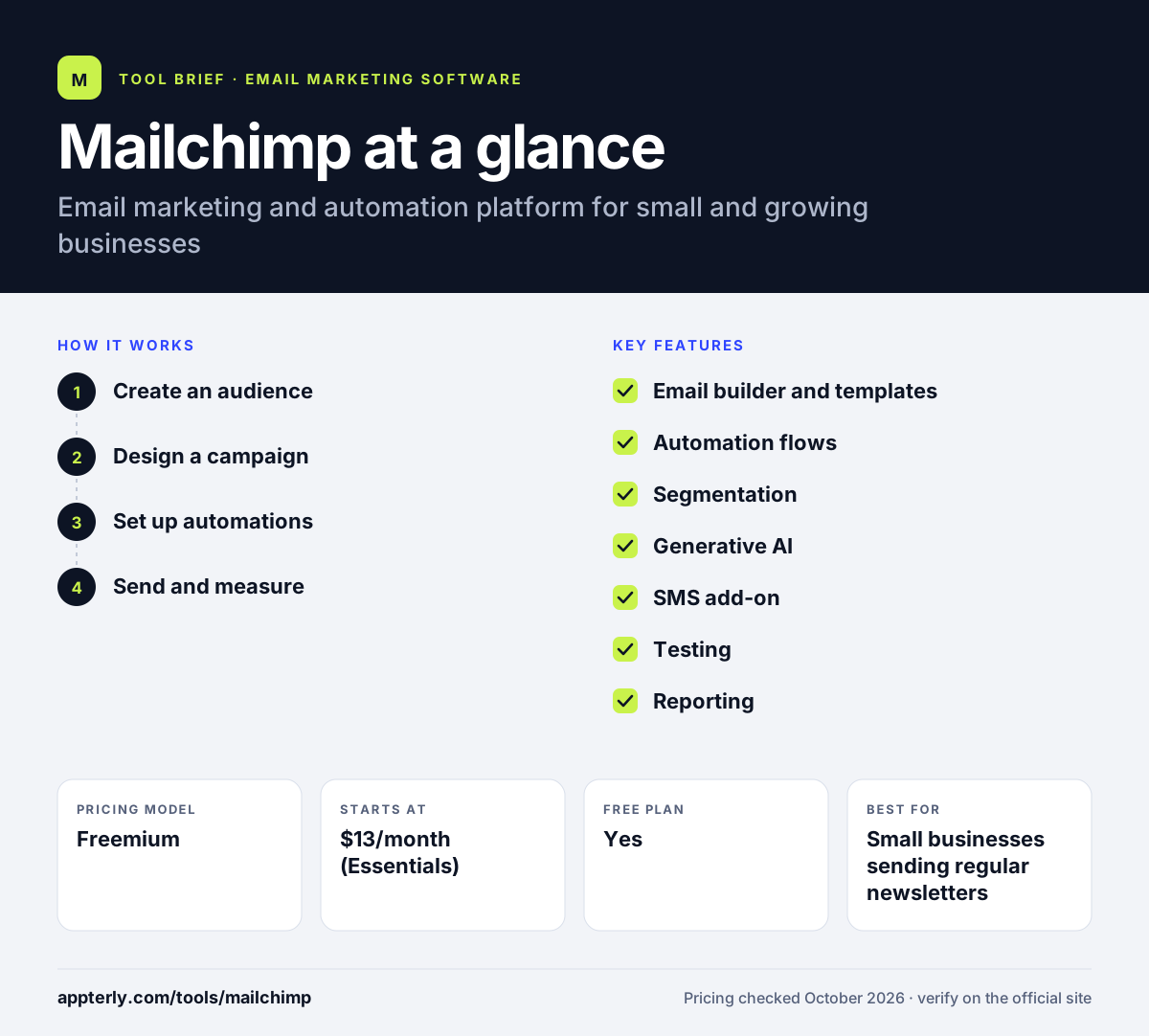
How does Mailchimp work?
- Create an audience
Import contacts from a file or connected app, or collect them with signup forms and popups. Add tags and fields to organize them.
- Design a campaign
Pick a pre-built template or code your own, then edit content in the builder. Paid tiers can use AI to draft copy.
- Set up automations
Build flows such as welcome series or win-back emails that trigger on contact behavior or store events.
- Send and measure
Schedule the send, then review opens, clicks, audience growth and revenue in the reporting dashboard.
Mailchimp key features
Email builder and templates
A visual editor with pre-built layouts, plus support for custom-coded templates on paid plans.
Automation flows
Standard and Premium allow up to 200 flows, while Essentials is limited to short four-step flows.
Segmentation
Group contacts by tags, activity and purchase data. Premium adds predictive segments that estimate future behavior.
Generative AI
AI help for writing and campaign ideas is included on Standard and Premium, with output you review before sending.
SMS add-on
Paid accounts in select countries can apply to send text messages using monthly credits.
Testing
A/B testing is available, and Premium unlocks multivariate tests across several variables.
Reporting
Dashboards cover campaign performance, audience growth and conversion funnels, with custom reports on higher tiers.
Transactional API
Developers can send order confirmations and other app emails through a separate transactional service.
Why use Mailchimp?
- A free plan lets very small lists start sending without paying.
- Over 300 integrations make it easy to sync store, payment and accounting data.
- Email, forms, SMS and automation sit in one account, so you manage fewer tools.
- Plans scale from a single user up to unlimited seats and audiences on Premium.
- Built-in AI on mid and top tiers speeds up drafting campaign copy.
Who is Mailchimp best for?
A good fit for
- Small businesses sending regular newsletters
- Ecommerce stores on Shopify, WooCommerce or Square
- Teams already using QuickBooks or other Intuit products
- Marketers who want email and basic SMS in one place
Less suited to
- Budget-focused senders with large lists, since cost rises quickly with contacts
- Users who need automation on a free plan, as the free tier has no flows
- Teams that need advanced features without paying for Premium
Mailchimp pricing
| Pricing model | Freemium |
|---|---|
| Free plan | Yes |
| Free trial | 14 days (Essentials and Standard) |
| Starting price | $13/month (Essentials) |
The free plan covers 250 contacts and 500 emails a month. Paid tiers (Essentials, Standard from $20/month, Premium from $350/month) add users, audiences, flows and send volume, and prices rise with contact count.
Prices checked October 2026. Vendors change plans often, so confirm on the official Mailchimp pricing page before you buy.
Mailchimp pros and cons
Pros
- Large integration library covering most common business apps
- Free plan and trial make it easy to try
- Mature reporting and testing tools on higher tiers
- Transactional email API available for developers
Cons
- Free plan is limited to 250 contacts and has no automation or scheduling
- Key features like predictive segments and phone support sit on the pricey Premium tier
- Costs climb steeply as your list grows
Mailchimp integrations and platforms
Works with
Available on
Mailchimp alternatives
See the full shortlist in Best Email Marketing Software.
Mailchimp FAQ
Is Mailchimp free?
Mailchimp has a free plan for up to 250 contacts and 500 emails a month, with one user and one audience. It does not include automation flows or scheduling, and emails carry Mailchimp branding. Paid plans start with Essentials, and new customers can usually trial Essentials or Standard for 14 days.
What is Mailchimp used for?
Mailchimp is used to send newsletters, promotional campaigns and automated emails such as welcome series or cart reminders. Businesses also use it to collect subscribers with forms and popups, send SMS in supported countries, segment contacts by behavior and track campaign results in one dashboard.
Is Mailchimp good for beginners?
Mailchimp suits beginners who want templates, a visual editor and a free starting point. The interface guides new users through building an audience and sending a first campaign. The main catch is that the free plan is small, so beginners with growing lists should expect to move to a paid tier fairly soon.
Mailchimp vs MailerLite: what's the difference?
Both are email marketing platforms for small businesses. Mailchimp offers a broader integration library, SMS and higher-end testing and segmentation on Premium. MailerLite has a larger free plan, with more monthly sends and limited automations, and also includes websites, landing pages and paid newsletters at lower starting prices.
Does Mailchimp integrate with Shopify?
Yes. Mailchimp lists Shopify among its integrations, along with WooCommerce, Square, Wix and Squarespace. Connecting a store lets you sync customers and purchase data, which you can use to segment contacts and trigger automations such as abandoned cart or post-purchase emails.
Sources
This overview is based on Mailchimp's official website and documentation, checked October 2026.