What is Krea?
Krea is a creative AI platform that brings image generation, video generation, editing, upscaling and 3D creation into one web app. Instead of relying on a single model, it gives subscribers access to more than 60 models, including Krea's own Krea 2 and Krea 3 alongside third-party options such as Flux, Veo, Kling, Seedance, Runway, Ideogram and GPT-Image.
Krea is known for its realtime canvas, where images update almost instantly as you sketch or move shapes, and for its upscaler, which can push images and video to very high resolutions. It also supports LoRA training on your own photos, node-based workflows and a natural-language Krea Agent. Plugins extend it into Photoshop, Premiere Pro, DaVinci Resolve, Blender and other tools.
Krea at a glance
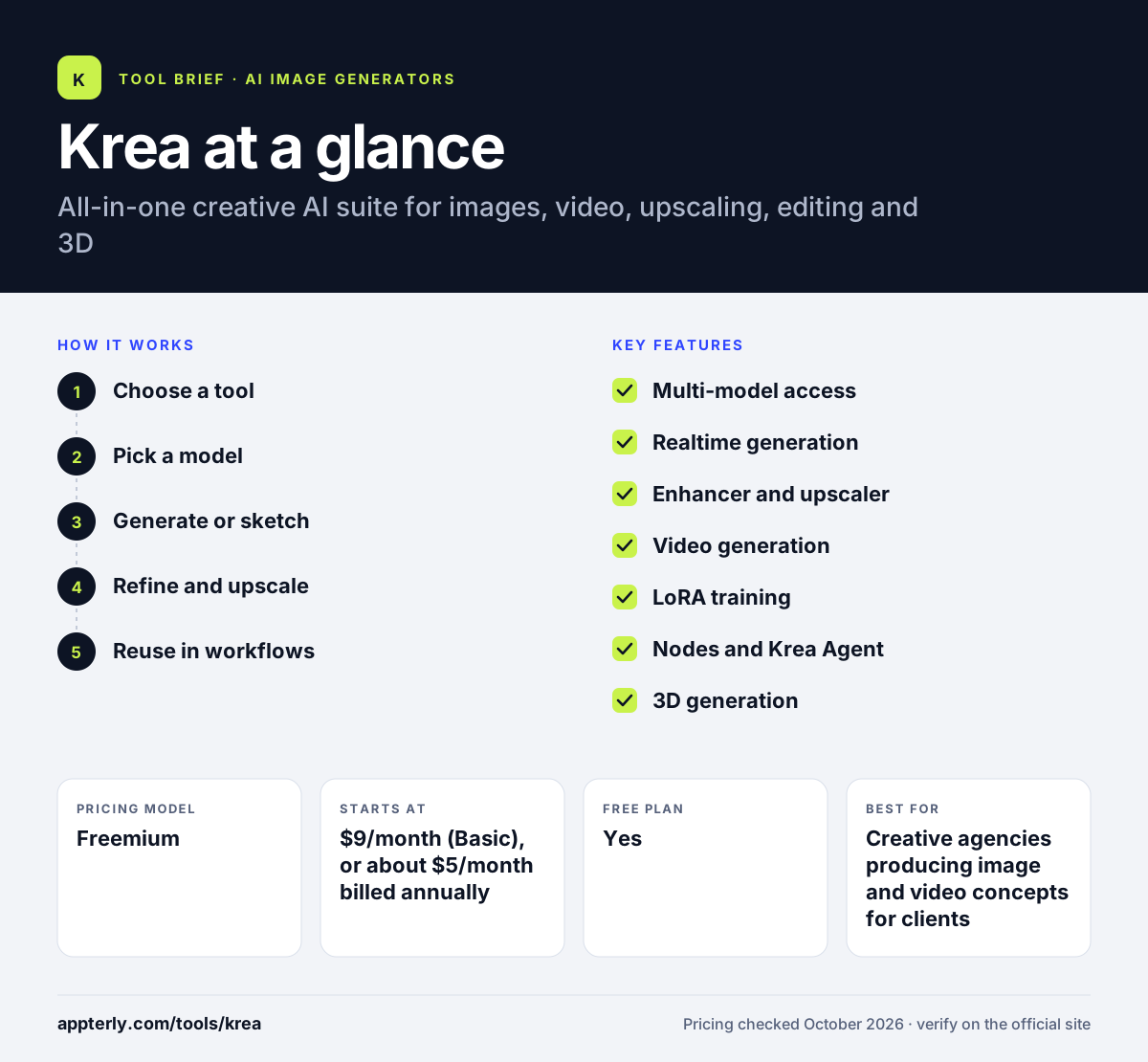
How does Krea work?
- Choose a tool
Open image, video, realtime, edit, enhance or 3D, depending on what you need to make. Free users can try selected models with daily compute units.
- Pick a model
Select Krea's own model or a third-party model, and apply one of more than 1,000 style presets if you like.
- Generate or sketch
Type a prompt, upload a reference, or draw on the realtime canvas to see results update as you work.
- Refine and upscale
Edit details with generative editing, then enhance or upscale the final image or clip.
- Reuse in workflows
Train a LoRA on your product or style, or chain steps together with nodes for repeatable output.
Krea key features
Multi-model access
One subscription unlocks 60+ image and video models, so you can switch models without separate accounts.
Realtime generation
The realtime canvas renders images almost instantly as you draw or adjust simple shapes.
Enhancer and upscaler
Upscales images up to 22K, and video up to 8K with frame interpolation up to 120fps.
Video generation
Creates and restyles video, animates stills, and supports motion transfer and lipsync through partner models.
LoRA training
Fine-tune a custom model on a small set of images of a face, product or style.
Nodes and Krea Agent
Build node-based workflows, or describe what you want in plain language and let the agent produce it.
3D generation
Turns text or images into 3D objects.
Plugins and API
Works inside Photoshop, Illustrator, After Effects, Premiere Pro, DaVinci Resolve, Blender, ChatGPT and Slack, with an API and MCP support.
Why use Krea?
- Access to many leading models under one bill avoids juggling several AI subscriptions.
- The realtime canvas speeds up early concept work by showing changes instantly.
- Strong upscaling makes AI images usable for print and large screens.
- Custom LoRA training keeps products, faces or brand styles consistent across outputs.
- A free tier with daily credits lets you try the suite before paying.
Who is Krea best for?
A good fit for
- Creative agencies producing image and video concepts for clients
- Ecommerce brands that need consistent product visuals
- Designers and illustrators who like sketch-driven workflows
- Video editors who want AI clips and upscaling inside their editor
Less suited to
- Users who want a simple, single-model generator with few settings
- Heavy video creators on a tight budget, since video uses many compute units
- Teams that need traditional, timeline-based video editing
Krea pricing
| Pricing model | Freemium |
|---|---|
| Free plan | Yes |
| Free trial | Not confirmed |
| Starting price | $9/month (Basic), or about $5/month billed annually |
Plans scale by monthly compute units: Basic has 5,000, Pro ($35/month) has 20,000 and Max ($105/month) has 60,000. Business starts at $200/month for teams, Enterprise is custom, and annual billing is cheaper.
Prices checked October 2026. Vendors change plans often, so confirm on the official Krea pricing page before you buy.
Krea pros and cons
Pros
- Dozens of image and video models in one subscription
- Fast realtime canvas for concept work
- High-resolution image and video upscaling
- Plugins for major creative apps
Cons
- Compute-unit pricing takes time to understand
- Some models and features are locked to higher tiers
- The large feature set can feel busy for beginners
Krea integrations and platforms
Works with
Available on
Krea alternatives
See the full shortlist in Best AI Image Generators.
Krea FAQ
Is Krea free?
Yes. Krea has a free plan that gives 100 compute units per day, access to Krea 3, the Krea Agent, selected models and LoRA training on up to 50 images. Paid plans start at $9 per month for Basic and add more compute, more models and higher concurrency.
What is Krea used for?
Krea is used to generate and edit images, create and restyle AI video, upscale images and footage to very high resolutions, train custom models on products or faces, and make 3D objects. Designers, agencies and ecommerce teams use it for concepts, campaigns and product visuals.
Krea vs Midjourney: what's the difference?
Midjourney centers on its own image and video models and a polished aesthetic. Krea is a broader suite that bundles many third-party models, a realtime canvas, upscaling, LoRA training, 3D and editor plugins. Krea has a free plan, while Midjourney requires a paid subscription.
Does Krea have an API?
Yes. Krea offers an API and MCP support, so developers and AI agents can call its generation tools. It also connects with Slack and has plugins for Photoshop, Illustrator, After Effects, Premiere Pro, DaVinci Resolve, Blender and ChatGPT for teams that work inside those apps.
Can I train a custom model in Krea?
Yes. Krea supports LoRA training, which fine-tunes a model on a small image set of a face, product or style. Free and Basic plans allow up to 50 images per LoRA, while Max and Business plans allow up to 2,000 images.
Sources
This overview is based on Krea's official website and documentation, checked October 2026.