What is WordPress?
WordPress is an open-source content management system that lets anyone build and manage websites, from simple blogs to large business sites and online stores. The project began in 2003 when Mike Little and Matt Mullenweg forked an earlier blogging tool. It is free under the GPL license, built on PHP and a MySQL-compatible database, and maintained by a global community of contributors.
There are two common ways to use it. Self-hosted WordPress from WordPress.org is free software you install on your own hosting, giving you full control over themes, plugins and code. WordPress.com is a hosted service built on the same software, with a free tier and paid plans that handle hosting, security and updates for you.
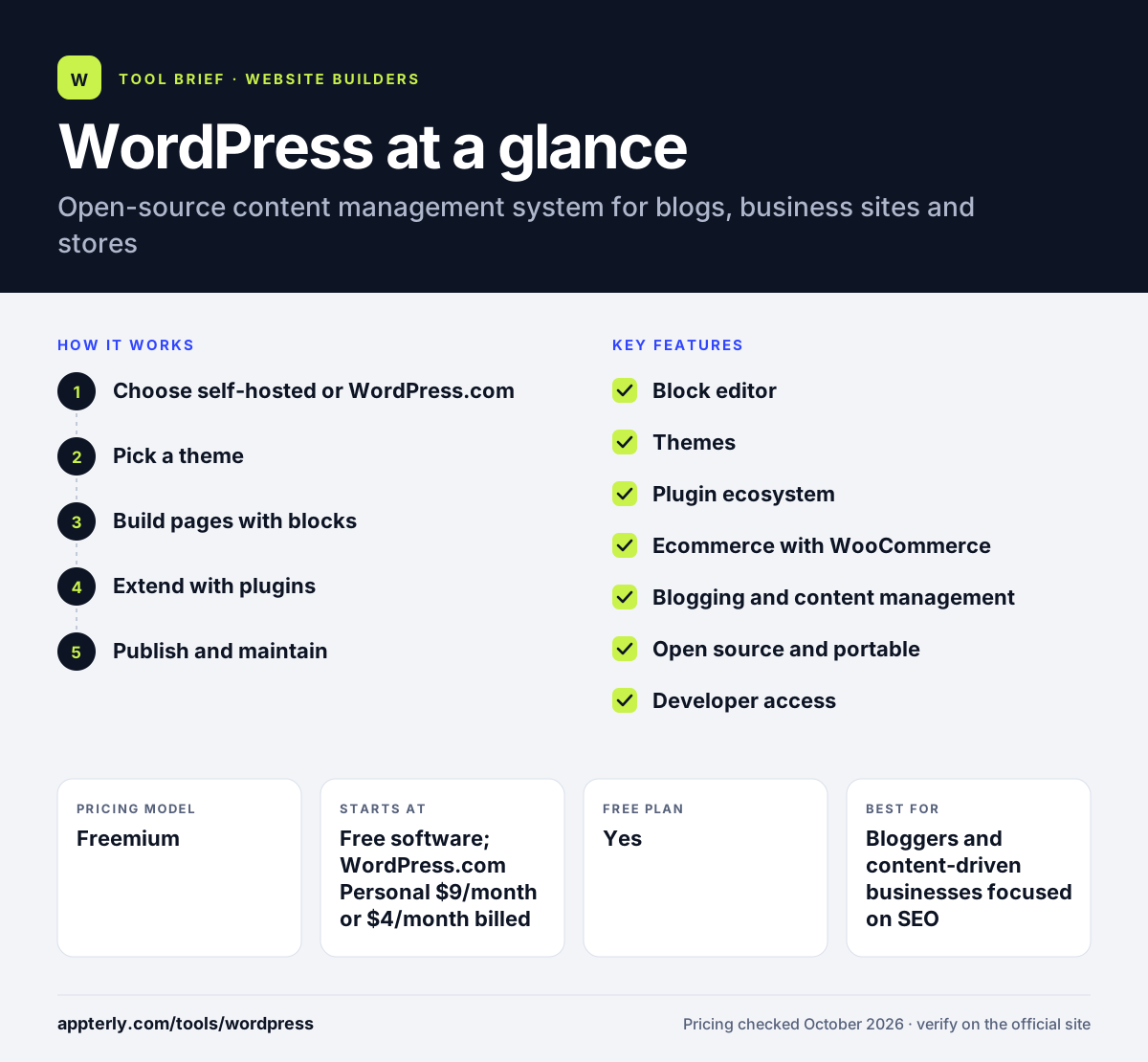
WordPress at a glance
How does WordPress work?
- Choose self-hosted or WordPress.com
Install the free software on a web host, or sign up for WordPress.com and let it host the site.
- Pick a theme
Select a free or premium theme to control the overall look, then adjust it with the block editor.
- Build pages with blocks
Use the block editor to add text, images, buttons and layouts to posts and pages.
- Extend with plugins
Add plugins for SEO, forms, ecommerce, caching or page building as needed.
- Publish and maintain
Publish content, then keep WordPress core, themes and plugins updated or let a managed host do it.
WordPress key features
Block editor
A visual editor that builds posts and pages from reusable content blocks. Blocks also power full site editing in block themes.
Themes
Thousands of free and paid themes change the design without rebuilding content. Themes control layout, colors and typography.
Plugin ecosystem
Tens of thousands of plugins add features such as SEO, forms, memberships and page builders. Page builders such as Elementor run as plugins.
Ecommerce with WooCommerce
WooCommerce turns WordPress into an online store, and WordPress.com's Commerce plan includes it. WooCommerce is free to install on self-hosted sites.
Blogging and content management
Strong tools for posts, categories, tags, media and user roles. User roles control who can write, edit and publish.
Open source and portable
GPL licensing means you own your site files and can move hosts freely. Content can be exported and imported between hosts.
Developer access
Self-hosted sites allow full code access, and WordPress.com Business adds SFTP, SSH, WP-CLI and GitHub deployments. These tools help developers deploy changes safely.
Why use WordPress?
- WordPress is free and open source, so there is no license cost and no lock-in.
- The plugin and theme ecosystem covers almost any feature a site might need.
- Content and blogging tools are among the strongest of any website platform.
- It scales from personal blogs to large publishing and ecommerce sites.
- You can switch hosts or developers at any time because you own the site.
Who is WordPress best for?
A good fit for
- Bloggers and content-driven businesses focused on SEO
- Agencies and freelancers building custom client sites
- Businesses that want full ownership and flexibility
- Stores that want to sell through WooCommerce
Less suited to
- People who want zero maintenance on a self-hosted site
- Users who are not willing to manage plugins, updates and security
- Anyone who needs a fully guided, all-in-one builder experience
WordPress pricing
| Pricing model | Freemium |
|---|---|
| Free plan | Yes |
| Free trial | Not confirmed |
| Starting price | Free software; WordPress.com Personal $9/month or $4/month billed yearly |
Self-hosted WordPress is free, but you pay for hosting, a domain and any premium themes or plugins. WordPress.com plans run Free, Personal, Premium, Business ($40/month) and Commerce ($70/month), with plugin installs from Personal upward.
Prices checked October 2026. Vendors change plans often, so confirm on the official WordPress pricing page before you buy.
WordPress pros and cons
Pros
- Free, open-source and portable
- Huge plugin and theme ecosystem
- Excellent for blogging and SEO-focused content
- Full code control when self-hosted
Cons
- Self-hosted sites need ongoing updates and security work
- Plugin conflicts can cause problems
- Costs for hosting and premium plugins add up
WordPress integrations and platforms
Works with
Available on
WordPress alternatives
See the full shortlist in Best Website Builders.
WordPress FAQ
Is WordPress free?
Yes. The WordPress software from WordPress.org is free and open source. You still pay for web hosting and a domain, plus any premium themes or plugins. WordPress.com also has a free plan with a subdomain and 1 GB of storage, while paid WordPress.com plans add custom domains and plugins.
What is WordPress used for?
WordPress is used to build blogs, business websites, portfolios, membership sites, news sites and online stores. Its block editor, themes and plugins let site owners publish content and add features such as SEO, forms and ecommerce without building everything from scratch. Large publishers and small personal blogs both run on WordPress.
Is WordPress good for beginners?
WordPress is usable by beginners, especially on WordPress.com or a managed host that handles setup. Self-hosted WordPress has more of a learning curve because you manage hosting, updates and plugins. Many beginners start with a simple theme and a few essential plugins, then expand over time.
WordPress.org vs WordPress.com: what's the difference?
WordPress.org offers the free software that you install on your own hosting, giving you full control. WordPress.com is a hosted service that runs WordPress for you, with a free plan and paid tiers. On WordPress.com, plugin installation requires the Personal plan or higher.
WordPress vs Wix: what's the difference?
WordPress is open-source software with huge flexibility, thousands of plugins and full ownership of your site. Wix is a hosted builder with a drag-and-drop editor where hosting and updates are handled for you. WordPress suits content-heavy and growing sites, while Wix suits people who want simplicity. Many agencies use WordPress for client sites because of its flexibility.
Sources
This overview is based on WordPress's official website and documentation, checked October 2026.