What is Customer.io?
Customer.io is a customer engagement platform that uses your product and customer data to send automated, personalized messages across email, push notifications, SMS, WhatsApp and in-app channels. It is mainly used by product, growth and lifecycle marketing teams at software and app companies to handle onboarding, activation, retention and upsell campaigns based on what users actually do. Messages are triggered by real events, such as a signup or a feature used for the first time.
The platform is organized around Journeys, a visual workflow builder, along with Audiences for segmentation, Design Studio for building messages and a data layer that connects sources, destinations and data warehouses. A newer AI Agent can build automations from prompts, analyze campaign results and suggest tests. Pricing is based on profiles and email volume, starting with the Essentials plan.
Customer.io at a glance
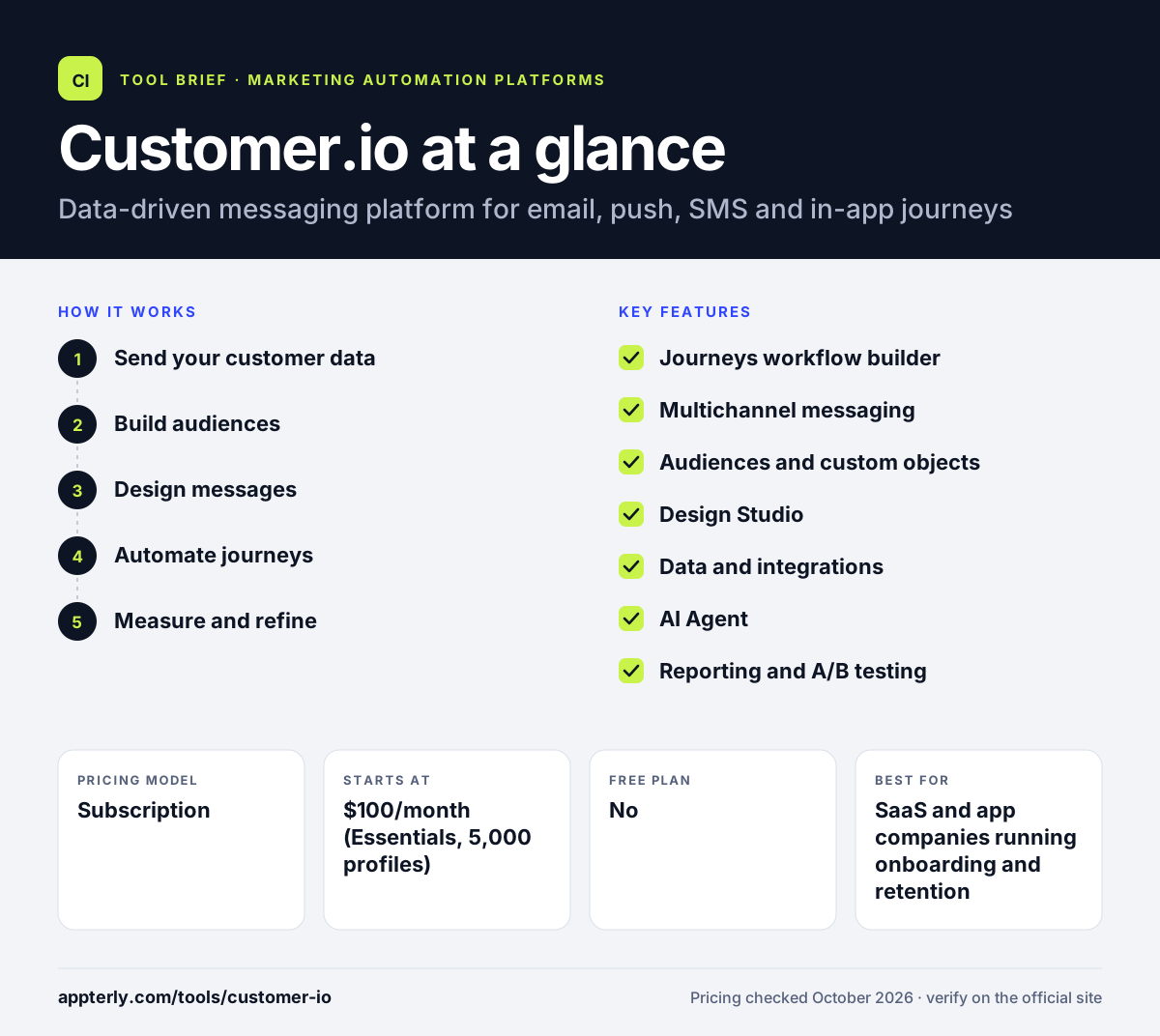
How does Customer.io work?
- Send your customer data
Connect your app through SDKs, the API, Segment or a data warehouse so Customer.io receives user attributes and events in real time.
- Build audiences
Create segments based on behavior, attributes and custom objects, or use the AI segment builder to describe the audience you want.
- Design messages
Write emails, push and in-app messages in Design Studio with drag-and-drop or code editors and preview how they look in inboxes.
- Automate journeys
Set up triggered campaigns in the visual Journeys builder with branches, delays, A/B tests and send-time optimization.
- Measure and refine
Track conversions and campaign metrics in dashboards, then use experiments or the AI Agent to improve results.
Customer.io key features
Journeys workflow builder
A visual builder for multi-step, cross-channel campaigns triggered by events, segments or API calls.
Multichannel messaging
Send email, push, in-app, SMS, WhatsApp, LINE and webhook messages from one platform.
Audiences and custom objects
Segment users on any data you send, including custom objects such as accounts or subscriptions.
Design Studio
Drag-and-drop and code editors, an AI translator and inbox previews for building messages at scale.
Data and integrations
Sources and destinations, reverse ETL, data warehouse destinations and an MCP server for moving customer data in and out.
AI Agent
Currently in beta, the agent can create automations from prompts, analyze performance and suggest experiments.
Reporting and A/B testing
Dashboards, campaign reports, conversion tracking and built-in A/B tests show what is working.
Why use Customer.io?
- Customer.io lets you trigger messages from real product behavior rather than only list membership.
- One platform covers email, push, in-app, SMS and WhatsApp, which keeps lifecycle messaging in one place.
- Flexible data handling, including custom objects and warehouse syncs, suits technical product teams.
- Essentials pricing starts at a predictable monthly fee for smaller user bases.
- Early-stage startups that qualify can get a year free through the Startup Program.
Who is Customer.io best for?
A good fit for
- SaaS and app companies running onboarding and retention campaigns
- Product and growth teams with access to developer or data resources
- Lifecycle marketers who need event-based, cross-channel messaging
- Startups that qualify for the Startup Program
Less suited to
- Small businesses that only send a newsletter
- Teams without anyone to set up event tracking or data integrations
- Ecommerce stores looking for plug-and-play store templates
Customer.io pricing
| Pricing model | Subscription |
|---|---|
| Free plan | No |
| Free trial | Available (length not stated) |
| Starting price | $100/month (Essentials, 5,000 profiles) |
Essentials scales by profile count and includes 1 million emails a month, with overage fees per profile and per 1,000 emails. Premium starts at $1,000/month billed yearly and adds unlimited workspaces, premium integrations and managed deliverability, while Enterprise is custom priced.
Prices checked October 2026. Vendors change plans often, so confirm on the official Customer.io pricing page before you buy.
Customer.io pros and cons
Pros
- Strong event-based automation for product-led companies
- Wide channel coverage in one tool
- Flexible data model with custom objects and warehouse support
- Clear published starting price
Cons
- Needs technical setup to send events and attributes
- Premium features such as native Salesforce sync start at a much higher price
- Costs grow as profile counts rise
Customer.io integrations and platforms
Works with
Available on
Customer.io alternatives
See the full shortlist in Best Marketing Automation Software.
Customer.io FAQ
Is Customer.io free?
Customer.io does not offer a permanent free plan. You can start a trial, and the Essentials plan begins at $100 per month for 5,000 profiles. Companies that have raised less than $10 million can apply to the Startup Program, which provides a full year free. Larger teams move to Premium or Enterprise pricing.
What is Customer.io used for?
Customer.io is used to send automated messages based on how people use a product. Common examples include onboarding sequences, feature adoption nudges, trial-to-paid conversion campaigns, win-back messages and product announcements, delivered by email, push, in-app, SMS or WhatsApp.
Is Customer.io good for beginners?
Customer.io is approachable once data is flowing, thanks to its visual Journeys builder and templates. The harder part for beginners is the initial setup, because you need to send user events and attributes from your app. Teams with a developer or a tool like Segment usually get started faster.
Customer.io vs Braze: what's the difference?
Both platforms send behavior-based messages across channels such as email, push and in-app. Customer.io publishes a starting price and offers a self-serve Essentials plan, which makes it popular with startups and mid-size SaaS teams. Braze is generally aimed at large consumer brands operating at enterprise scale. Teams wanting a quicker, self-serve start often choose Customer.io.
Does Customer.io integrate with Segment?
Yes. Segment is one of Customer.io's featured integrations, so you can send user and event data from Segment into Customer.io without extra code. Customer.io also connects with Snowflake, Mixpanel, Amplitude, HubSpot, Salesforce and Twilio, among others.
Sources
This overview is based on Customer.io's official website and documentation, checked October 2026.