What is Bannerbear?
Bannerbear is an API platform that automatically generates branded images, videos and PDFs from templates you design once. You build a layout with placeholders for text, photos and colors, then send data through the API, a no-code integration or an AI agent to fill those placeholders. It is aimed at marketers, developers and product teams who need large volumes of on-brand visuals, such as social posts, ecommerce banners and open graph images.
The product is split into several APIs: an Image API, a PDF API, an Animation API, a Video API and a Workflow API that chains steps together. Bannerbear also offers an MCP server so AI assistants can call it directly. There is no free plan, but a free trial gives you a small number of API credits to test templates and integrations before you subscribe.
Bannerbear at a glance
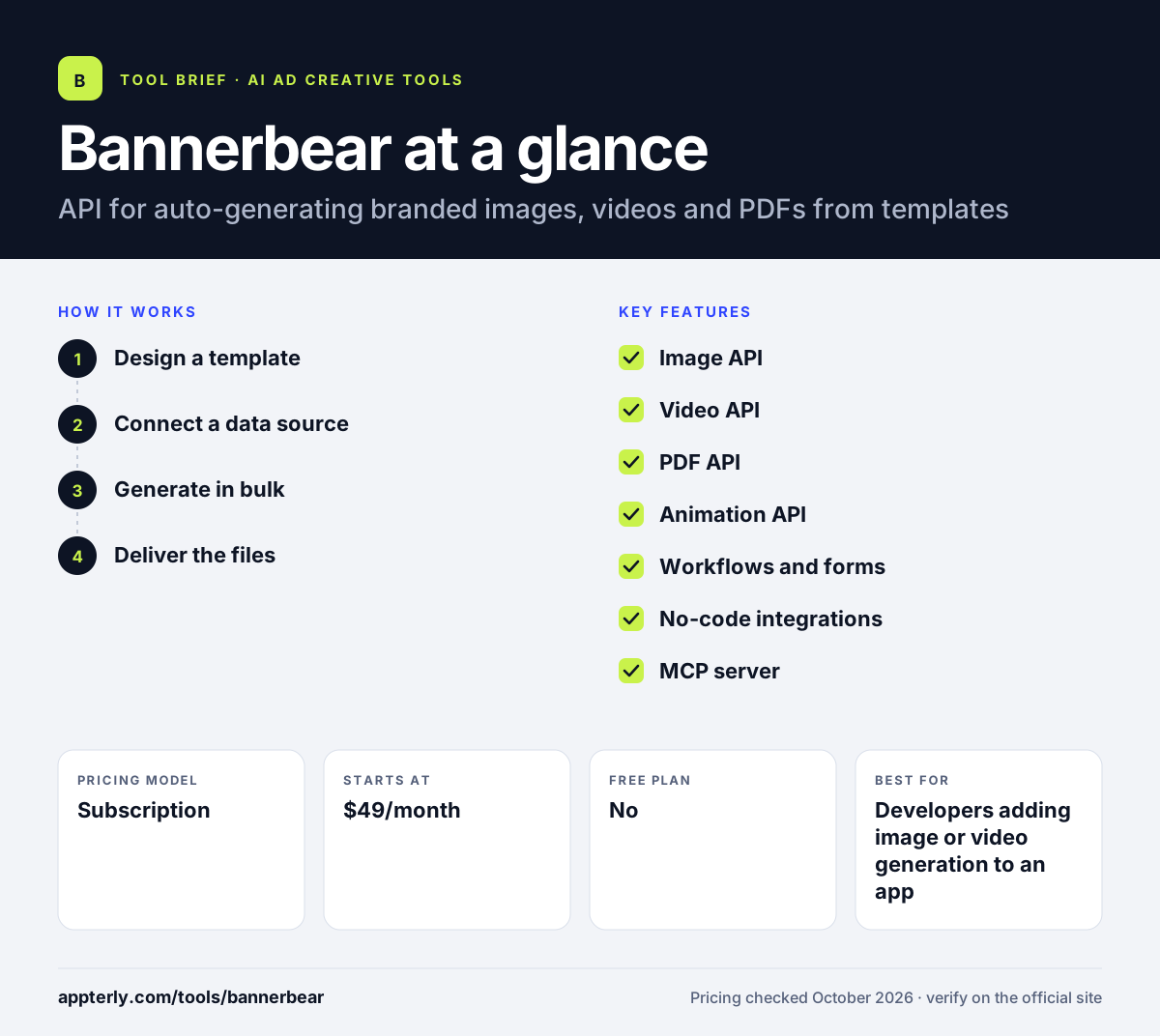
How does Bannerbear work?
- Design a template
Create a branded layout in the Bannerbear editor or start from the template library. Mark the text, image and color layers that should change.
- Connect a data source
Send data through the REST API, a no-code tool such as Zapier, a form, or an AI agent using the MCP server.
- Generate in bulk
Bannerbear renders a new image, PDF or video for each record, swapping in the data you passed. Each render uses API credits.
- Deliver the files
Collect the finished files through the API response or push them into your app, CMS or storage for publishing.
Bannerbear key features
Image API
Generates images in common formats from a template and a JSON payload. Useful for social cards, product banners and blog thumbnails.
Video API
Produces branded videos with title cards, overlays and subtitles. It can also handle tasks like resizing clips and adding background music.
PDF API
Creates single or multi-page PDFs, such as certificates or reports, from the same template system.
Animation API
Builds short animated slideshows from several template frames, which works well for social media posts.
Workflows and forms
Chains multiple generation steps together and lets non-technical users trigger renders by filling in a simple form.
No-code integrations
Connects with 50+ tools, including Airtable, Zapier, Shopify and WordPress, so you can automate visuals without writing code.
MCP server
Lets AI agents and assistants request images and videos from Bannerbear directly, which helps teams building agent-based workflows.
Developer tooling
Provides a documented REST API, client libraries for major languages and OpenAPI specs for faster integration.
Why use Bannerbear?
- It removes repetitive design work by turning one template into thousands of variations.
- Visuals stay on brand because fonts, colors and layouts are locked in the template.
- No-code connectors let marketers automate graphics without a developer.
- One platform covers images, videos and PDFs, so you do not need separate tools.
- The free trial lets you test the full API before paying.
Who is Bannerbear best for?
A good fit for
- Developers adding image or video generation to an app
- Ecommerce teams producing product banners at scale
- Content teams automating social and blog graphics
- Agencies running templated creative for many clients
Less suited to
- One-off designs, where a design tool like Canva is simpler
- Teams wanting AI to invent new ad concepts rather than fill templates
- Very small budgets, since paid plans start at $49 per month
Bannerbear pricing
| Pricing model | Subscription |
|---|---|
| Free plan | No |
| Free trial | Free trial with 30 API credits, no card required |
| Starting price | $49/month |
Automate costs $49/month for 1,000 API credits, Scale costs $149/month for 10,000 credits and adds team members and Instant URLs, and Enterprise starts at $299/month for 50,000 credits with SSO and audit logs. Higher credit tiers are available on Scale and Enterprise.
Prices checked October 2026. Vendors change plans often, so confirm on the official Bannerbear pricing page before you buy.
Bannerbear pros and cons
Pros
- Covers images, video, animation and PDFs in one API
- Strong no-code integration options
- Clear credit-based pricing
- Agent-ready through its MCP server
Cons
- No permanent free plan
- Entry price is high for occasional users
- Templates must be designed up front before automation pays off
Bannerbear integrations and platforms
Works with
Available on
Bannerbear alternatives
See the full shortlist in Best AI Ad Creative Generators.
Bannerbear FAQ
Is Bannerbear free?
Bannerbear does not have a permanent free plan. It offers a free trial with 30 API credits and no credit card required, along with limited templates and workflows. After the trial, the Automate plan starts at $49 per month for 1,000 API credits, and higher plans add more credits, team features and security controls.
What is Bannerbear used for?
Bannerbear is used to generate large numbers of branded images, videos and PDFs automatically. Common uses include social media graphics, ecommerce banners, open graph images for blogs, certificates and short promo videos. You design a template once, then feed it data through the API or a no-code tool, and Bannerbear produces each variation for you.
Do I need to code to use Bannerbear?
No. Developers can use the REST API and client libraries, but non-technical users can connect Bannerbear to Zapier, Airtable and other tools with more than 50 integrations. There are also simple forms that trigger image generation. Coding helps if you want to build Bannerbear into your own product or a custom workflow.
Bannerbear vs Placid: what's the difference?
Both tools generate visuals from templates through an API and no-code integrations. Bannerbear puts strong emphasis on its developer API, video generation, PDF output and an MCP server for AI agents. Placid covers similar ground for social and web graphics. The best choice depends on the output formats you need, how many renders you make each month, and which apps you plan to connect.
Does Bannerbear integrate with Shopify?
Yes. Shopify is one of the integrations listed by Bannerbear, alongside Airtable, WordPress, Webflow, Notion and Zapier. Ecommerce teams can use product data to create banners and promo graphics automatically, which saves time when a catalog has many items or prices change often.
Sources
This overview is based on Bannerbear's official website and documentation, checked October 2026.