What is Artlist?
Artlist is a subscription platform for video creators that licenses royalty-free music, sound effects, stock footage, video templates, LUTs and editing plugins, and also offers AI tools for generating images, video, voiceovers and music. The company says its catalog holds more than 700,000 assets, much of it original content made in-house and exclusive to Artlist, with new items added daily.
Artlist sells two kinds of plans. Stock plans cover the catalog, split into Music and SFX or Footage and Templates, and the all-in-one Max plan bundles stock with AI. AI plans give a monthly pool of credits for more than 100 AI models. Licenses are tiered: Social covers your own channels, Pro adds client work, ads and broadcast, and Business plans cover larger companies and agencies.
Artlist at a glance
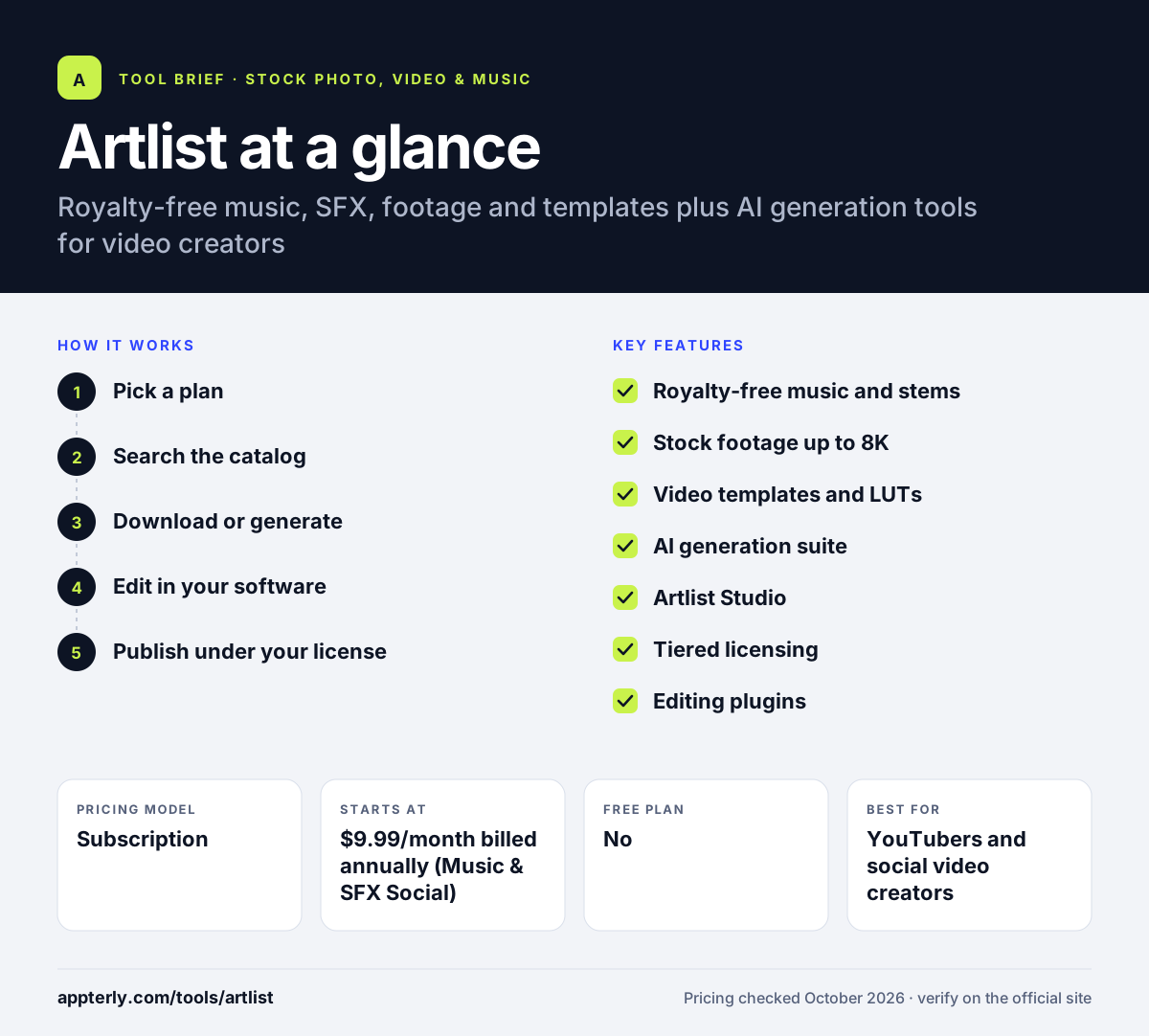
How does Artlist work?
- Pick a plan
Choose a stock plan for music, SFX or footage, an AI plan for generation credits, or the Max plan for both.
- Search the catalog
Browse music by mood, genre or theme, and find footage, templates, LUTs and sound effects for your edit.
- Download or generate
Download stock assets, or use AI tools to create images, video clips, voiceovers or songs with your monthly credits.
- Edit in your software
Pull assets into your editor, with a Premiere Pro extension available on some plans.
- Publish under your license
Use the content on the channels and projects your license covers, from social posts to client ads and broadcast.
Artlist key features
Royalty-free music and stems
A curated music catalog with stems and sound effects that you can use in monetized videos under your plan's license.
Stock footage up to 8K
Footage and Templates plans include clips up to 8K, with RAW and LOG footage as a paid add-on.
Video templates and LUTs
Ready-made templates and color grading presets to speed up editing and give videos a consistent look.
AI generation suite
Access to over 100 AI models for images, video, voiceover, music and 3D models, plus an image editor and 70+ presets.
Artlist Studio
A workspace included with AI plans for creating and organizing AI-generated content.
Tiered licensing
Social, Pro and Business licenses scale from personal channels to client work, paid ads, broadcast and company-wide use.
Editing plugins
Plugins and a Premiere Pro extension let editors search and add assets without leaving their timeline.
Why use Artlist?
- One subscription covers music, sound effects, footage and templates for a whole video project.
- In-house and exclusive content means you hear the same tracks less often than on open marketplaces.
- AI tools sit next to the stock catalog, so you can generate a missing shot or voiceover in the same account.
- Yearly billing cuts costs considerably compared with monthly payments.
- Clear license tiers make it easier to know whether client and ad work is covered.
Who is Artlist best for?
A good fit for
- YouTubers and social video creators
- Freelance video editors doing client work
- Small production companies and agencies
- Marketers producing video ads
Less suited to
- Photographers or designers who mainly need still images and vectors
- Creators who only need a track or two, since there is no free plan
- Teams that want monthly billing on every plan, since some stock plans are annual only
Artlist pricing
| Pricing model | Subscription |
|---|---|
| Free plan | No |
| Free trial | Not confirmed |
| Starting price | $9.99/month billed annually (Music & SFX Social) |
Stock plans are priced by asset type and license, while AI plans run from $11.99 to $41.67 per month billed annually, scaling by monthly credits. Max, Business and Enterprise plans bundle stock and AI for larger teams.
Prices checked October 2026. Vendors change plans often, so confirm on the official Artlist pricing page before you buy.
Artlist pros and cons
Pros
- High-quality exclusive music and footage
- Stock and AI tools available in one account
- Clear license tiers for creators and businesses
- Big discounts for yearly billing
Cons
- No free plan, only free AI samples
- Plan lineup is complex, with separate stock, AI and Max plans
- Some stock plans are only sold with annual billing
Artlist integrations and platforms
Works with
Available on
Artlist alternatives
See the full shortlist in Best Stock Media Sites.
Artlist FAQ
Is Artlist free?
No. Artlist does not have a free plan. You can try its AI tools by generating a small sample of voiceovers, images, a video and music, but downloading stock music or footage requires a paid plan. Stock plans start at $9.99 per month billed annually for Music and SFX with a Social license.
What is Artlist used for?
Artlist is used to find licensed music, sound effects, footage, templates and LUTs for videos, and to generate AI images, clips, voiceovers and songs. YouTubers, video editors, agencies and brands use it so they can publish and monetize content without copyright claims on the assets they license.
Can I use Artlist music for client work and ads?
It depends on your license. The Social license covers your own social channels only. The Pro license covers client work, paid ads, websites, podcasts and broadcast, and the Business plans cover larger companies and agencies. Check which license your plan includes before using a track in a client project.
Artlist vs Epidemic Sound: what's the difference?
Both offer royalty-free music and sound effects for creators. Artlist also sells stock footage, templates, LUTs and a wide AI generation suite, while Epidemic Sound focuses on music and sound effects with tools like Adapt and Studio. Video editors who need footage often prefer Artlist, while audio-focused creators may prefer Epidemic Sound.
Does Artlist work with Premiere Pro?
Yes. Artlist offers a Premiere Pro extension on some plans, so editors can search and add music and sound effects directly in their project. The company also offers other video-editing plugins as part of its catalog, which are covered by stock plans that include plugins.
Sources
This overview is based on Artlist's official website and documentation, checked October 2026.