What is Adobe Stock?
Adobe Stock is a stock content marketplace from Adobe that licenses photos, illustrations, vectors, videos, templates, 3D assets and music for commercial projects. Adobe says the library holds more than 900 million assets. Because it is part of the Adobe ecosystem, you can search, preview and license files from inside Creative Cloud apps such as Photoshop and Premiere Pro, and save them to shared Creative Cloud Libraries.
Adobe Stock sells access through monthly subscriptions with a fixed number of downloads, an Unlimited plan, and credit packs for occasional buyers. Newer plans bundle AI Studio, which lets you change colors, backgrounds, moods and aspect ratios of a stock asset before licensing it, and can animate still images using generative credits. Premium images, 4K video and extended licenses cost extra.
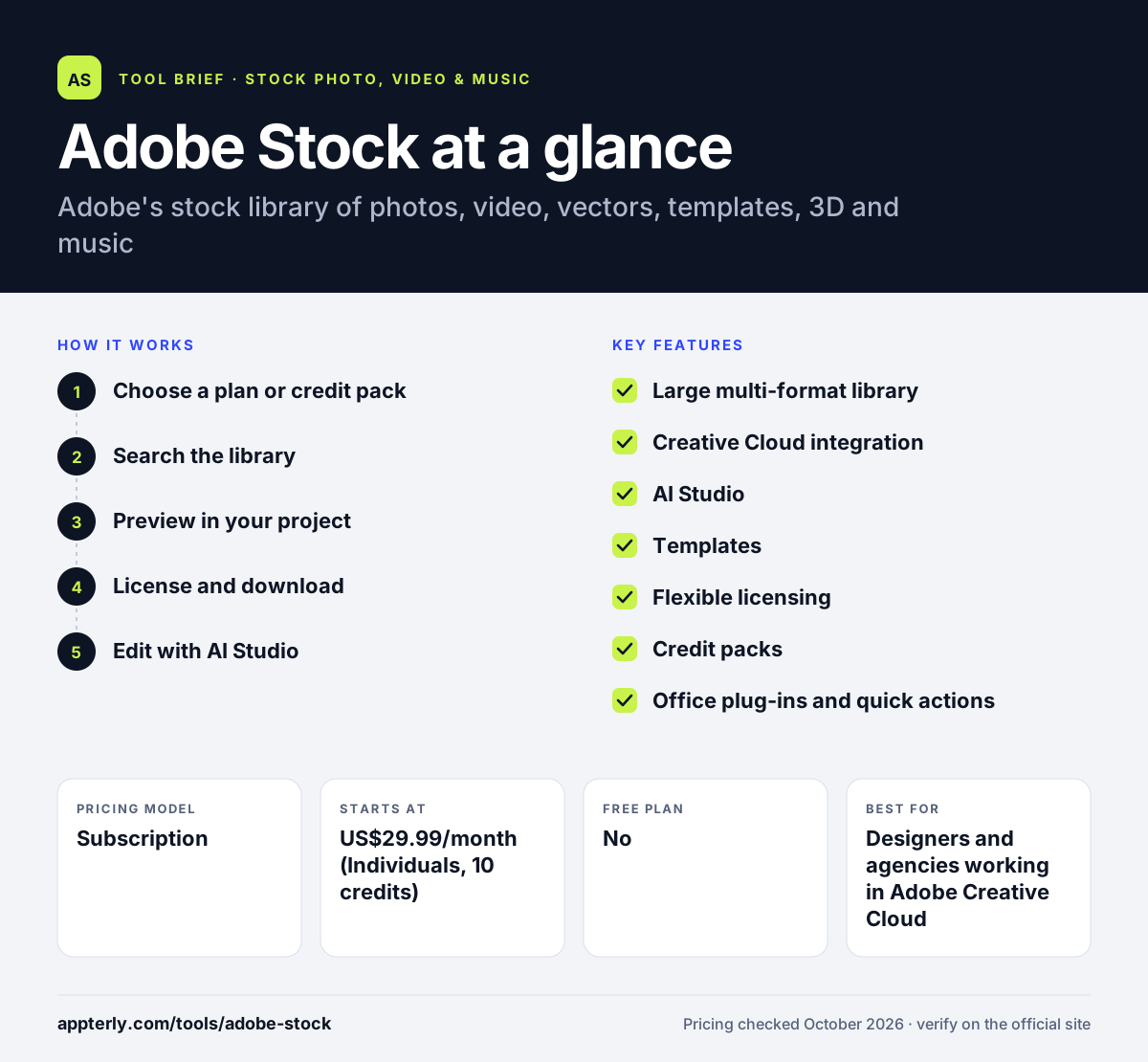
Adobe Stock at a glance
How does Adobe Stock work?
- Choose a plan or credit pack
Pick a monthly subscription for regular downloads, or buy a credit pack that lasts one year if you only need assets now and then.
- Search the library
Search by keyword or browse by asset type, then filter for photos, vectors, video, templates, 3D or music.
- Preview in your project
Save candidate assets to a Creative Cloud Library or open them in your Adobe app so your team can review options before you spend a download.
- License and download
License the final asset with your plan downloads or credits, then use the full-resolution file in your project.
- Edit with AI Studio
On AI Studio plans, adjust colors, backgrounds or framing, or add motion, before you use the asset.
Adobe Stock key features
Large multi-format library
Photos, vectors, illustrations, video, templates, 3D and music in one catalog that Adobe puts at over 900 million assets.
Creative Cloud integration
Find and license assets from within Adobe apps and share them through Creative Cloud Libraries, with a dedicated workflow for Premiere Pro.
AI Studio
AI editing tools that change colors, moods, backgrounds and aspect ratios, or animate still images, using generative credits.
Templates
Ready-made design files, including Photoshop templates, for social posts, print pieces and video projects.
Flexible licensing
Standard license on metered plans, an Enhanced license on Unlimited, and extended licenses for large print runs or products for resale.
Credit packs
Packs of 5 to 150 credits that stay valid for a year, for buyers who do not want a subscription.
Office plug-ins and quick actions
Microsoft Office plug-ins and quick actions for resizing and background removal help non-designers use stock in everyday documents.
Why use Adobe Stock?
- Designers already on Creative Cloud can license assets without leaving Photoshop, Illustrator, InDesign or Premiere Pro.
- Credit packs stay valid for a year, so occasional buyers can license assets without a subscription.
- One account covers images, video, music, templates and 3D, so teams need fewer stock vendors.
- AI Studio lets you adapt a stock image to your brand instead of searching for a perfect match.
- The Unlimited plan removes download caps for high-volume content teams.
Who is Adobe Stock best for?
A good fit for
- Designers and agencies working in Adobe Creative Cloud
- Marketing teams producing large volumes of visual content
- Video editors who use Premiere Pro
- Businesses that want one source for images, video and music
Less suited to
- Occasional users who only need a few free images a year
- Buyers who want to cancel any time, since annual plans carry early cancellation fees
- People who never use Adobe apps and will not benefit from the integration
Adobe Stock pricing
| Pricing model | Subscription |
|---|---|
| Free plan | No |
| Free trial | 7 days (Individuals with AI Studio plan) |
| Starting price | US$29.99/month (Individuals, 10 credits) |
Plans run from US$29.99 for 10 monthly assets to US$129.99 for Unlimited Stock, with AI Studio and more generative credits on higher tiers. Annual plans have early cancellation fees, and credit packs are sold separately.
Prices checked October 2026. Vendors change plans often, so confirm on the official Adobe Stock pricing page before you buy.
Adobe Stock pros and cons
Pros
- Deep integration with Creative Cloud apps
- Huge catalog across images, video, music, templates and 3D
- AI Studio editing for adapting assets
- Choice of subscriptions or one-year credit packs
Cons
- Annual plans carry early cancellation fees
- Premium assets, 4K video and extended licenses cost extra
- Monthly download limits on lower tiers are small
Adobe Stock integrations and platforms
Works with
Available on
Adobe Stock alternatives
See the full shortlist in Best Stock Media Sites.
Adobe Stock FAQ
Is Adobe Stock free?
Adobe Stock is a paid service, but the Individuals with AI Studio plan comes with a 7-day free trial. You can download assets included in the plan during the trial and keep them if you cancel within the first seven days. After that, the annual subscription starts and is billed at the plan rate.
How much does Adobe Stock cost?
Adobe Stock plans start at US$29.99 per month for 10 assets, including up to one video. The plan with AI Studio costs US$39.99, a 40-credit plan costs US$89.99, and Unlimited Stock costs US$129.99 per month. Credit packs are also available for people who do not want a subscription.
Can I use Adobe Stock images commercially?
Yes. Licensed Adobe Stock assets can be used in commercial work such as ads, websites and social posts. The Standard license caps print runs at 500,000 copies and does not cover items made for resale. For those uses you need an extended license, which some subscriptions discount by 20 percent.
Adobe Stock vs Shutterstock: what's the difference?
Adobe Stock's main advantage is its built-in connection to Creative Cloud apps and its AI Studio editing tools. Shutterstock is a standalone stock service with its own AI generation and an unlimited plan covering images, video, music and sound effects. Adobe users usually get the smoother workflow from Adobe Stock.
Does Adobe Stock work inside Photoshop?
Yes. Adobe offers guides for finding, previewing and licensing Adobe Stock assets inside Creative Cloud apps like Photoshop, Illustrator and InDesign, plus a separate workflow for Premiere Pro. Assets can also be saved to Creative Cloud Libraries, which lets a whole design team find and reuse the same licensed files.
Sources
This overview is based on Adobe Stock's official website and documentation, checked October 2026.