What is Affinity?
Affinity is a professional creative app that combines vector design, photo editing and page layout in one program for Mac and Windows. It is now part of Canva and is free for individuals. It targets graphic designers, illustrators, photographers and marketers who want pro-level tools without a paid subscription.
The app is split into three studios: Vector for illustration and logos, Pixel for photo editing, and Layout for brochures, books and other print work. Affinity opens PSD, AI, IDML and DWG files with layers intact and can send designs to Canva for team collaboration. Optional Canva AI tools are available to users on a Canva premium plan.
Affinity at a glance
How does Affinity work?
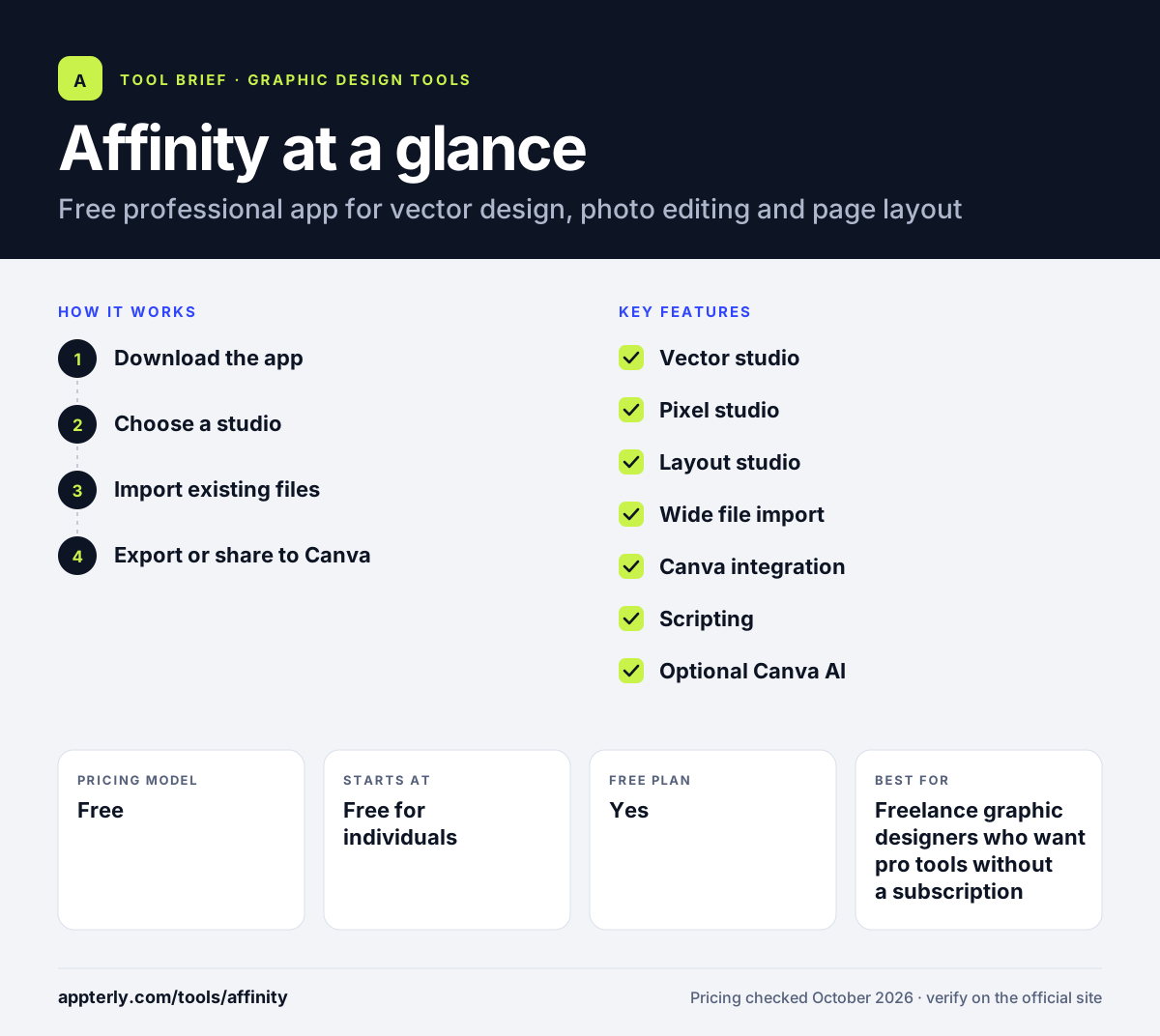
- Download the app
Install Affinity on Mac or Windows and sign in with a free account.
- Choose a studio
Switch between Vector, Pixel and Layout inside the same document as the task requires.
- Import existing files
Open Photoshop, Illustrator or InDesign files and keep working with their layers.
- Export or share to Canva
Export print or web files, or move assets into Canva for teammates to edit.
Affinity key features
Vector studio
Tools for illustration, logos and graphic design, including a Blend Tool. It suits detailed artwork that needs to scale cleanly to any size.
Pixel studio
Photo editing and retouching with non-destructive adjustments. Edits can be changed later because the original pixels stay intact.
Layout studio
Page layout for print and digital publications. It handles multi-page documents such as magazines, catalogs and books.
Wide file import
Opens PSD, AI, IDML and DWG files while keeping layers and structure. This helps designers move away from Adobe without losing old work.
Canva integration
Sends designs to Canva for live collaboration with non-designers. Marketing teams can then reuse the assets in their own Canva templates.
Scripting
In-app scripting automates tasks across vector, pixel and layout work. Advanced users can build their own tools and repeatable workflows.
Optional Canva AI
AI tools from Canva can be used inside Affinity with a Canva premium plan. These tools are optional, so the core app stays free.
Why use Affinity?
- Professional design tools are free for individuals.
- One app replaces separate illustration, photo and layout programs.
- Opening Adobe file formats eases switching from Adobe apps.
- Canva handoff helps designers work with marketing teams.
- It handles large, complex documents with many layers.
Who is Affinity best for?
A good fit for
- Freelance graphic designers who want pro tools without a subscription
- Illustrators and logo designers working in vector
- Small studios moving away from Adobe Creative Cloud
- Marketing teams that use Canva and need a pro app for detailed work
Less suited to
- Beginners who only need quick social templates
- iPad users, as the iPad version is listed as coming soon
- Teams that expect real-time co-editing inside the desktop app itself
Affinity pricing
| Pricing model | Free |
|---|---|
| Free plan | Yes |
| Free trial | Not confirmed |
| Starting price | Free for individuals |
The core app costs nothing for individuals. Canva AI features inside Affinity need a Canva premium plan, and organization or education licensing goes through Canva sales.
Prices checked October 2026. Vendors change plans often, so confirm on the official website before you buy.
Affinity pros and cons
Pros
- Free for individual users, with no subscription
- Vector, photo and layout tools in a single app
- Opens common Adobe formats such as PSD, AI and IDML
- Direct handoff to Canva for team collaboration
Cons
- No iPad version yet
- A steeper learning curve than template-based tools
- Canva AI features inside Affinity require a paid Canva plan
Affinity integrations and platforms
Works with
Available on
Affinity alternatives
See the full shortlist in Best Graphic Design Tools for Marketers.
Affinity FAQ
Is Affinity free?
Yes. Affinity is free for individuals. You can download the app for Mac or Windows and use its vector, photo editing and layout tools without paying. Only the optional Canva AI features require a Canva premium plan, and organizations can arrange licensing through Canva.
What is Affinity used for?
Affinity is used for professional graphic design, illustration, photo editing and page layout. Designers create logos, artwork, edited photos, brochures, books and print materials. Because it combines three studios in one app, users can move between vector, pixel and layout work in a single document.
Is Affinity owned by Canva?
Yes. Affinity is now part of Canva. The Affinity site carries Canva branding, offers export to Canva for collaboration, and routes enterprise and education licensing through Canva sales. Canva AI tools can also be used inside Affinity with a Canva premium plan.
Affinity vs Adobe Illustrator: what's the difference?
Adobe Illustrator is a subscription vector app within Creative Cloud. Affinity is free for individuals and combines vector design with photo editing and page layout in one app. Affinity can open Illustrator and Photoshop files, which makes it a common choice for designers who want to avoid subscriptions.
Does Affinity work on iPad?
Not yet. Affinity currently runs on Mac, with native support for Apple silicon and Intel, and on Windows. The official site lists an iPad version as coming soon, so iPad users will need to wait or use the desktop app.
Sources
This overview is based on Affinity's official website and documentation, checked October 2026.